Camera-Centric Smartphones: Unpacking the Power and Potential

Strengths of Smartphone Cameras: Convenience Reigns Supreme
Weaknesses of Smartphone Cameras: Limitations to Consider
Top Contenders in the Camera-Centric Smartphone Arena
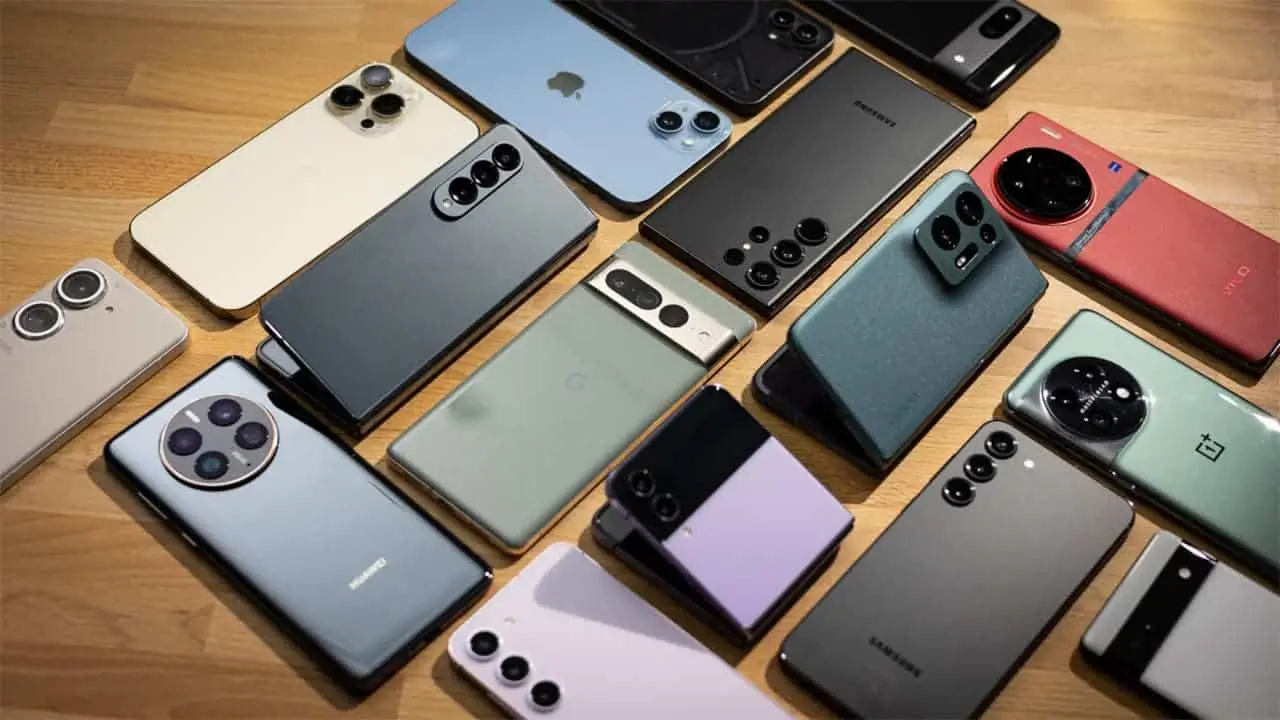
Apple iPhone 15 Pro Max: Renowned for its exceptional image processing and vibrant colors, the iPhone 15 Pro Max boasts a triple-lens rear camera system with improved low-light performance.
Samsung Galaxy S23 Ultra: This powerhouse offers a versatile quad-lens camera system with a powerful zoom lens, catering to creative photographers seeking control and diverse capabilities.
Google Pixel 8 Pro: Google's Pixel series continues to impress with its AI-powered photography, delivering exceptional image quality with features like Magic Eraser for seamless photo editing.
Xiaomi 13 Ultra: This camera-focused phone features a massive 1-inch sensor, capturing stunning detail and low-light performance, pushing the boundaries of smartphone photography.
Huawei Mate 60 Pro+: Despite ongoing limitations due to US sanctions, Huawei remains a player in the camera-centric market with its Leica-branded quad-lens system offering exceptional image quality and unique shooting modes.

Unleashing Your Inner Photographer: Essential Tips for Mobile Photography
Embrace the Light: Lighting is paramount in photography. Seek natural light whenever possible, avoiding harsh shadows and direct sunlight. Experiment with different lighting conditions and angles to create a dynamic and visually striking image.
Composition Matters: Rule of thirds, leading lines, and negative space are fundamental principles of composition. Utilize them to create balanced and visually pleasing photographs.
Get Close: Don't shy away from getting closer to your subject. Macro mode on smartphones allows for capturing intricate details often missed from afar.
Experiment with Modes: While auto mode is convenient, explore the various shooting modes offered by your smartphone camera. Explore portrait mode for bokeh effects, capture action with burst mode, or play with long exposure mode for a unique artistic touch.
smartphones offer built-in editing tools, but dedicated editing apps offer more extensive control over adjustments like brightness, contrast, and color correction.
Embrace the Manual: While auto mode is convenient, learning basic manual controls can unlock greater creative potential. Experiment with adjusting settings like exposure, white balance, and ISO to achieve your desired effect.
Invest in Accessories: While not essential, external lenses like wide-angle or telephoto lenses can expand your creative possibilities and offer an alternative to digital zoom. Tripods also provide stability for low-light photography or long exposure shots.
Practice Makes Perfect: The key to mastering any skill is practice. Carry your smartphone with you and take pictures regularly. Experiment, explore different techniques, and learn from your experiences.
Follow Photography Inspiration: Seek inspiration from professional photographers and other mobile photography enthusiasts. Social media platforms are overflowing with creative content, allowing you to learn from others and develop your own unique style.
Don't Be Afraid to Break the Rules: While understanding the basics of photography is valuable, don't be afraid to experiment and break the rules. Sometimes, unconventional approaches can lead to the most captivating photographs.
The Future of Camera-Centric Smartphones: Glimmering Possibilities
Sensor Breakthroughs: Smaller form factors present challenges for sensor size, a crucial element for capturing light and detail. Advancements in sensor technology, like miniaturization or stacked sensor technology, could lead to larger and more light-sensitive sensors in smartphones, rivaling the performance of dedicated cameras.
Computational Photography Advancements: Artificial intelligence continues to push boundaries in computational photography, contributing to significant improvements in image quality, especially in low-light conditions. Future advancements could see AI assisting with real-time image stabilization, automatic depth of field adjustments, and even intelligent scene recreation for artistic effects.
Modular Design and Interchangeable Lenses: Modular designs, resembling the flexibility of DSLR systems, could be explored. Imagine a base phone connected to different camera modules, offering interchangeable lenses like telephoto, wide-angle, or macro lenses, mimicking the versatility of dedicated cameras.
Advanced Zoom Technologies: While some phones offer impressive zoom capabilities, future iterations could see the integration of advanced optical zoom technologies similar to those found in professional cameras. This would eliminate the drawbacks of digital zoom and allow for capturing distant subjects with exceptional detail and clarity.
Integration with Augmented Reality (AR) and Virtual Reality (VR): The convergence of smartphone cameras with AR and VR technologies could lead to innovative applications like real-time object recognition, interactive overlays on photos, and immersive 3D capturing capabilities.
Physical limitations: Miniaturization and heat dissipation pose challenges in incorporating advanced hardware into compact smartphone bodies.
Balancing Features and Cost: Implementing cutting-edge features will likely raise production costs. Requiring manufacturers to strike a balance between offering advanced capabilities and maintaining affordability for consumers.
Battery Life: Integrating additional camera features and functionalities will likely have an impact on battery life. Efficient battery management strategies and advancements in battery technology will be crucial.

Advanced Techniques and Tips for Camera-Centric Smartphones: Unlocking the Hidden Potential
1. Mastering Manual Mode:
Exposure Triangle: Dive deeper into the exposure triangle, understanding how manipulating aperture, shutter speed, and ISO impacts your image. Adjusting these settings manually allows for greater control over desired effects like depth of field, motion blur, and low-light performance.
Focus Peaking: Utilize focus peaking, a feature available on some smartphones, which highlights areas in focus with sharp edges. This is helpful for critical focusing, especially in low-light conditions or when dealing with fast-moving subjects.
White Balance Adjustment: Experiment with adjusting white balance to achieve the desired color temperature in your photos. This helps capture the actual colors of the scene, especially under artificial lighting or mixed lighting conditions.
2. ProRAW/DNG Capture:
- Leverage RAW Capture: If your smartphone offers RAW capture options (formats like DNG or ProRAW), take advantage of them. RAW files capture unprocessed sensor data, offering greater flexibility and control during post-processing compared to standard JPEGs. This allows for fine-tuning details like exposure, white balance, and sharpening in dedicated editing software.
3. Bracketing:
- Embrace Bracketing: Use bracketing, a feature that captures multiple exposures of the same scene with slight variations in settings (e.g., exposure). This is helpful in challenging lighting situations, allowing you to choose the best exposure or blend them later in editing for a high dynamic range (HDR) effect.
4. Long Exposure Photography:
- Explore Long Exposures: Experiment with long exposure photography for capturing light trails, waterfalls, or smooth water effects. Utilize a tripod for stability and adjust settings like shutter speed to achieve the desired effect. Be mindful of reciprocity failure at very long exposures, which can create unwanted color shifts.
5. Utilizing Third-Party Apps:
- Expand Functionality: Explore third-party camera apps like Manual Camera Pro or Camera FV-5. These apps offer advanced manual controls, histogram displays, and RAW capture capabilities, expanding the functionality beyond your native camera app.
6. Editing Finesse:
Master Selective Adjustments: Utilize selective adjustment tools in editing apps to apply adjustments like exposure, color balance, or sharpening to specific areas of your photo. This helps draw attention to specific elements and enhance the overall composition.
Embrace Curves: Explore the use of curves in photo editing software. This allows for precise control over tone and color adjustments, offering advanced control over the final look of your image.