5 Beginner-Friendly Linux Distros: Your Ultimate Guide for 2024
newsThursday, 01 August 2024 at 23:04
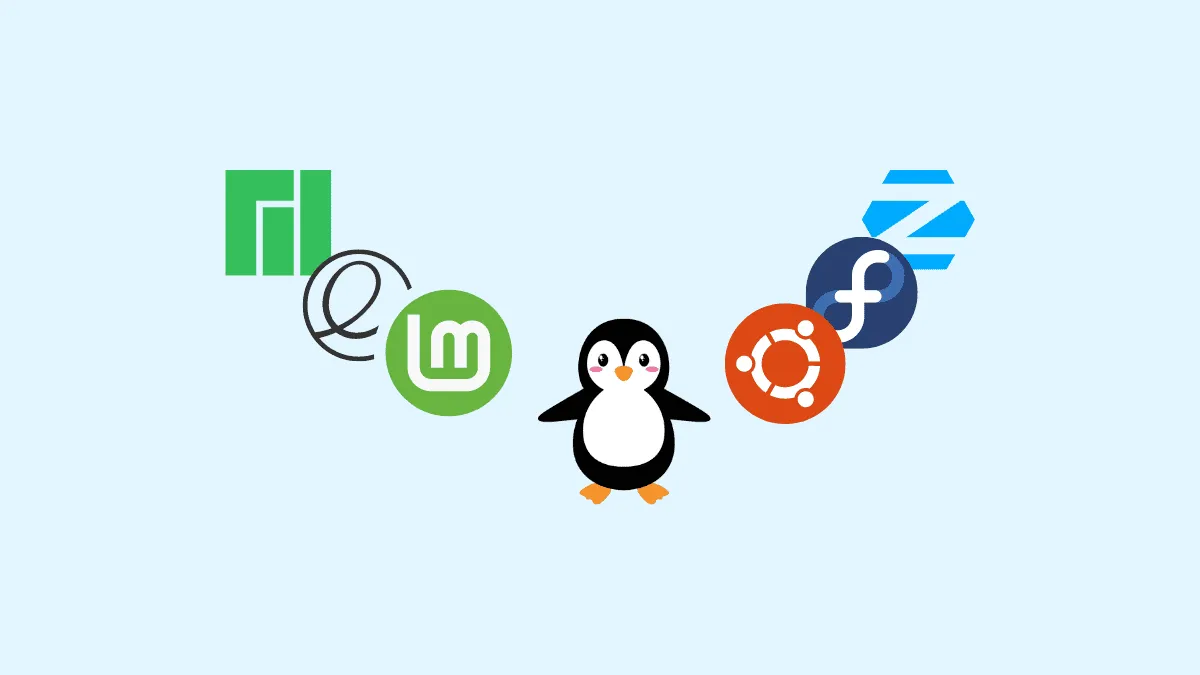
Contrary to what you might think, Linux is accessible to everyone. The real challenge is choosing the right beginner-friendly Linux Distro from the hundreds available. While some, like Gentoo or Linux From Scratch, can be complex, many are straightforward and user-friendly. (Via: ZDNet). With about 10 years of Linux experience, I’m here to guide you to a distribution that’s easy to use and meets your needs. After extensive testing, my top recommendation for Windows beginners is Linux Mint. It offers a simple interface. The UI will be easy to adapt for those coming from Windows, especially those familiar with older releases. It is completely free, and provides all the essential features, whether you’re just starting or are an advanced user. MacOS users, on the other hand, will have a more familiar experience with elementaryOS.
Keep reading for the top picks for beginner-friendly Linux distributions.
Best Linux distributions for beginners in 2024
Linux Mint
If you're looking for a change from Windows, Linux Mint with the Cinnamon interface is worth considering. As a seasoned Linux user, I find Linux Mint 21.3 to be exceptional, and I highly recommend it for everyone, including beginners.

Cinnamon, one of Mint's desktop environments, resembles Windows XP or Windows 7, offering a familiar WIMP (Windows Icon, Menu, Pointer) experience. While it’s not a replica, it’s a comfortable choice for Windows users and those who appreciate the classic GNOME 2. x style.
Like all Linux desktop distributions, Linux Mint is more than just an operating system—it includes all the essential software you need. Mint comes with LibreOffice 7.3.7 for productivity, Thunderbird 115.16.0 for email and calendaring, GIMP 2.10.30 for graphics editing and Firefox 121.0.1 for web browsing.
Ubuntu
Ubuntu has long been a top choice for new Linux users, and it remains a solid option today. Known for its simplicity, user-friendliness, and extensive community support, Ubuntu is a great starting point for beginners. If you encounter an issue, chances are someone has already found a solution.

Ubuntu uses the GNOME 3. x interface by default, which might require some adjustment if you’re coming from Windows. However, once you get used to it, you'll find the interface intuitive and efficient.
The current version is Ubuntu 23.10, but Ubuntu 24.04, the next long-term support (LTS) release, is set to arrive in April 2024, offering 12 years of support.
ZorinOS
If you're not keen on learning GNOME, consider Zorin OS. Based on Ubuntu like Linux Mint, Zorin OS offers a flexible desktop experience. Using the Zorin Appearance app, you can customize the look to resemble Windows, macOS, or even a Chromebook.

Zorin OS is designed to ease the transition from Windows or macOS to Linux. It includes documentation to guide you through the switch. You can choose from three versions: Core and Lite (both free), and Pro ($39), which offers additional customization options. The Core edition covers essential features, while Lite is ideal for older hardware. The latest release is Zorin OS 17.
If you’re open to a Linux-style interface, Zorin OS offers free GNOME and KDE front-ends with all versions. These interfaces may differ from what you're accustomed to but are still attractive, user-friendly, and powerful.
elementaryOS
elementaryOS is certainly one of the most interesting Linux distributions. Its elegant Pantheon desktop makes the Linux experience, a pleasure. Furthermore, it brings rock-solid performance even with elegant visuals.
The main downside is its app center, which lacks the extensive software library found in Pop! OS's Pop Shop or Ubuntu's Software app. However, elementary OS includes Flatpak and Snap by default, allowing you to install a wide range of applications from the command line. I recommend elementary OS for anyone looking to migrate from macOS or seeking a beautiful, easy-to-use Linux distro, as long as you're comfortable installing apps via the command line.
ChromeOS
Do you handle most of your tasks online—writing with Google Docs, managing finances with NerdWallet, and checking Gmail? If so, consider using Chrome OS or upgrading an older PC or Mac with ChromeOS Flex.

Chrome OS might not look like traditional Linux, but underneath its Chrome browser interface, it’s based on Gentoo Linux. Fortunately, you don't need to understand Gentoo to use Chrome OS. If you’re familiar with web browsers, you already know enough to use Chrome OS.
ChromeOS Flex, offered by Neverware (now part of Google), lets you convert older PCs and Macs into a Chromebook-like system. It’s a hassle-free way to rejuvenate old hardware and enjoy the simplicity and safety of Chrome OS. Plus, with Chrome OS, you can run Linux apps, making it even more versatile.
While there are good Linux distros that are great for reviving old hardware, like Bodhi Linux for example, or Lubuntu, I can say that ChromeOS is a great alternative. It allowed me to use an old laptop for a few days without any hassle.
It also offers a very familiar experience for Google Chrome users and those who are heavy users of Google services.
Conclusion - The Best Linux Distros for Beginners
In summary, whether you’re a seasoned tech user or just starting, there’s a Linux Distro out there to fit your needs. From Linux Mint’s familiar Cinnamon interface to Chrome OS's simplicity and versatility, each option offers unique benefits tailored to different preferences. Linux Mint provides a user-friendly experience with a Windows-like feel, while Chrome OS and ChromeOS Flex offer a streamlined, web-centric alternative with the ability to run Linux apps. We also have ElementaryOS as a great and familiar way for Mac users to explore the environment. Finally, we have Ubuntu one of the most popular Linux Distros for users who want to be "fully converted". Exploring these options can lead to a smoother transition from other operating systems and a more customized computing experience. Dive into these distributions and find the one that best suits your needs.
Popular News

Latest News
Loading