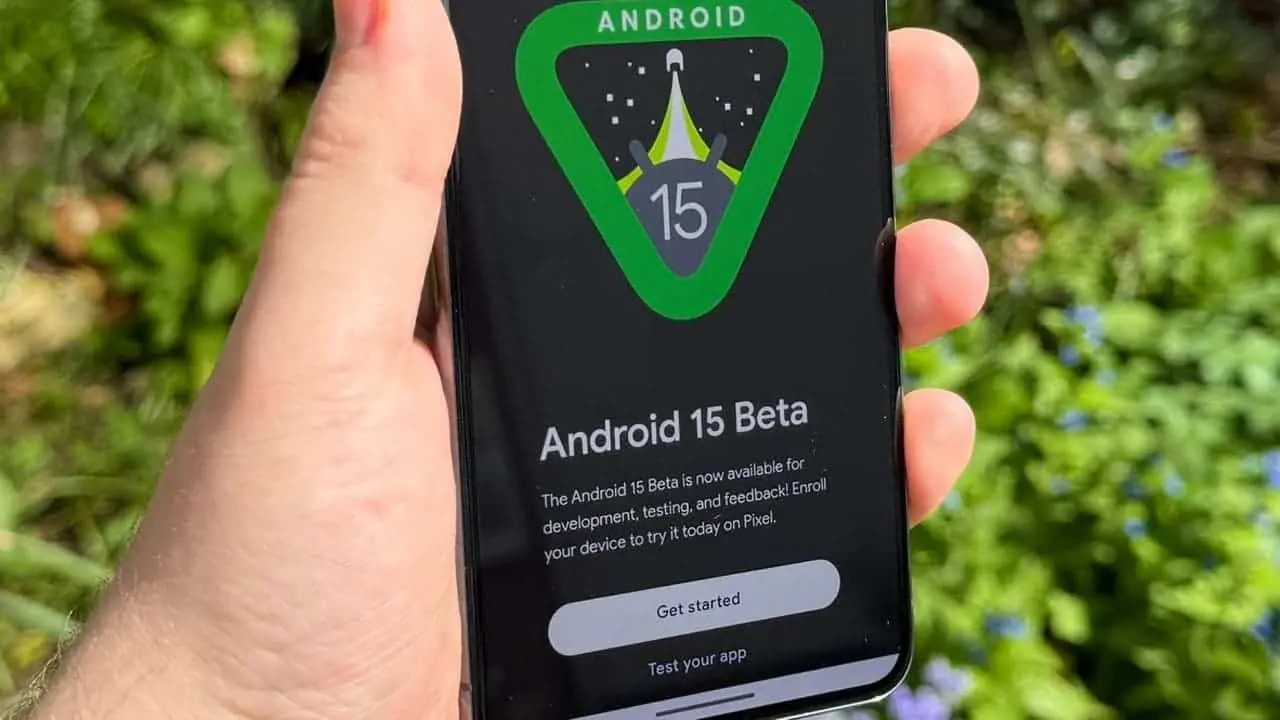
Unveiling Android 15 Beta 2: A Look at New Features and Compatible Devices

Enhanced User Experience with Novel Features
Private Space: Inspired by features like Samsung's Secure Folder, Private Space offers a secure enclave within your device. This allows users to create a separate, password-protected environment for storing sensitive files and applications. This additional layer of security empowers users to maintain a clear separation between work and personal data.
Theft Detection Lock: Google's investment in artificial intelligence shines through with Theft Detection Lock. This feature leverages on-device AI to automatically lock the phone upon detecting unauthorized access attempts. This safeguards sensitive information and provides valuable peace of mind in case of potential theft.
Improved Multitasking for Large Screens: Catering to the growing popularity of foldable devices and tablets, Android 15 Beta 2 optimizes multitasking capabilities. Users can leverage features like a persistent taskbar for effortless app switching. Additionally, the ability to save preferred split-screen combinations facilitates a more seamless workflow on larger displays.
Personalization Enhancements: Building on existing customization options, Android 15 Beta 2 introduces personalized widget previews. This allows users to preview how widgets will look on their home screen before adding them, fostering a more aesthetically pleasing and organized user experience.
Predictive Back Navigation: Streamlining navigation, Predictive Back anticipates the user's intended destination when pressing the back button. This eliminates the frustration of accidentally navigating back multiple screens and enhances overall user flow.
Granular Notification Control. Expanding on notification management, Android 15 Beta 2 introduces the ability to set custom vibration patterns for different notifications. This empowers users to differentiate between priority alerts and less urgent messages through distinct tactile feedback.
Health and Fitness Focus: Recognizing the growing interest in health and wellness, Android 15 Beta 2 incorporates enhancements to pre-installed health and exercise applications. While the specific details haven't been unveiled yet, users can anticipate improved functionality for tracking fitness goals and monitoring overall well-being.
Language and Accessibility Improvements: Inclusivity remains a core focus for Google. Android 15 Beta 2 offers better support for gendered languages by providing improved pronoun handling. This ensures a more natural and accurate representation for a wider range of users.
Performance Optimizations: Underlying the new features, Android 15 Beta 2 delivers a performance boost. Users can expect faster application launch times, improved system responsiveness, and enhanced gaming performance through advancements in the Vulkan graphics API.
Expanded Emoji Options: Catering to the ever-evolving world of communication, Android 15 Beta 2 embraces the latest Unicode 15.1 standard, offering users a broader selection of emojis to express themselves creatively.
Multilingual Font Enhancements: For users who rely on Chinese, Japanese, and Korean languages, Android 15 Beta 2 introduces improved font rendering. This ensures a sharper, more visually appealing experience when using these languages on their devices.
Broadening the Reach: Devices Compatible with Android 15 Beta 2
- ASUS: life X100 series
- iQOO: iQOO 12 series
- OnePlus: OnePlus 12 series and OnePlus Open (availability may vary by region)
- Nothing: Nothing Phone (2a)
- Xiaomi: Xiaomi 14 series, Xiaomi 13T Pro, Xiaomi Pad 6S Pro 12.4
- realme: realme 12 Pro+ 5G
- HONOR: HONOR Magic6 Pro and HONOR Magic V2 (foldable)
- TECNO: TECNO CAMON 30 Pro 5G
- Lenovo: Lenovo Tab Extreme
- SHARP: SHARP AQUOS sense8 series
- OPPO: OPPO Find X7 series
Considerations Before Installing Android 15 Beta 2

Potential for Bugs and Instabilities: Beta software is inherently unfinished and may contain bugs, glitches, or unexpected crashes. These can disrupt your daily workflow and potentially lead to data loss.
Limited App Compatibility: Since developers are still adapting their apps to the new features and functionalities of Android 15, some applications might not function as intended on the beta version. This could lead to compatibility issues and hinder your ability to use certain apps.
Security Concerns: As a pre-release version, Android 15 Beta 2 might have underlying security vulnerabilities that haven't been identified or addressed yet. This could pose a risk to your personal information and data stored on the device.
Difficulties Downgrading: If you encounter significant issues with the beta version, reverting back to a stable version of Android might be a complex process. It's advisable to back up your data thoroughly before installing the beta to ensure a smoother rollback if necessary.
Who Should Consider Installing Android 15 Beta 2
Developers and Early Adopters: If you're a developer actively working on Android applications, installing the beta allows you to test your apps on the latest platform and identify compatibility issues early on. Early adopters with a strong technical background and a willingness to troubleshoot potential problems can also benefit from experiencing the new features firsthand and providing valuable feedback to Google.
Users with Secondary Devices: For those who have a secondary device that they don't rely on for critical tasks, installing the beta can be a safer option. This allows you to explore the new functionalities without risking data loss or disrupting your primary phone's performance.
Conclusion

Loading
![Best 5 iCloud Activation Lock Removal Free Tools [2024]](https://r.testifier.nl/Acbs8526SDKI/resizing_type:fill/width:256/height:170/plain/https://s3-newsifier.ams3.digitaloceanspaces.com/gizchina.com/images/2025-06/unlock-your-icloud.png@webp)