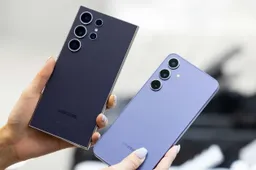
Samsung’s latest software update, One UI 7, has introduced a subtle but frustrating issue for some Galaxy users — a thin black line appearing on the screen under specific conditions. The One UI 7 black line is reported mostly on Galaxy Z Flip series devices, particularly when using Smart View to mirror the phone's display to another screen. After disconnecting from Smart View — especially when the screen mode is set to “Full screen on connected device” — users notice a black line appearing on the main display, usually after folding the device.

Samsung Responds
Samsung has officially acknowledged the issue. In a response posted by a community moderator, the company confirmed that it’s a software glitch regarding the interaction between foldable display behavior and Smart View’s screen ratio settings.
While the issue isn’t harmful and the line usually disappears after a while, it’s still a visual distraction — and understandably annoying.
The good news: a software fix is in the works, and Samsung plans to roll it out through a future OTA update. Until then, a temporary workaround is available.
Temporary Fix for the One UI 7 black line bug
Here’s how to avoid the black line for now:
When using Smart View, change the screen ratio setting to “Full screen on phone” instead of “Full screen on connected device.”
To do this:
- Swipe down for Quick Settings
- Tap Smart View
- Connect to your device
- Tap the floating Smart View icon
- Go to More Options > Settings
- Select “Full screen on phone”
Also, try manually disconnecting Smart View using the on-screen pop-up before folding your Galaxy Z Flip — this helps avoid triggering the bug.

What Happens Next?
Samsung hasn’t shared an exact timeline for the patch, but affected users can expect the fix to arrive in an upcoming software update. When it’s ready, you’ll be able to install it by going to: Settings > Software Update > Download and Install
If the issue persists or causes other problems, users must contact Samsung Support for further assistance. For now, the workaround should minimize disruption — but a permanent solution is (thankfully) on the way.
Popular News
Latest News
Loading