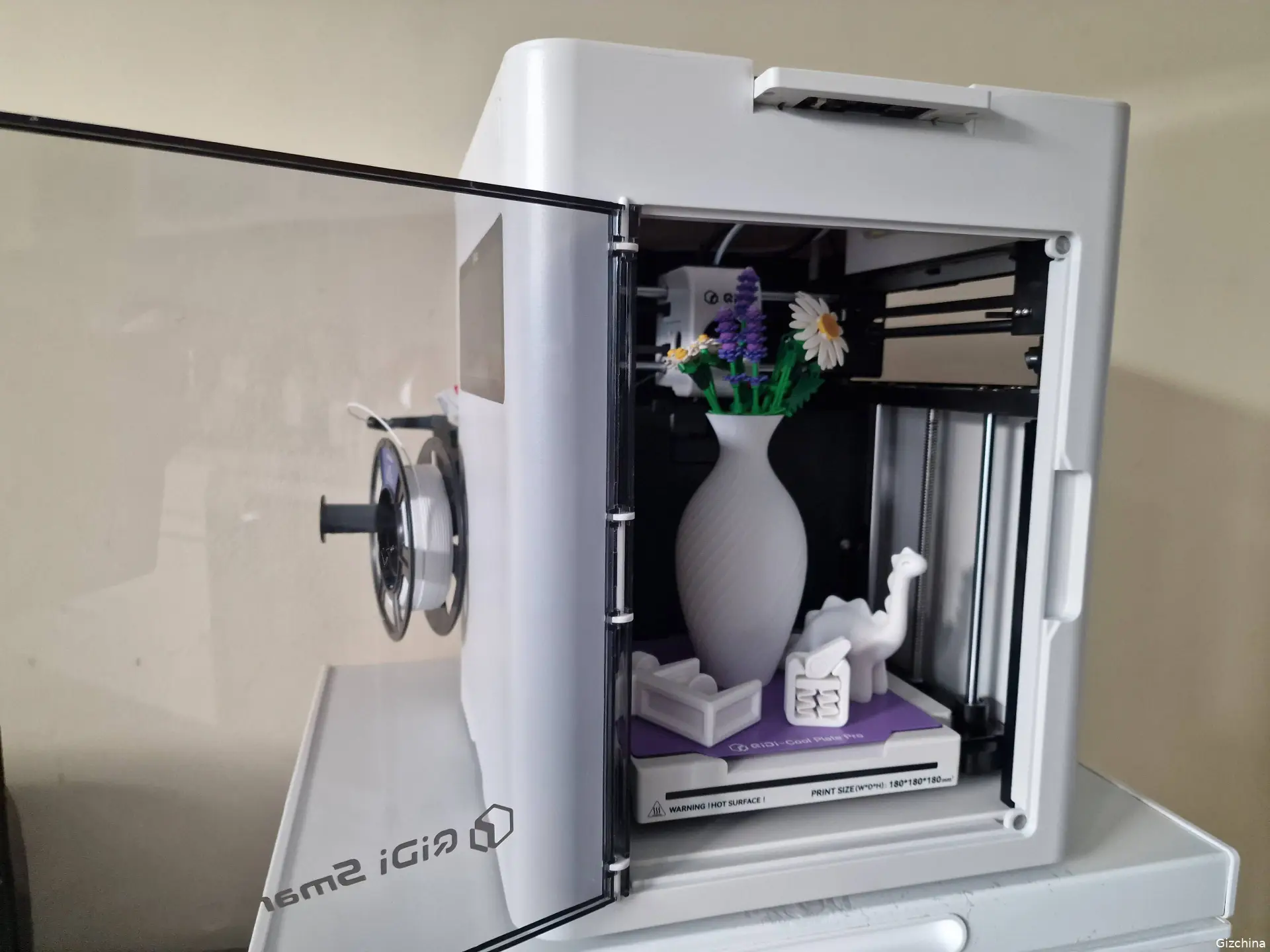
3D printers can totaly hard to use. They need careful setup, patience and often some design skills. The Qidi Smart 5 tries to remove those barriers. It is a children’s 3D printer from Qidi Tech, and its spec sheet shows more hardware than I expected. During testing I printed five different objects. Most of it went very well, with one failure and one clear problem: noise.
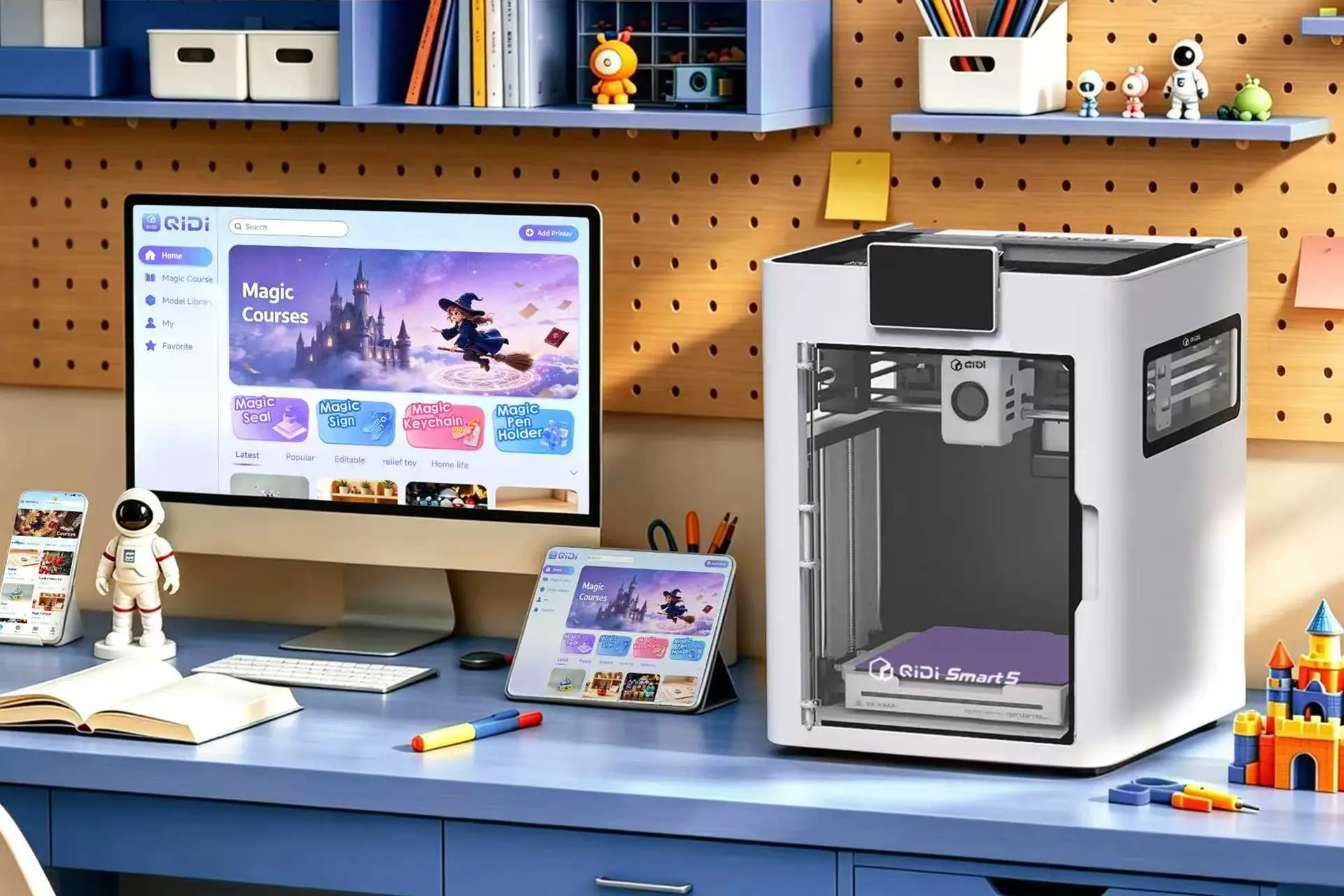
What the Qidi Smart 5 is
The Qidi Smart 5 is a medium-sized 3D printer built on a CoreXY design, a layout used by many faster hobby machines. Its build volume is 180 by 180 by 180mm, which is enough for a holder, a small toy or a vase. It is made for children, so it focuses on ease of use more than on advanced settings. For a children’s version, it performs very well.

Design and build
The Smart 5 looks good. The white finish suits it, and it will not look out of place on a desk or a shelf in a child’s room. It looks like a home appliance, not a workshop tool. The shell is plastic and the chassis is plastic and steel. The printer weighs 10kg and measures 322 by 344 by 410mm, so it needs a stable table and some free space. A 4-inch touchscreen handles basic control. Looks matter in a child’s printer, and the Smart 5 feels inviting.

What the spec sheet promises
The technical sheet reads better than the “children’s printer” label suggests. The tool head can reach 600mm/s, with an acceleration of 20,000mm/s². The hotend heats from 30°C to 220°C in about 40 seconds, and the printer supports PLA and PETG. Automatic leveling uses a load cell sensor built into the hotend, so users do not need to level the bed by hand. A filament run-out sensor, power loss recovery and input shaping are also listed.
A built-in camera records up to 1080p video and supports timelapse. The printer has Wi-Fi and USB, and it works with QIDI Studio, Orca and PrusaSlicer. An air filter with HEPA and activated carbon is listed too.
Some limits are worth knowing. Filament tangle detection needs the separate QIDI BOX. Qidi also advises using its own filaments for better print quality. A small area at the lower right of the plate, 11 by 22mm, is not printable by default.

The Qidi Joy app
I controlled the printer with the Qidi Joy app and found it satisfactory. The model library is the best part. It already holds many ready-to-print models, so I did not need to design anything myself. That is a big advantage for children, who can pick a model and start printing straight away. I still want to see how far the app goes for users who later want to make their own designs. For my testing, the library was enough.

The first print failed
My first print was a phone holder, and it failed. The soft filament hardened around the print head, and the model did not finish. A failure like this can put a beginner off, so I watched how the printer recovered. It has a self-cleaning program, and that solved the problem. I did not need to take the print head apart or search for repair guides. That is the right approach for a children’s product.
I should be fair: a failed first print is a poor start, and some buyers will find it discouraging. Because the fix was simple, it did not affect the rest of my testing. I used white filament only, since its he most neutral colour out of the ones i gotten and you can paint over it too, but other colours behave the same.

Four prints that worked
After the failure, the printer did very well. Next I printed a fidget toy, then a headphone holder with printed screws, then a small dinosaur, and finally a vase for Lego flowers. Every one of them came out great, with smooth surfaces. I could not be happier.
The mix of objects matters. The fidget toy and the dinosaur are made for fun, while the headphone holder and the vase are useful for a desk or a room. The printed screws are the most interesting result, because screws need accurate dimensions, and they worked. One good print can be luck, but four in a row suggest a reliable printer. That reliability is the most important quality for children, who have little patience for failed attempts.

The noise
The main weakness is the sound. The Smart 5 was seriously noisy while printing, about twice as loud as a fan by my estimate. That is a real problem if it sits in a bedroom or a quiet living room, especially during long prints. The spec sheet lists several fans, for the hotend, the model, the motherboard and the chamber, and fast movement may add to the noise too. I did not test which part is the loudest. Noise-sensitive buyers should put the printer in a spare room or run it when nobody needs quiet.

Who should buy it
The Smart 5 is a really good printer for its intended users, which are children. A simple app, a ready-made model library and a self-cleaning program remove many of the usual difficulties. Parents who want to introduce a child to 3D printing will find it easy to recommend. It suits people who want a quiet machine less. But it could also be good for people just starting with 3D printing.

Final verdict
The Qidi Smart 5 has a failed first print and a loud sound, but its strong points are clear. The app is satisfactory, the white design is pleasing, the self-cleaning program works, and the four prints after the first all came out great. The hardware list is also stronger than I expected for a children’s model. Christmas is around the corner, and if you want a present that lets a child make something real, the Qidi Smart 5 is a great option. Just be ready for the noise.
Popular News
Latest News