Samsung Now Lets You Turn Off Fridge Ads Without Losing Features
SamsungSaturday, 29 November 2025 at 09:30
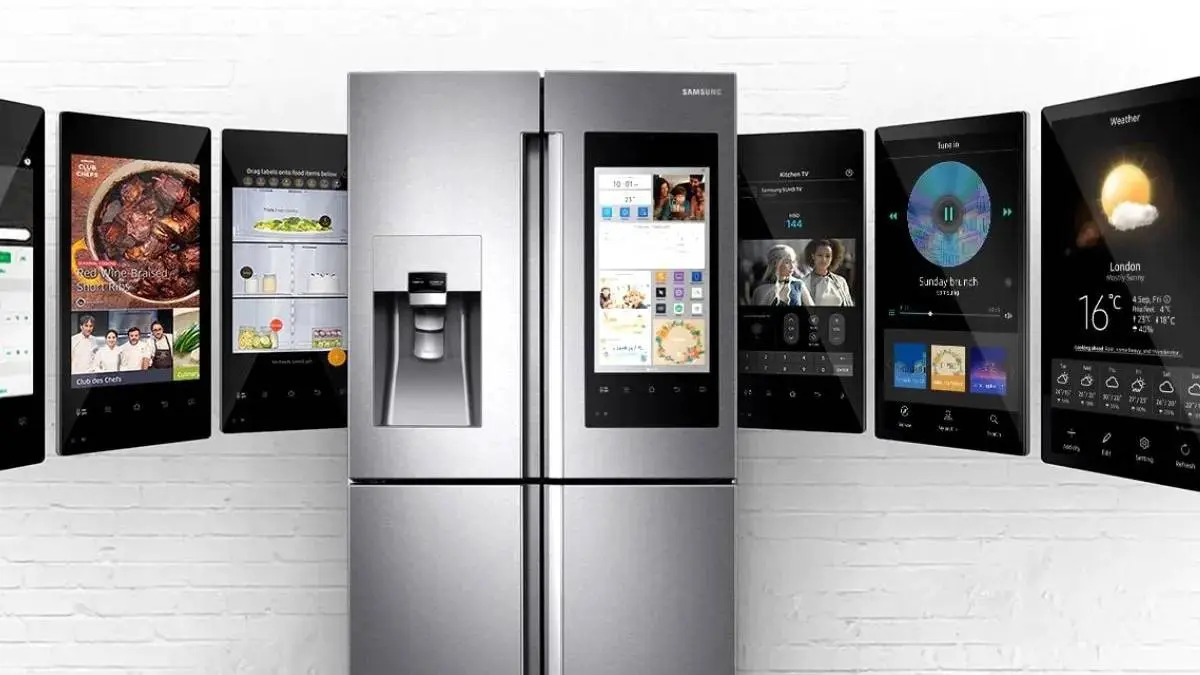
This is great news for anyone who paid good money for an appliance only to see ads on it. Samsung has finally made it super easy to disable the ads on its Family Hub smart refrigerators.

If you remember, Samsung started showing ads on these expensive fridges earlier this year. Owners were furious—and they were right to be! The worst part? If you turned the ads off, you also lost access to helpful tools. Things like the weather forecast and your calendar widgets vanished right along with the marketing banners.
That trade-off felt totally unfair. You shouldn't have to watch ads just to use the basic features on a premium device you already own.
The Problem Is Gone
Thankfully, a new software update fixes this huge annoyance.
A Reddit user, Ravage-1, shared that the update has rolled out to their fridge. Now, they can turn off the ads without losing access to the weather, the calendar, or other widgets. This simple fix gives owners what they always wanted: a clean, ad-free kitchen screen. You get all the features you paid for, minus the unwanted marketing.
The switch to control the ads remains in the same, easy place:
- Open Settings on the fridge screen.
- Look for and choose Advertisements.
- Just flip the toggle to Off.
Control Goes Back to the User
Though Samsung still leaves the ads on by default—which is still annoying—this update is a real win for buyers. It proves that companies will listen when consumers push back on bad policies.

For anyone planning to buy smart appliances later, this story serves as a good warning. Be careful about buying devices with unneeded screens. An appliance, especially an expensive one, should be a tool, not a new place for ads.
Samsung's latest update is small, but very important. It finally gives people true control over the expensive tech in their homes.
This update corrects a huge complaint. Samsung is now letting customers decouple advertising from core fridge functions. Your smart fridge can finally be both fully functional and entirely ad-free.
Key Takeaways
- Ads Separated: Samsung updated the Family Hub fridge to let users disable ads without also turning off essential widgets (like weather).
- The Fix: Earlier, turning off ads meant losing key features—a highly unpopular policy that has now been reversed via a software update.
- Customer Win: The change gives consumers more control over their expensive smart appliances.
- How to Do It: Users can turn off the ads in Settings > Advertisements, and the widgets will remain on the screen.
- Status: This positive fix was first shared by a user on Reddit and should be rolling out to all affected fridges soon.
Popular News


Latest News
Loading