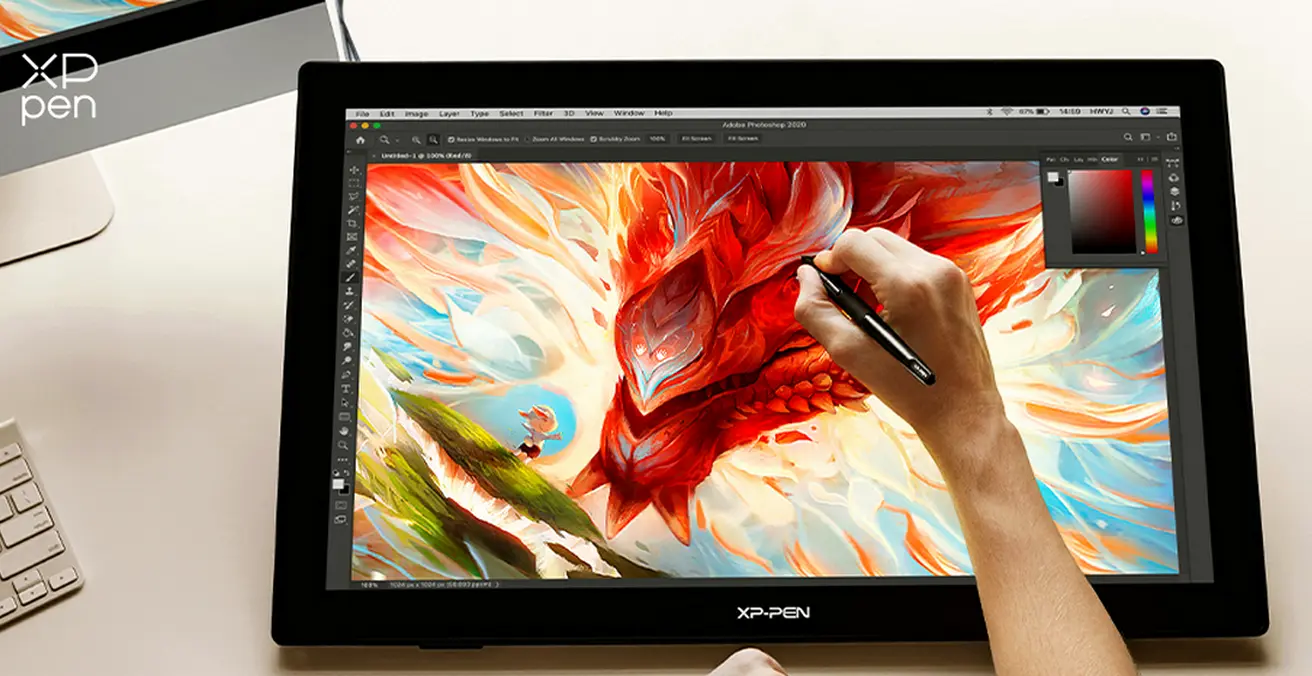
A 27-inch tablet only makes sense when the experience matches the size. The extra space needs to support your workflow, not just sit there looking impressive or like a portable TV. When it works well, you get a more open canvas, better control over your strokes, and a setup that feels closer to drawing on a real surface. In this regard, the XPPen Artist Pro 27 (Gen 2) is exactly what you need.
XPPen Artist Pro 27 (Gen 2): Quick Specs / Highlights
- 26.9-inch 4K display (3840 × 2160)
- 120Hz refresh rate with 5ms response time
- 1.07 billion colors with wide gamut support (99% sRGB, 99% Adobe RGB, 97% DCI-P3)
- Calman Verified with Delta E < 1
- Etched anti-glare glass with full lamination
- Dual X3 Pro styluses with 16,384 pressure levels and 60° tilt support
- Customizable touch modes with a physical switch
- Fanless, silent design
- Adjustable stand included
A Cool Device That Justifies the 27-inch Tablet Trend
The XPPen Artist Pro 27 (Gen 2) is probably the best drawing tablet you can find. It takes that idea seriously. Instead of relying on size alone, it focuses on making that space useful in day-to-day work.
The display is the first thing that stands out. With 4K resolution across 27 inches, everything stays sharp, even when you zoom into fine details. Lines look clean, and small adjustments are easier to manage. On top of that, the 120Hz refresh rate makes a difference you can feel. Movements are smoother, and drawing feels more immediate.

Color performance is another strong point in the XPPen Artist Pro 27. With 99% sRGB, 99% Adobe RG, and 97% DCI-P3 coverage, it handles both general and color-critical work with confidence. It is also Calman Verified with very low Delta E, which means the colors you see are consistent and reliable.
The surface also helps the overall experience. The etched anti-glare glass reduces reflections and adds a slight texture, so the pen does not feel like it is sliding on glass. Combined with full lamination, the cursor stays close to the tip, which makes everything feel more precise.
Drawing Experience and Workflow
The pen experience is where this tablet feels complete. XPPen includes two X3 Pro styluses, both with 16,384 pressure levels and tilt support. One is more comfortable for long sessions thanks to a softer grip, while the other is slimmer and more direct. It gives you options instead of locking you into one feel.
Touch is handled smartly. You can use it fully, limit it, or disable it in specific areas. On a large display, this matters more than it seems, because accidental touches can break your flow. Having control over that makes the tablet easier to live with.
It also stays quiet, which is especially important for staying in a creative flow. The fanless design means no background noise, even during long sessions. Also, the included adjustable stand helps you find a comfortable angle, reducing strain during long working sessions.
Conclusion
In the end, the XPPen Artist Pro 27 (Gen 2) delivers a compelling experience for those wanting a great drawing experience. The large screen is backed by sharp visuals, accurate color, and a responsive input. It does not try to overcomplicate things and keeps everything in a good balance.
Popular News

Latest News
Loading