AI voice
tools are everywhere, but many still feel stiff or overengineered. FineVoice
3.0 moves in a different direction. This update focuses on flexibility,
expression, and speed, turning the platform into a practical audio workspace
rather than just a voice generator.
FineVoice
3.0 introduces a rebuilt AI engine and a cleaner interface. Voice creation now
relies on simple text prompts, making the process feel natural rather than technical. You spend less time adjusting settings and more time shaping how the
voice should actually sound.

Experience Voice creation without presets
One of the
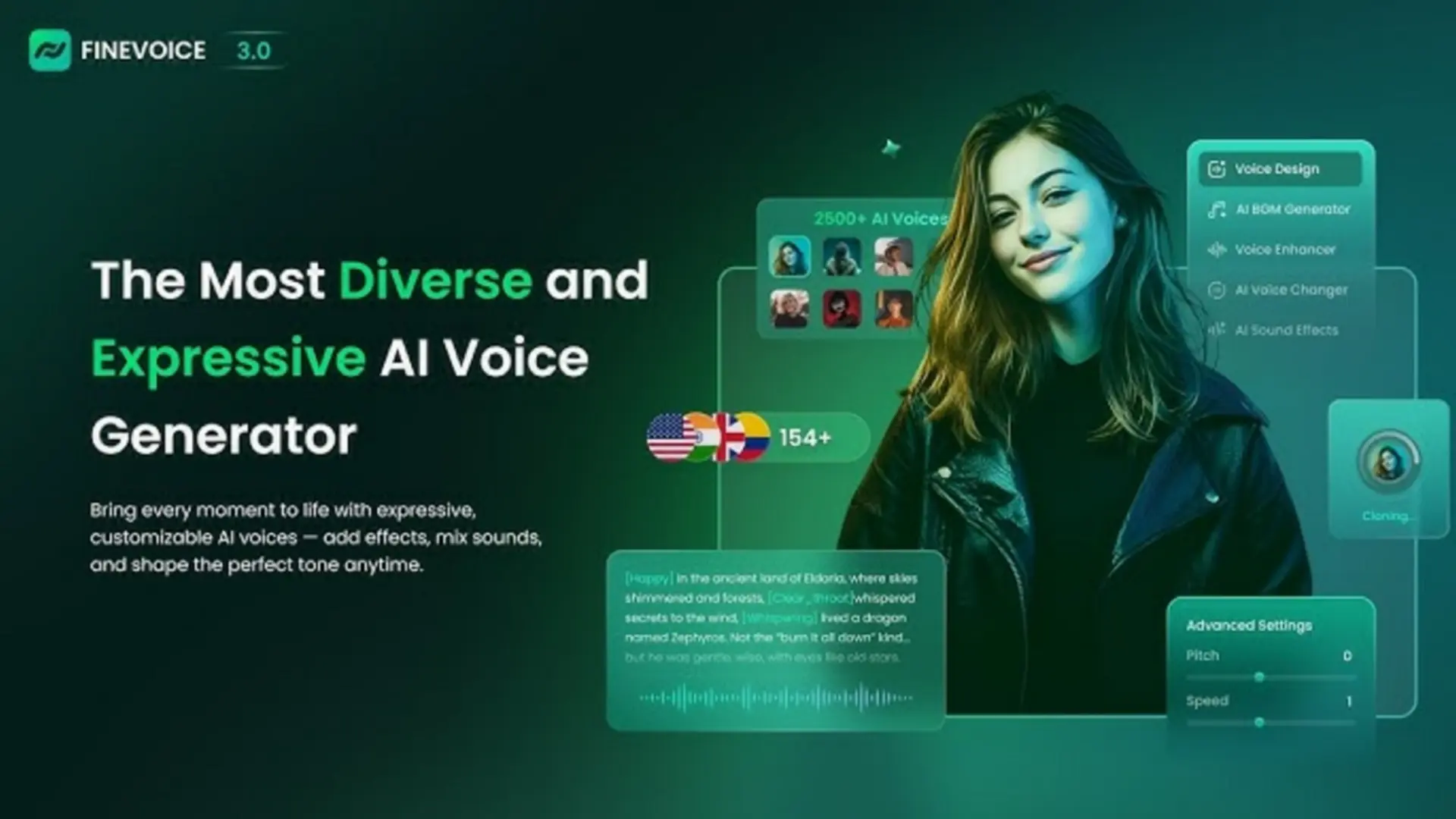
strongest additions in version 3.0 is the so-called Voice Design. For starters,
instead of selecting from a wide array of fixed voices, you describe the voice you
want and refine it through tone, pitch, speed, and delivery style. This gives
creators much more control and avoids the generic sound common in many AI
voices.

The result
feels intentional and consistent, especially useful for narration, character
work, or branded content. It’s an interesting feature that opens a new world of
versatility for content creators.
Fast and Accurate Voice Cloning
Voice
cloning in FineVoice 3.0 remains simple and efficient. A 30-second audio sample
is enough to generate a usable voice clone in under a minute. There is no
training process or complex setup involved. With just a few clicks and adjustments, you will get the best results of AI voice cloning.

What stands
out is how well the cloned voice preserves rhythm, emotion, and natural pacing.
Support for accents and languages from 154 countries makes the feature suitable
for global projects and localization work.
Emotion Control That Actually Works
Text-to-speech
in FineVoice 3.0 benefits greatly from emotion tags. These allow you to guide
how a line should be delivered, whether calm, energetic, serious, or
expressive. The voices respond in a way that feels believable rather than
exaggerated.

This makes
a clear difference for storytelling, video narration, and podcasts, where
emotional tone matters as much as clarity.
Sound Effects and Music in the Same Workflow
FineVoice
3.0 expands beyond voice generation. The AI sound effect tool can create
scene-specific effects from text prompts or video input, which saves time
compared to browsing sound libraries.

The
background music generator works similarly. You choose the mood, genre,
and instruments, and the platform produces royalty-free music that fits the
project. It is fast, practical, and removes licensing concerns.
Who FineVoice 3.0 fits best – The Different Scenarios
FineVoice
3.0 is designed for creators who want more control over their audio without
dealing with complicated workflows. It suits people who care about sound
quality but do not want to spend excessive time learning technical tools or
fixing audio problems in post-production.
- Video creators benefit from the ability to generate consistent narration that matches the tone of their content.
- Podcasters can use FineVoice to maintain vocal consistency across episodes, especially when recording conditions are not ideal.
- Educators may find it useful for creating clear and engaging lessons.
- Marketing teams can rely on it to produce polished voiceovers that align with brand identity.
The
platform is complete, an all-in-one solution for multiple tasks. This reduces
the need to switch between different tools and services.FineVoice 3.0 keeps everything
in one place. Making the creative process smoother and more focused. Projects
move forward faster, and creators can stay in a productive rhythm without
constant interruptions.

FineVoice
also works well for teams that collaborate on content. Shared tools and
consistent audio output help maintain quality standards across different
projects and contributors. This makes it easier to scale production without
sacrificing clarity or style.

Conclusion
Looking at
the improvements as a whole, FineVoice 3.0 feels like a more refined and
thoughtful version of the platform. The voices sound more expressive, the
interface feels more intuitive, and the features are clearly shaped around real
creative needs rather than technical experimentation.
Highlights
- FineVoice 3.0 introduces a rebuilt AI engine and a cleaner, faster interface.
- New Voice Design lets users create voices from text prompts instead of presets.
- Greater control over tone, pitch, speed, and delivery style.
- Voice cloning works with a 30-second sample and takes under a minute.
- Supports accents and languages from 154 countries.
- Emotion tags improve realism in text-to-speech delivery.
- Built-in AI sound effect generator creates scene-based audio from prompts or video.
- Integrated royalty-free music generator for mood-based background tracks.
- Designed for video creators, podcasters, educators, marketers, and teams.
- All-in-one workflow reduces the need for multiple audio tools.
Instead of
focusing on flashy additions, FineVoice 3.0 prioritizes results that sound
natural and are ready to use. This makes a noticeable difference for anyone
producing content regularly and working under time constraints.
For
creators who depend on voice and audio as part of their workflow, FineVoice 3.0
stands out as a reliable and practical upgrade that supports creativity without
adding unnecessary complexity.
Popular News



Latest News
Loading