70mai A900 Ultra Review: Dual 4K, Smarter Parking, and a Few Strings Attached
ReviewsTuesday, 29 September 2026 at 16:10
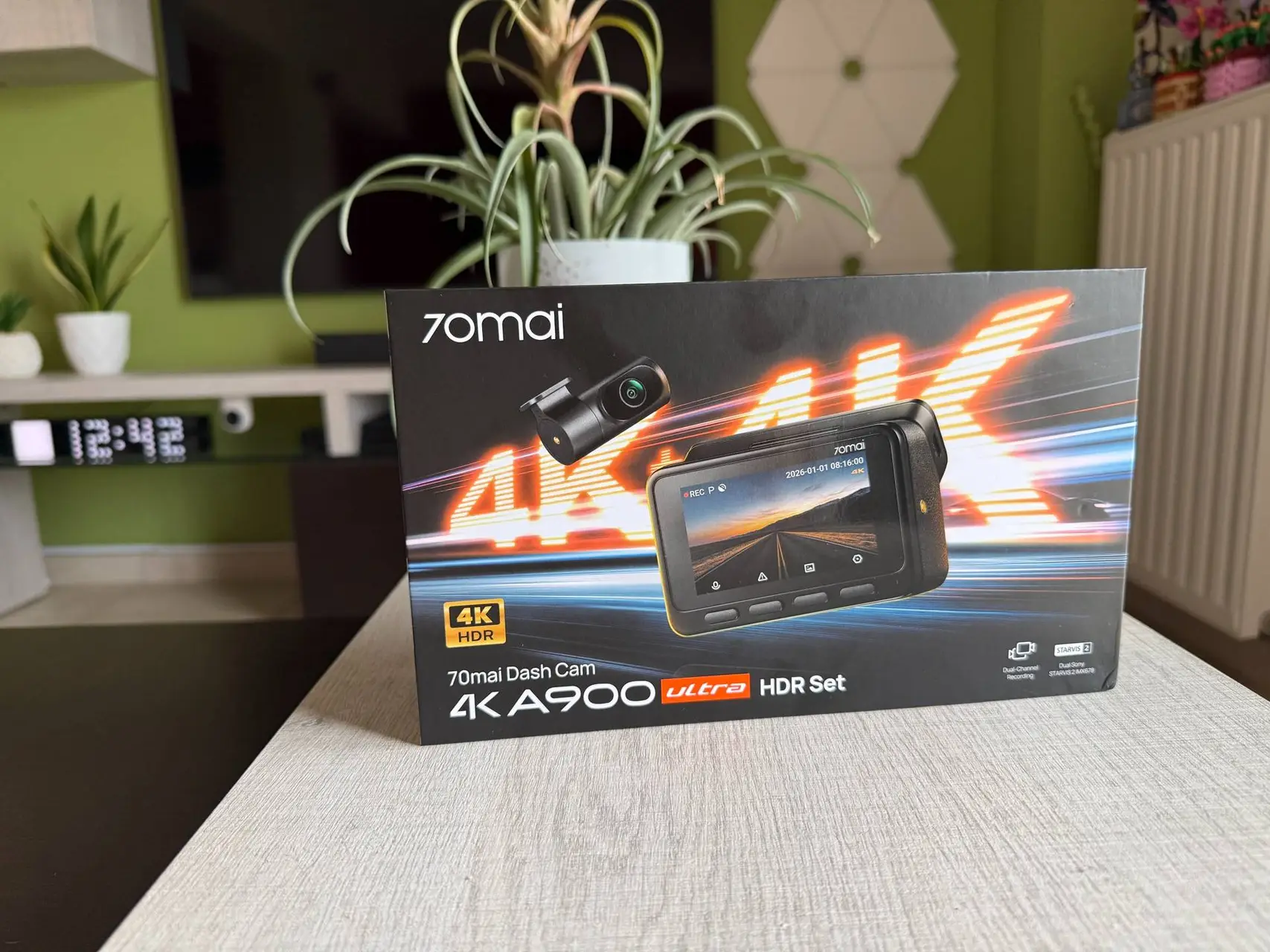
Dash cams used to be a simple purchase: pick a resolution, pick a price, stick it on the glass. Today the category has split into two camps. One is cheap recorders that do the basics. The other is connected devices that watch your car when you're not there. The 70mai A900 Ultra sits firmly in the second camp, with flagship ambitions to match.
I've set up the A900 Ultra in my own car, and this is my full take on what it does well, where it asks for more of your money, and who should buy it.

What 70mai is promising
The headline is easy to state. The A900 Ultra records 4K on both the front and rear cameras, each using a Sony STARVIS 2 IMX678 sensor. That matched pairing is unusual. Many dual-channel dash cams pair a good front camera with a much weaker rear one, and the imbalance shows the moment you need the rear footage.

The rest of the spec sheet reads like a wish list:
- Dual-channel 4K HDR with 130° wide-angle lenses
- f/1.6 and f/1.8 apertures for light gathering
- Night Owl Vision 2.0 and MaiColor Vivid+ 2.0 image processing
- LVDS digital transmission between the front and rear units
- Wi-Fi 6 with claimed transfers up to 45 MB/s
- Built-in GPS and an ADAS driver fatigue alert
- A supercapacitor instead of a battery
- Support for microSD cards from 32GB up to 512GB
- A Low-Power Parking Mode drawing around 5mA
Design and build
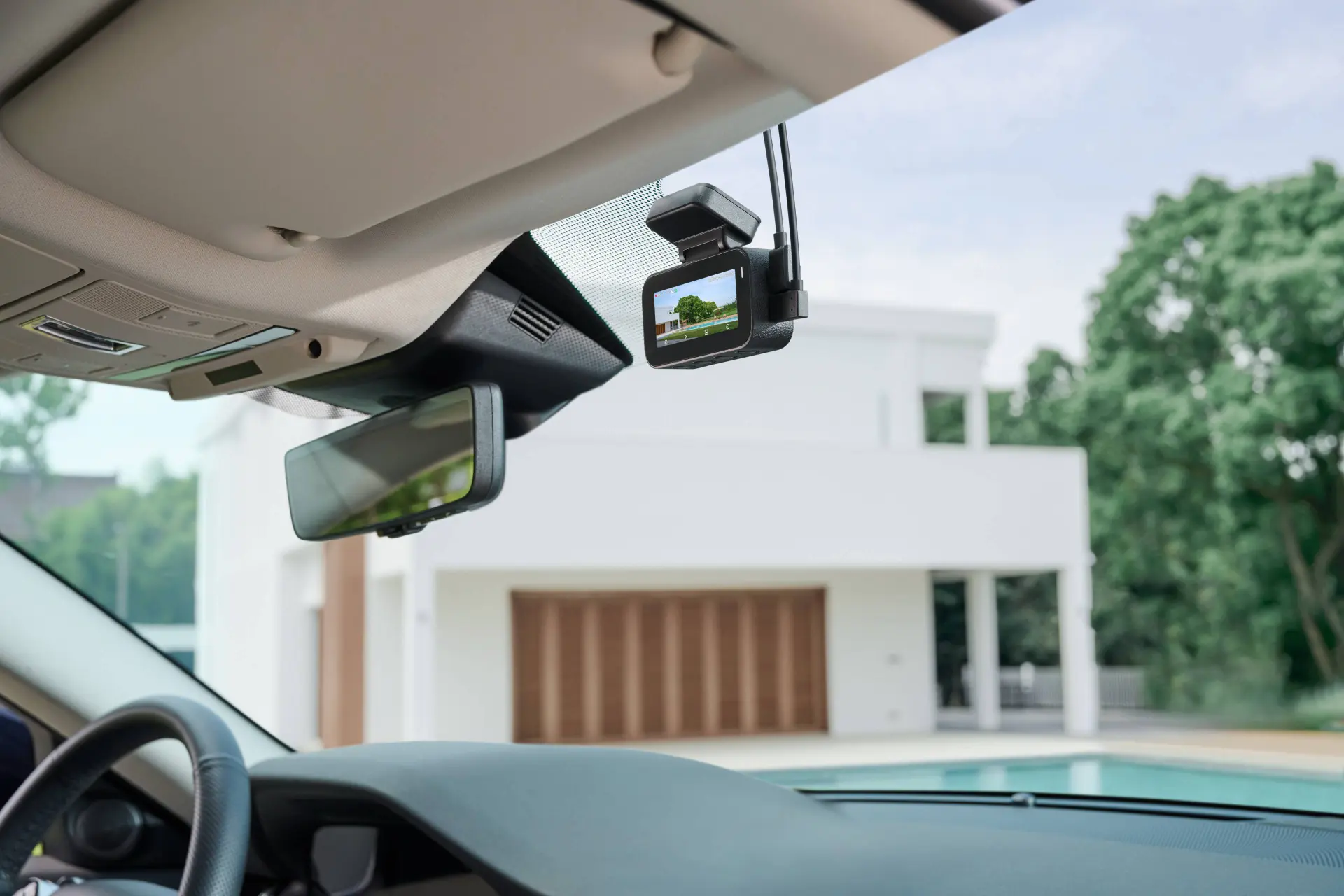
The A900 Ultra is bigger than the regular A900. The Ultra measures 92×60×51.4mm, compared with 91×46×24.9mm for the standard model. That extra depth is the cost of the larger optical assembly, and it's the first thing you'll notice out of the box. It may look bulky on your windscreen, but trust me - it does the job. Also the rear unit is almost hidden from view - especially if you place it high up on your window.

A microSD card comes in the box, which I appreciate. 128GB is enough to get going, and you don't have to buy storage separately before you can record a single frame. The camera accepts cards up to 512GB if you want longer loops or heavy use of parking mode, since 4K footage fills a card quickly.

Both cameras connect over USB-C, which is a small but genuine convenience. Cables are standard, replaceable, and easy to route. The mounting uses adhesive plus an electrostatic option, so you can position the camera before committing, and I'd recommend checking the framing in the app before you stick anything down.

The supercapacitor deserves a mention. Unlike a lithium battery, it copes with heat and cold and doesn't swell or degrade in the same way, which matters for a device that sits behind glass in a hot car. 70mai rates it for 500,000 cycles, and operating temperature runs from -20°C to +70°C while driving. In parking surveillance, that extends to +85°C. For a Greek summer, that headroom counts for a lot.
Setup and the app
Setup is refreshingly painless. The camera boots to a setup screen, asks for language and date, then prompts you to format the microSD card. Once the rear camera is connected, the display switches to picture-in-picture so you can check both views at once.

Pairing with the 70mai app is the same story. The app discovers the camera, asks you to confirm on the device, and connects over the camera's own Wi-Fi hotspot. One thing to know: while the app is connected, the physical buttons on the camera are locked out. That's not a problem, because everything the on-screen menu can do is available in the app, from settings to browsing emergency clips, photos, and a timeline of recordings.
The Ultra's Wi-Fi 6 should make the biggest difference here. 70mai claims a 240MB clip can be downloaded in about five seconds at 45 MB/s. That's a lab figure, so treat it accordingly, but transfer speed matters more than it sounds. Nobody wants to stand in a car park watching a progress bar.

The app also offers HDR on/off with scheduling, plus exposure adjustment from -0.6 to +0.6 in 0.2 steps. Most dash cams give you "auto" and nothing else, so this control is welcome, particularly in tunnels or harsh low sun.
Video quality
This is where a dash cam earns or loses its keep, so here is what 70mai is claiming and what I looked for.
Daytime. MaiColor Vivid+ 2.0 combines scene adaptation, selective processing of road elements, and windshield colour compensation. In practice, the aim is natural colour without the washed-out look some dash cams get through tinted glass.

Night. Night Owl Vision 2.0 focuses on three things: glare suppression, noise reduction, and giving more bitrate to areas with fine detail, such as plates and signs. The last of those is the smart one. Rather than spreading quality evenly, the camera prioritises what matters as evidence.

Rear camera. With the same class of sensor as the front, the rear unit should hold up in the situations where rear footage matters most: someone tailgating you, or a hit from behind. LVDS transmission is meant to preserve full 4K detail with no delay, which addresses a weakness of cheaper systems where rear footage is compressed more heavily on its way to the main unit.

One honest point on resolution: 4K helps, but sensor, lens, and processing matter as much as pixel count. What 70mai has done here is invest in all three.
Parking mode
Parking surveillance is the reason many people buy a dash cam, and the A900 Ultra is built around it.
Low-Power Parking Mode consumes about 5mA, which 70mai compares to a tiny LED. Paired with the 70mai Battery Pack Mini, the company says it can deliver up to 30 days of continuous surveillance. That figure comes from 70mai's own lab, and real runtime will depend on how often the camera is triggered and on the weather.
There are caveats worth knowing before you buy:
- In this mode, every feature except collision detection is switched off, and there is no pre-recording.
- You can't currently switch it on manually. 70mai says a toggle is coming in a future OTA update.
The camera also includes Lumi Vision, which brightens shadow detail and enhances plates for recordings made when parked in the dark, along with dual-channel collision detection and AI motion detection.
You can also set a delay before parking mode starts, so slamming a car door doesn't trigger a recording, and a voltage cutoff to protect your car battery. Both are essential settings for anyone who parks outside for days at a time.
4G Cloud+: useful, but not included
Here is the part you need to read carefully. The camera's remote features, including remote album playback and download, Snap & Find My Car, driving emergency cloud backup, hotspot sharing, and two-way voice, all depend on the 4G Hardwire Kit 2 (UP11), which is sold separately. Some of these features also need a paid 4G Cloud+ subscription, and two-way voice needs the Premium Plus plan. The voice function works like a walkie-talkie, so one person speaks at a time.

What you get for that outlay is real peace of mind. A collision alert can reach your phone wherever you are, showing where the incident happened and the recorded clip. For anyone who parks on the street, that's the difference between finding a dent and knowing exactly who caused it.
The kit needs wiring to your fuse box, so it isn't plug and play. If you're not comfortable with that, budget for a professional installation. Add the kit, the subscription, and possibly the battery pack to the camera's price, and the total looks quite different from the headline figure. That isn't a criticism of the product, but it's the right way to compare it with cheaper rivals.
Pros and cons
What I liked
- Matched 4K Sony STARVIS 2 sensors front and rear
- microSD card included in the box
- Fast Wi-Fi 6 transfers and a well-organised app
- Very low standby draw in parking mode
- Supercapacitor and a wide temperature range
- HDR scheduling and exposure control
What I didn't
- Noticeably larger than the standard A900
- The best features need the extra 4G kit, and some need a subscription
- Low-power parking mode can't yet be enabled manually
- Voice control supports only English, Chinese, Russian, Japanese, Vietnamese, and Thai, so no Greek

Should you buy it?
If you want the best image quality 70mai offers and you intend to use parking surveillance seriously, the A900 Ultra is the model to choose. The matched sensors, faster transfers, and upgraded processing all address real weaknesses of the standard A900, which itself makes a strong case as a simpler, smaller dual-4K option with lower ambitions.
If you only want a reliable recorder for daily driving, the Ultra is more camera than you need. Save the money and the windscreen space, and buy the A900.
If you park on the street, drive a car you care about, or travel often, the Ultra's parking features could pay for themselves the first time someone clips your bumper and drives off. Just be realistic about the total cost once the 4G kit and subscription are added.
My verdict: [Score 8.5/10.] The A900 Ultra is a serious, well-specified flagship that backs up its 4K claims with strong sensors and smart processing. The upsell into 4G is the price of admission to its best features, and it's the main reason it won't suit everyone.
FAQ section
Does the 70mai A900 Ultra record in 4K on both cameras?
Yes. Both the front and rear cameras record at 3840×2160, each using a Sony STARVIS 2 IMX678 sensor.
Does the 70mai A900 Ultra come with a microSD card?
The review unit came with a card in the box. It supports cards from 32GB to 512GB. Check your region's box contents before buying.
Do I need a subscription to use the 70mai A900 Ultra?
No, the core camera works without one. Remote features such as cloud backup and two-way voice need the separate 4G Hardwire Kit 2 (UP11), and some need a paid 4G Cloud+ plan.
How long can the A900 Ultra monitor a parked car?
70mai claims up to 30 days when paired with the 70mai Battery Pack Mini. That figure comes from the company's own lab, so real runtime will vary.
What is the difference between the A900 and A900 Ultra?
The Ultra adds LVDS rear transmission, Low-Power Parking Mode, newer image processing, AI motion detection and faster Wi-Fi, in a larger body.
Does the A900 Ultra support Greek voice commands?
No. Voice control covers English, Chinese, Russian, Japanese, Vietnamese and Thai.




Loading