OneOdio Studio Max 2 Review: They Fixed the One Thing That Actually Mattered
ReviewsMonday, 11 May 2026 at 13:45
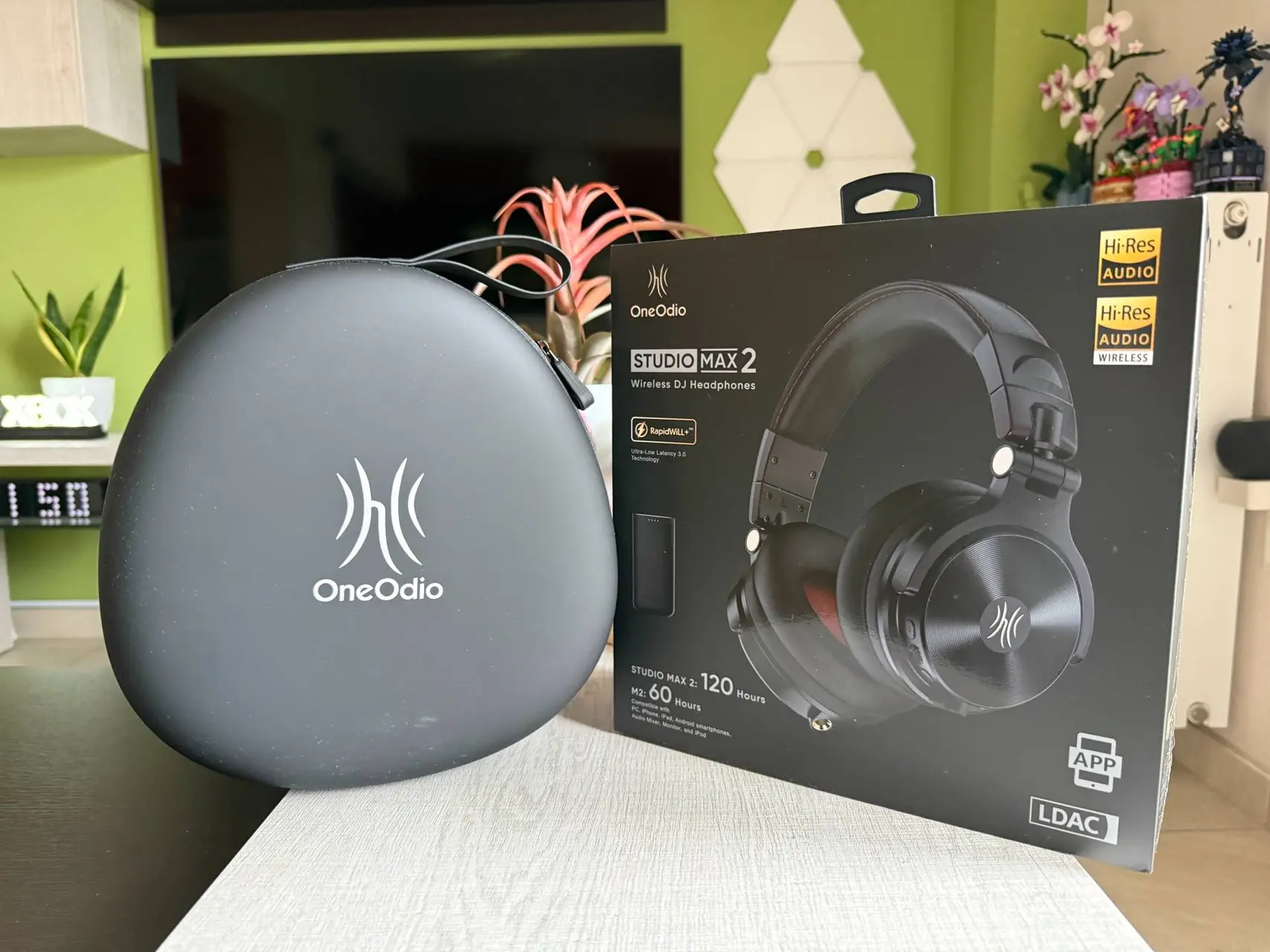
When I reviewed the Studio Max 1 last year, I landed somewhere between impressed and mildly disappointed. Good bones. Real comfort. But that wireless latency? It was a dealbreaker the moment you actually tried to use it for anything DJ-adjacent. OneOdio clearly heard the criticism — theirs and everyone else's — because the Studio Max 2 is built around solving exactly that problem. One upgrade, but it changes everything.

I've had a pre-production unit for a few weeks now. Here's where I land.
First Impressions: Familiar, But More Purposeful
The Studio Max 2 looks a lot like its predecessor. Same broad headband, same rotating cups, same matte black finish with that subtle red interior lining that gives the ear pads a bit of personality. You won't mistake these for anything flashy. They're not trying to be.

That said, there's a refinement to the build here that I noticed almost immediately. The hinge points feel tighter. The headband tension is more consistent. It's not a dramatic visual overhaul — more like someone went back through the design with fresh eyes and fixed the bits that were just a little off. The 45mm dynamic drivers are still at the heart of the sound, paired now with what OneOdio calls a studio-grade magnet. Whether that's marketing speak or something you can actually hear is worth getting into.
The M2 Transmitter ships in the box. That's the key piece of hardware that makes everything tick here. A compact little box — about the size of a thick USB drive — that clips near your source and handles the 2.4GHz wireless link. It's a smart design. Doesn't add bulk to the headphones themselves, which I appreciated.

The Wireless Story: 9ms Is Not a Gimmick
Let me be direct about this. I was skeptical.
When OneOdio claims 9ms latency via their 3rd-gen Rapid Wireless+ tech, my immediate instinct was to roll my eyes a little. Brands throw latency numbers around like confetti. But 9ms — if real — is genuinely different from standard Bluetooth's 150-200ms. That gap isn't academic. At 150ms, audio feels detached from reality. At 9ms, it doesn't.
I tested this properly. Connected the M2 Transmitter to a mixer, put on a drum loop at 120 BPM, and toggled between modes. The difference is stark. In standard Bluetooth mode, there's that familiar, slight wobble between what you cue and what your ear receives. Switch to the M2 wireless mode and it collapses. The beat lands when it should. Not perfectly — I'd say it's not quite indistinguishable from wired, but it's close enough that I genuinely stopped thinking about it mid-session. That's the real benchmark.
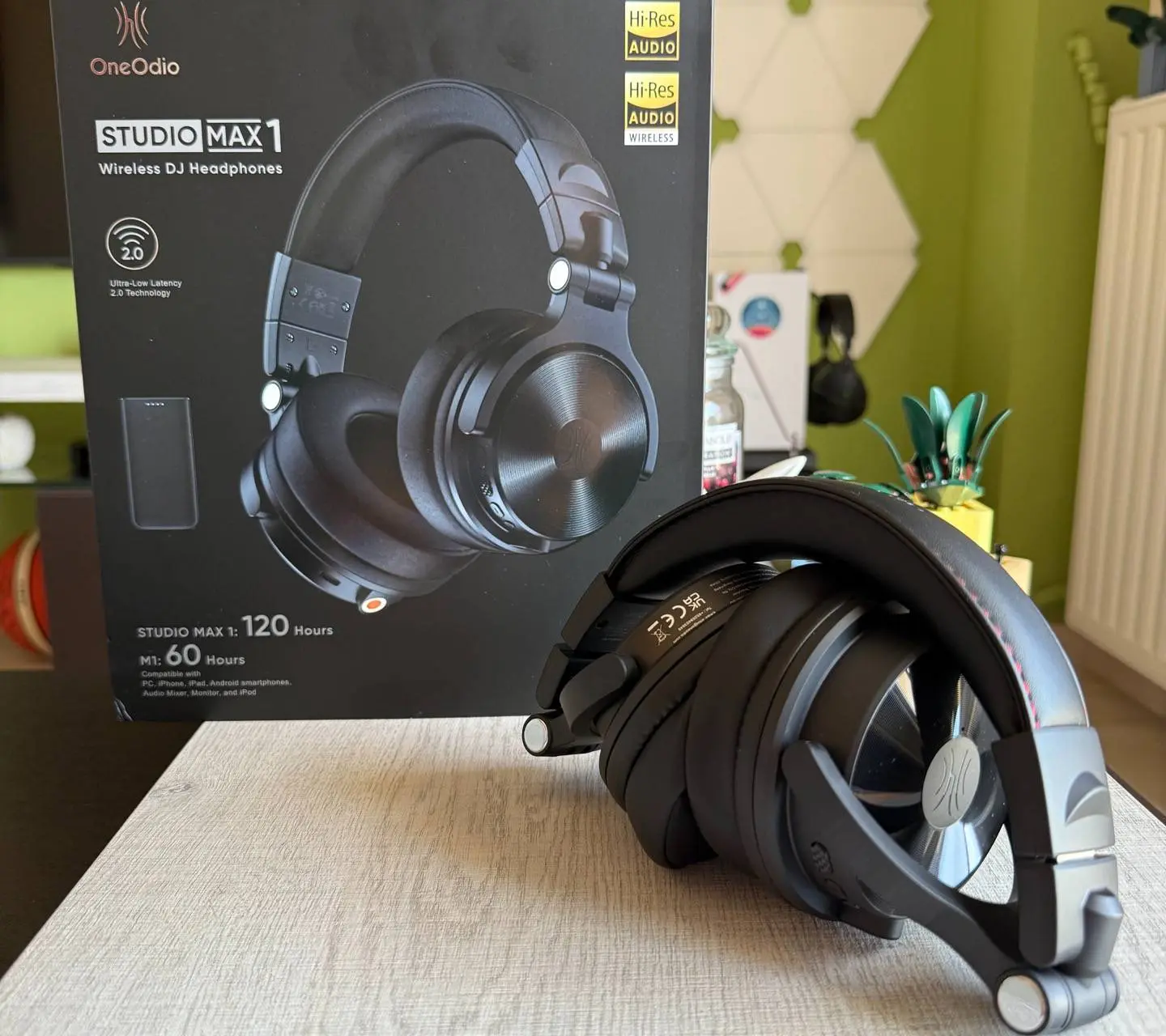
The bitrate upgrade also matters. The Studio Max 1 ran at 160kbps over its wireless link. The Max 2 pushes 400kbps. You're not just getting lower latency — you're getting more of the audio signal arriving intact. Particularly noticeable in the mids and the kind of layered low-end detail that house and techno actually rely on.

Four Connectivity Modes: Actually Useful, Not Just a Spec Sheet Line
The Studio Max 2 supports four ways to connect. M2 Wireless (2.4G, the main event), Bluetooth 6.0 for everyday mobile use, 6.35mm wired for direct mixer hookup, and 3.5mm wired for phones and laptops. In practice, I found myself switching between all four across the week, which I didn't expect.

The Bluetooth 6.0 mode is for commuting and casual listening. Clarity is solid, LDAC support means you're getting Hi-Res Wireless Audio when your source can push it. Streaming FLAC files from my phone, the soundstage felt noticeably more open than it did on the Max 1. Maybe that's the driver, maybe it's the codec, maybe it's placebo — I honestly can't be sure. But the experience was better.
The 6.35mm mode was used when I gave the Max 2 to a friend, for a late-night recording session, monitoring a guitar track through an interface. Clean, no complaints according to him. The closed-back isolation does its job. No bleed.
Sound Quality: Closer to Honest Than Before
Here's where I want to be careful, because the Max 1 had a particular character — that warm, slightly bass-heavy signature — that made it fun but not always trustworthy for mixing. The Max 2 isn't a dramatic departure. The low end is still present and confident. But something has shifted in the mids.

Vocals sit higher in the mix now. During a podcast, I didn't reach for a reference pair as quickly as I did last year. That probably sounds like faint praise but, trust me, for this price bracket, it isn't. Critical listening still has its limits here — the treble remains on the safer side, cymbals don't sparkle aggressively — but the overall picture is more balanced. More honest, I'd say, which matters if you're making decisions based on what you hear.
The Hi-Res Audio certification is real, not a sticker. The drivers reproduce content up to the standard properly. Whether your source material is actually hi-res is, as always, the caveat.

Battery Life: Charge Once, Forget About It
120 hours of continuous playback is the headline claim. I can't verify that exactly — I don't run a single session for 120 hours — but I can tell you I used these daily for nearly 10 days before the battery warning appeared. That's remarkable. The Studio Max 1 was already good. This feels like it belongs in a different category.
The M2 Transmitter also holds over 50 hours independently. Fast charging via USB-C tops everything up in 2.5 hours or less. OneOdio's slogan for this is "charge once, work for two weeks," and that's not far off from my experience. For touring musicians or DJs running long festival weekends, this matters.
Oneodio app - Using the app was quite straightforward

OneOdio recently launched their official app, and it's worth mentioning separately — not because it's spectacular, but because it's genuinely useful in ways I didn't expect. First thing it did when I connected the Studio Max 2 was prompt a firmware update. Small file, about 1MB, and the process was straightforward: confirm, keep the screen on, don't lock your phone, don't take a call. Standard stuff, but the on-screen prompts were clear enough that I didn't have to think twice. The upgrade finished without drama.

From there, the app gives you EQ control — swipe through presets like Music Mode — plus a Sound Balance toggle, Find My Headphones (which I tested out of curiosity more than necessity), Dual Device Connection, Gaming Mode, an Over-time Wear Reminder, Max Volume Limiter, and Auto Power Off. That's more granular control than I expected at this price point. Dual Device Connection was already enabled by default, which I appreciated — I switch between my phone and laptop constantly, and not having to manually re-pair every time is a small quality-of-life thing that adds up.

The Gaming Mode toggle is interesting too, and I suspect it tweaks latency behavior in Bluetooth mode, though OneOdio doesn't spell that out in the app. Overall, the software side of the Studio Max 2 feels like a thoughtful addition rather than an afterthought.
DJ and Studio Use: The Intended Audience Gets What They Came For
Traditional DJing means being tethered. A cable from mixer to headphone, cueing with one ear, staying physically close to the booth. The Studio Max 2 cuts that cord in a meaningful way. The M2 Transmitter's stable range runs beyond 10 meters — I tested it across a large room with a wall in between, still held the signal without dropout. That's real freedom for live performances.

The rotating cups feel natural in the one-ear-off monitoring position. Swivel is smooth without being loose. Isolation from the closed-back design holds up. In a room with a band rehearsing, I could cue properly without fighting the ambient noise.
For music production and studio engineering, I'd put these in the "useful, not definitive" category. Tracking is fine — comfortable enough for long takes, isolation prevents bleed, the sound is accurate enough for performance monitoring. For final mixing decisions, you'll probably want additional reference points. That's not a knock. It's just reality for this class of headphone.
Comfort: A Full Day, No Regrets
The ear cup design is engineered around long sessions. Memory foam padding, the right amount of clamp, a headband that distributes weight well. I wore these for about five hours straight during a day full of meetings - and then work with music as soundtrack - and my ears were fine. Not even that warmth buildup that starts creeping in around hour three with cheaper pads.
They fold flat and ship with a carrying case. The full in-box accessory set is comprehensive: coiled 3.5-6.35mm cable, straight 3.5mm cable, 6.35mm adapter, Type-C charging cable, manual. Everything you'd actually need, nothing you don't.

Price and Value: €189.99 Is a Different Conversation Now
The Studio Max 1 sat at €179.99. The Max 2 asks €189.99 at launch. That €10 gap is almost irrelevant — but the jump in capability isn't. For wireless DJ-focused headphones, €189.99 puts you in very competitive territory. You could spend more on options that don't actually offer M2 transmitter-based ultra-low latency wireless. You could spend the same on headphones that don't include LDAC, Hi-Res certification, and 120-hour battery life in one package.

OneOdio Studio Max 2 now available
The collaboration with KSHMR is the centerpiece of this release. For those unfamiliar, KSHMR is a heavyweight in the electronic music scene, known for his intricate sound design and storytelling. He did not just put his name on the box; he worked closely with engineers to tune the 45mm drivers. The result is a sound signature that emphasizes clarity in the mid-range and punch in the low end without muddying the overall mix. Whether you are a professional DJ or an enthusiast, having gear tuned by a platinum-selling artist adds a layer of confidence to your audio monitoring.

The current offer makes this an even more attractive package. By using the code GIZCHINAUS, you can secure a 15% discount on your order.
You can find the headphones on the OneOdio Official Site or via Amazon. If you are quick, you might even snag one of the 1,000 signed editions. Even if you miss the signature, the free KSHMR Sample Pack is a fantastic bonus that provides high-quality sounds for your next creative project. It is rare to see this level of professional value bundled so effectively for the consumer market.
Final Verdict
I think the value case here is genuinely strong. Perhaps stronger than OneOdio usually manages. These aren't budget cans with aspirations — they're a real product that makes real compromises in the right places.

The Studio Max 2 is what the Max 1 was trying to be. OneOdio took their strongest design, fixed the wireless latency issue that fundamentally limited it for professional use, upgraded the bitrate, improved the sound signature without losing its character, and doubled down on battery life. The result is a headphone that I'd actually trust at a DJ set now. That wasn't something I could say last year.
For audio engineers wanting total mix accuracy, you'll still need additional references. But as a primary pair for DJing, monitoring, mobile hi-res listening, and long studio sessions? The Studio Max 2 earns its price. Fully. I'm keeping mine in the setup — not as the fun backup pair this time, but as the first pair I reach for.
Popular News

Latest News
Loading