Corrupt PST File? Fix It with Stellar Repair for Outlook: Desktop Software or Online Service
sponsoredWednesday, 30 September 2026 at 06:01
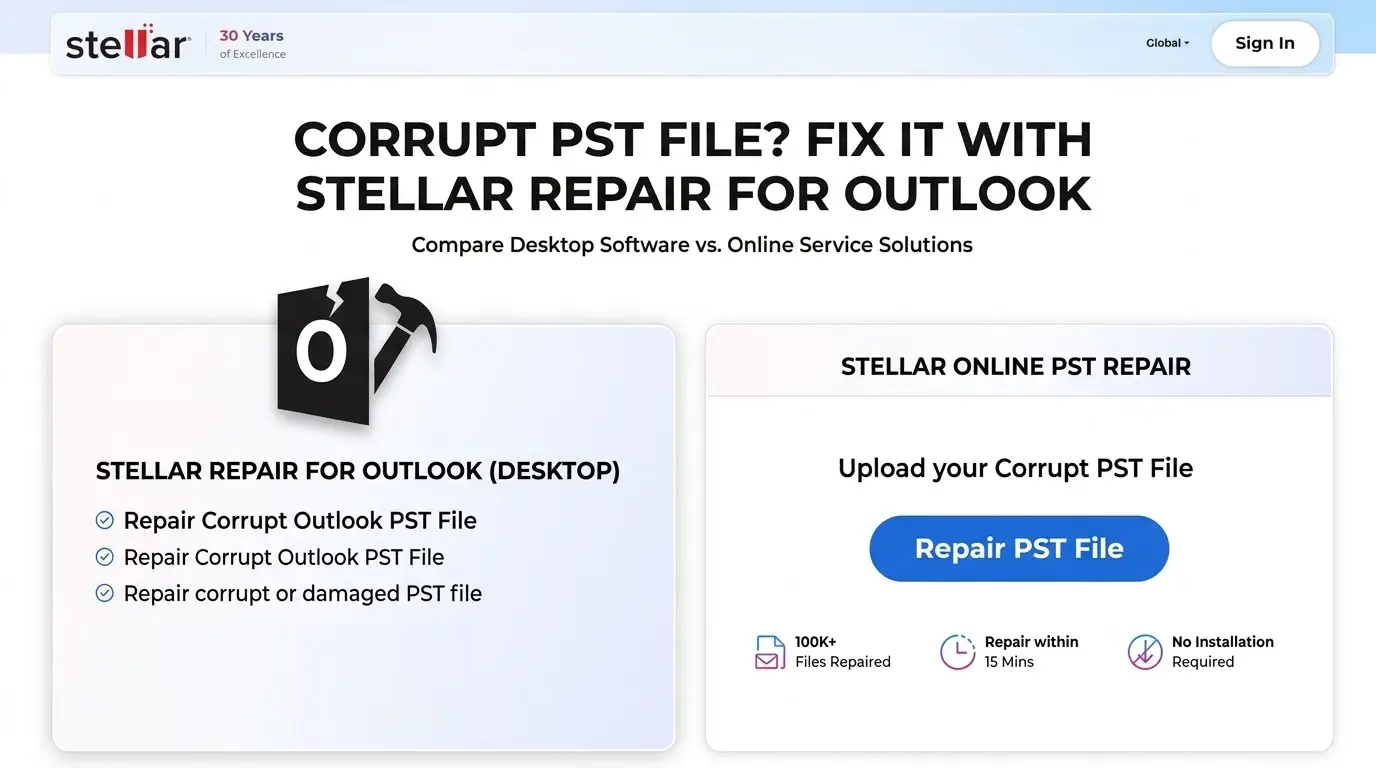
Microsoft Outlook is the primary
email client and organizational backbone for millions of professionals and
enterprises worldwide. Behind its familiar interface lies a complex Personal
Storage Table (.pst) and Offline Storage Table (.ost) architecture that stores
sensitive corporate records, years of correspondence, calendar schedules, and
contacts.
However, opening Outlook and finding that it freezes, refuses to start, or
shows a PST error can be stressful. Your emails, contacts, calendars, and
attachments are stored in a PST file, which can become corrupt for several
reasons, such as:
- 1) Sudden power cut
- 2) A system crash, a failing drive, or years of mailbox growth
- 3) Network storage and cloud syncing
- 4) Outlook freezing or being forced closed via Task Manager
- 5) PST file size reaching its threshold
- 6) Virus and malware attacks
When this happens, recovering your data becomes urgent so you can get back to
work quickly. You can often repair a corrupt PST file in two ways: first, with
Microsoft Inbox Repair Tool (ScaPST) or the paid tool Stellar Repair for
Outlook, desktop software you install on your PC; and second, with Stellar
Online PST Repair, a browser-based service that requires no installation. This
review tests both options so you can choose the one that best fits your file
and situation.
This review evaluates Stellar Repair
for Outlook, providing an in-depth, balanced analysis of both the installed
Desktop Software and the web-based Outlook PST
Repair Service. By examining how each solution processes data, handles file-size bottlenecks, and manages user privacy, this guide aims to help you decide which method best fits your current recovery scenario.

Overview of Both Solutions
Stellar
offers two distinct recovery pathways tailored to different technical
environments, operational requirements, and security constraints.
The Stellar
Repair for Outlook Desktop Application is an installed
Windows utility purpose-built to resolve severe corruption, broken file
headers, and massive archive files without capacity limitations. It operates
under a strict read-only paradigm, scanning the raw database blocks of the
target PST or OST file and reconstructing the recovered mailbox contents into a
fresh file without altering or overwriting the original source. The software
comes in Standard, Technician, and Toolkit tiers, adding advanced capabilities
such as PST splitting, attachment compaction, and automated cloud migration.
The Stellar
Online PST Repair Service provides a lightweight, browser-based alternative
that completely eliminates local software installation. Users upload their
damaged data file directly through a secure web browser interface, allowing
remote cloud infrastructure to process the repair, extract the internal folder
tree, and provide a downloadable clean output file.
Stellar Repair for Outlook: Installation, Setup, and User Interface
Deploying the
desktop software is straightforward and follows standard Windows installation
conventions, completing within a minute on modern 64-bit operating systems from
Windows 8.1 through Windows 11.
Upon
launching the desktop application, a setup wizard automatically scans the local
system drive to detect existing Outlook profiles and pre-fill default file
directories. If the target PST file resides on an external drive or network
share, users can manually browse to the path or use an integrated drive-search
feature to locate lost or hidden files across storage volumes.

The desktop
interface adopts a clean, three-pane layout modeled closely after Microsoft
Office’s native design. The left-hand pane displays the complete folder
hierarchy, mirroring the original mailbox directory structure down to deeply
nested subfolders. The central pane lists individual messages and records
within the selected folder, featuring a distinct visual highlight where
accidentally purged or hard-deleted items are marked in bold red text for
effortless identification. The right-hand pane serves as a full-featured
preview window, rendering complex HTML email body text, inline graphics,
embedded hyperlinks, and attached file details prior to saving.

The web-based
service shifts the user experience entirely to the browser. Instead of
navigating local software menus, users interact with a single web portal where
file uploading, server-side processing, item verification, and file downloading
are handled through a unified web dashboard.

Hands-On Test: Stellar Online PST Repair Service
To test the
online service separately from the desktop application, I used the Stellar
Online PST Repair Service through a standard web browser. The process starts at
the Stellar repair page, so there is no software to download or install.

The first
step is uploading the PST file that needs to be repaired. The browser-based
interface keeps this process simple. Instead of going through several software
menus, the user can select the file directly from the computer and start the
repair process from the web page.
Uploading And Processing The PST
For this
test, I uploaded a sample PST file with corruption issues and started the
online repair process. The service first uploads the file before processing it
on Stellar's servers. This makes the upload stage an important part of the
experience, especially when working with larger PST files.

Once the
upload was complete, the service began processing the file. Unlike the desktop
application, the repair work does not depend on the PC's processor or storage
speed. The file has to be transferred to the service first, and the repair is
then handled remotely.

The
processing stage also makes the online service different from the desktop
version. With the desktop application, the user can monitor a local scan and
continue working with the software's recovery tools. The online service is more
focused on a simple upload, repair, and download workflow.

Web Interface And Ease of Use
The online
interface is easier to approach than the desktop application because there is
less to configure. There are no installation steps, Windows settings, or local
file-search tools to deal with. The main workflow is centered around selecting
the PST file, uploading it, waiting for the repair to finish, and downloading
the result.

This makes
the service useful for someone who only needs to repair one PST file and does
not want to install a dedicated Windows application. It is also accessible from
operating systems that cannot run the desktop software natively.
Online Service Performance
The main
limitation I noticed with the online approach is that the process depends on
the internet connection. Uploading a large PST can take considerably longer
than starting a repair locally. The user also has less control over the repair
environment because the processing takes place remotely.
For a smaller
PST file, however, the browser-based workflow is straightforward. There is no
software installation and no need to configure a repair application before
starting the job.
After the
repair process, the service provides access to the recovered data for download.
This creates a simple end-to-end workflow: upload the damaged PST, let the
service process it, check the recovered data, and download the result.
Overall, the
online service is best understood as a simpler alternative to the desktop
application rather than a direct replacement for all of its features. It
removes the need for local installation, but that convenience comes with
greater dependence on internet speed and the limitations of a web-based repair
workflow.
Core Capabilities and Operational Strengths
When PST files become very large, Outlook can start to slow down. Users may notice long delays, indexing errors, and even damaged file headers. Microsoft's built-in Inbox Repair Tool, SCANPST.exe, can also struggle with large or badly damaged files. In some cases, it may freeze during the repair or remove damaged data that cannot be read.
Stellar takes a different approach. Its repair engine reads the underlying binary data to identify damaged database structures. It can then rebuild those structures while keeping messages, metadata, and folder organization intact. This makes it useful when a PST file has more serious structural damage.
The software can also help recover deleted emails. Messages removed from the Deleted Items folder, including those permanently deleted with keyboard shortcuts, may still remain in parts of the PST database. Stellar can search for these leftover records during its scan. Recovered emails can then be viewed in the preview window. Users can choose which items they want to restore instead of recovering everything.
Large PST files can take time to scan, so the desktop software also includes a pause and resume feature. Users can pause an active scan and save its current state as a scanner data file. The scan can then be resumed later without starting the entire process again. This can be useful when working with large archives or older computers.
The online service is convenient for quick repairs, but the desktop version has an advantage when dealing with larger files and more demanding recovery tasks. It does not depend on uploading the entire PST before the repair can begin.
For businesses moving to newer email systems, the Technician and Toolkit editions offer additional options. They can export recovered data directly to Microsoft Exchange Server or Microsoft 365 using administrator credentials. The software can also help prevent future PST problems by splitting oversized files at a set limit, such as 45GB. Another option is to reduce the size of the output by moving large email attachments into separate folders.
Desktop Software vs. Online PST Repair Comparison
Choosing
between the local application and the web-based service depends primarily on
file size, network constraints, operating system requirements, and
organizational privacy policies.
| Evaluation Metric | Desktop Software (Local Application) | Online PST Repair (Web Portal) |
| Installation Requirement | Local installation required (Windows) | None (Runs directly inside any web browser) |
| File Size Capacity | Unlimited (Handles multi-gigabyte and 50GB+ files) | Best suited for small to moderate PST files |
| OS Compatibility | Windows 11, 10, 8.1, 8 (64-bit) | Platform-independent (Windows, macOS, Linux) |
| Processing Speed | Driven by local CPU, RAM, and disk drive speeds | Driven by internet upload speed and cloud server queue |
| Output Formats | PST, EML, MSG, RTF, HTML, PDF, Live Exchange, M365 | Direct download of repaired PST file |
| Advanced Management | Splitting, Compacting, OST Conversion, Password Recovery | Standard file repair and basic mailbox recovery |
| Data Privacy & Governance | 100% local processing; data never leaves the computer | File must be uploaded to external remote servers |
Determining the Right Approach
The Desktop Software is the better fit for large files, serious corruption, or strict privacy needs. All scans and file recovery happen on the local computer. This means sensitive business emails and data stay within the company’s network. It makes the software a good fit for legal, financial, and healthcare teams that must follow strict data rules.
Key Benefits Of The Desktop Software:
- Local scanning and recovery
- Better suited to large PST files
- Useful for serious file corruption
- Keeps sensitive data on the local computer
- Supports advanced business recovery tasks
IT teams can also benefit from the advanced tools available in the Technician and Toolkit plans. These tools are useful for regular mailbox maintenance, OST-to-PST conversions, and Microsoft 365 migrations.
The Online PST Repair Service is better suited to quick, one-time repairs. There is no need to download or install desktop software. It can also be useful for people using macOS or Linux who need to repair a single PST file before moving the data to a webmail service.
Key Benefits Of The Online Service:
- No software installation required
- Works through a web browser
- Suitable for quick, one-time repairs
- Useful on macOS and Linux
- Simple upload, repair, and download workflow
As long as the PST file is not too large and the internet connection is fast enough, the online service offers a simple way to repair the file without setting up additional software.
Pros and Cons
Desktop Software
Pros:
- Completely unrestricted file size handling capable of repairing massive 50 GB+ archive files.
- The read-only scanning framework guarantees the original damaged file remains completely untouched.
- Robust export flexibility, including direct cloud migration to Microsoft 365 and live Exchange.
- Clear visual recovery indicators with red-highlighted marking of deleted email items.
Cons:
- Execution is limited natively to Windows operating systems.
- Advanced features like file splitting, compaction, and cloud export require upgrading beyond the Standard edition.
Online PST Repair Service
Pros:
- Fully cross-platform functionality accessible from any modern web browser on macOS, Linux, or Windows.
- Requires no software installation or administrative workstation permissions.
- Straightforward user experience designed for fast turnaround without technical configuration.
Cons:
- Repair turnaround time is heavily dependent on internet upload speeds and file upload limits.
- Lacks advanced granular controls such as PST splitting, attachment extraction, or direct server migration.
Final Verdict and Recommendation
Stellar Repair for Outlook stands out
as a highly capable recovery solution when native repair tools fall short on
heavily damaged or oversized Outlook data files.
For individuals seeking a fast,
hassle-free fix for a small PST file without installing local software, the
Stellar Online PST Repair Service offers a convenient and accessible web-based
option.
For IT professionals, corporate help desks, and enterprise users managing large email archives, sensitive
communications, or cloud migration projects, the Stellar Repair for Outlook
Desktop Application (Technician or Toolkit Edition) remains the definitive
recommendation due to its unlimited file capacity, local data privacy, deep
scanning reliability, and direct cloud integration.
Popular News





Latest News
Loading