How To Install Android 4.0 ICS on the ZOPO ZP100 Instructions and download!
How to's | GuidesFriday, 01 June 2012 at 10:04
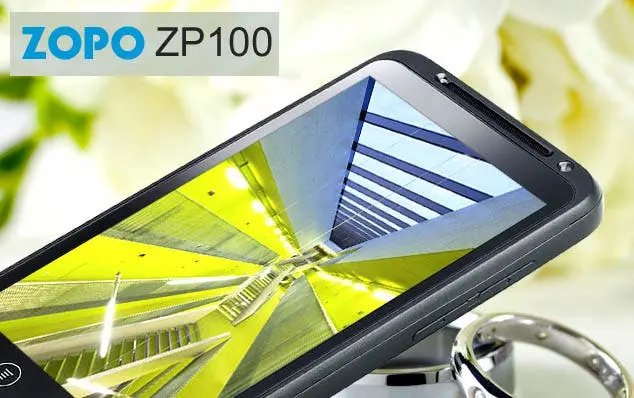
The awesomely fantastic Zopo ZP100 smartphone has been given an official Android 4.0 ICS ROM update making this one of the cheapest, best performing ICS phones on the market! But just how do you update? Well keep reading for full instructions and download links!
The Zopo Zp100 is a truly amazing phone. We have just been sent one which runs the MIUI V.4 ROM based on Google’s latest Android 4.0 ICS ROM, and we are really impressed by the quality and performance.
The Zopo Zp100 is a truly amazing phone. We have just been sent one which runs the MIUI V.4 ROM based on Google’s latest Android 4.0 ICS ROM, and we are really impressed by the quality and performance.
If you don’t already have a Zopo ZP100 we recommend you get in touch with the guys over at:
www.android-sale.com
or
For those of you who have owned the ZOPO ZP100 Android smartphone you will already know what we are raving about and you are no doubt reading this article as your in need of an Android 4.0 Ice-cream Sandwich ROM update, download link and easy to understand instructions!
Well lucky for you guys we have it all here!
How to update Zopo ZP100 to Android Ice-cream Sandwich
All the downloads and PDF to the Zopo ZP100 can be downloaded at the end of this how to. If you want to Android for your Zopo ZP100 head to the bottom of the post now!

Before we get to the nitty gritty of how to update the Zopo Zp100 Android smartphone to ICS we are going to need a few things.
- The files contained in the download links below.
- Windows PC.
- USB wire to connect the phone and PC.
- A little spare time.
Also be warned that after updating to Android 4.0 Ice-cream Sandwich you MIGHT need to also restore the IMEI number. Don’t worry all the tools and details are in the links below.
Instructions to update ZOPO ZP100 to ICS
- First you need to install off the drivers from the .ZIP file linked to below.
- Once the drivers are on your PC, ope the Flash Tool.
- From the Flash Tool import the ROM you wish to update to. In this case MT6575_Android_scatter_emmc_format.txt.
- Now choose the “Firmware- upgrade” option which you phone connected to the PC.
- Now all you can do is sit back and wait for the Download OK dialog to appeat and the yellow progress bar to finish.
- After you see the Green ok symbol and the progress bar reads 100% your Zopo ZP100 should be updated to Android ICS 4.0.
Reminder!
You may also need to check your IMEI number! If you need to do this check the files in the downloaded ZIP and follow the instructions there!
Download Android 4.0 Ice-cream Sandwich for ZOPO ZP100 Here!
[viral-download file1="http://115.com/file/c28wvd53#ZP100-android-4.0-update-english-instruction.rar" name1="Download Android 4.0 ICS for ZOPO ZP100 with English Instructions, choose the GREEN button" url="http://www.facebook.com/pages/GizChina/108790159145570" message="Please share to download files!" tweet="Gizchina has some awesome gadget, tablet and android phone news!" thankyou="Thanks for sharing! "/]
Thanks to www.zopomobileshop.com for the great instructions!
loading



Loading