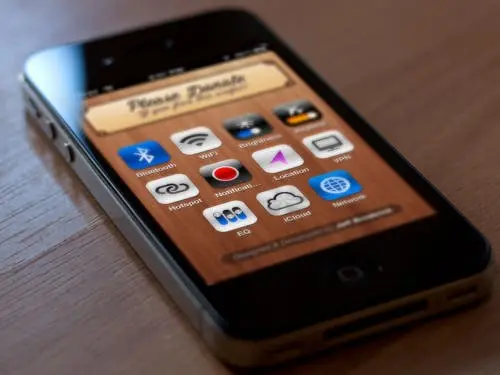
As a user of both and Android based phones and tablets, I sometimes get a little frustrated with my iPhone at times due to the lack of home shortcuts.
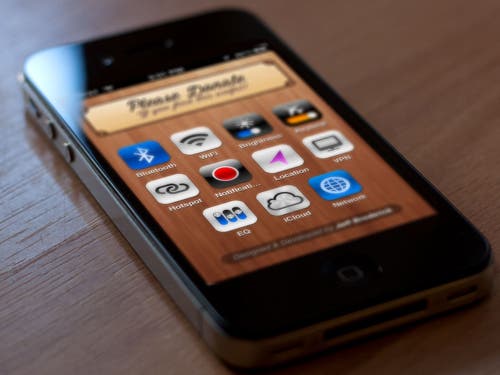
Toggling Wi-fi on or off, connecting to a VPN, turning on GPS or adjusting screen brightness require you to navigate to settings then in to the relevant menu.
There are of course Jailbreak solutions for this such as SBSettings which gives your iPhone fast access to these settings, but it requires Jailbreaking your iOS. Unfortunately for us using iOS 5 and above there is no untethered Jailbreak available, which can lead to some minor inconvenience if you need to reboot your device while away from a PC.
But now there is a new and non-Jailbreak way to get quick access to your settings, and you can install it now on your iPhone, iPad and iPod now, all you need is your iOS device and access to Wi-Fi.
How to install home screen settings shortcut to iPhone, iPad and iPod Instructions
- Open Safari and navigate to: http://brdrck.me/settings
- Once the page loads, click on the arrow-leaving-the-box icon. Sorry, not really sure what that icon is called.
- Click on ‘Add to Home Screen’.
- Name the shortcut as you wish, and then click on ‘Add’
Once the shortcut is added on your Home Screen, you can drag it to the position you like, just like a regular app, but opening the web app gives you fast access to your Wi-Fi, Brightness, Bluetooth, Hotspot, Siri etc.
I have just tried it myself and it works very well and I can see it coming in handy for quickly toggling my VPN on or off.
Popular News

Latest News
Loading