Apple has rolled out iOS 26, and it’s a big one. The company is pushing its new Liquid Glass design, a reworked Camera app, and more AI-driven tools. On paper, that sounds exciting. In reality, the rollout has been messy enough that a lot of users are already thinking twice about updating.

Battery complaints everywhere
The first wave of feedback hasn’t been great. People online are saying their iPhones are draining battery much faster than before — in some cases losing almost half their charge in an hour. Overheating is also part of the story. Even light tasks like messaging or scrolling through news can warm the phone up. Apple says this is partly due to background indexing, which should settle down, but that’s not much help if your phone is your lifeline during the day.
Storage demands add friction
Another headache: space. iOS 26 itself is over 6GB, but Apple recommends clearing out closer to 10GB to be safe. If you’re someone who hangs onto photos, apps, or downloads, that’s a big ask. Some people are even forced to delete stuff they care about just to make room. And if you’re a few versions behind, you might have to install iOS 18.7 first, which only makes the process longer.
The design is divisive
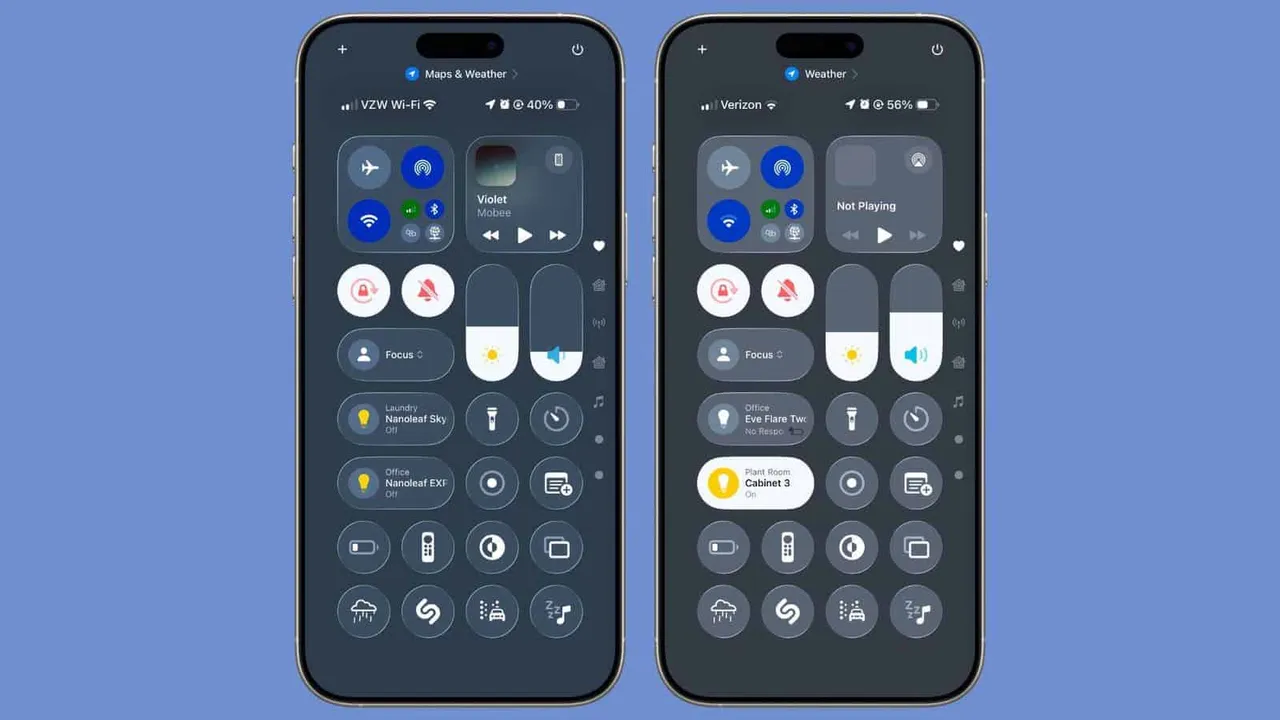
Apple calls the new design Liquid Glass. It leans on translucent menus and more animation. Some like the look. Others find it distracting, or worse, confusing. Controls have shifted, certain labels are hidden, and common features in the Camera app now take extra taps to reach. For anyone used to adjusting settings quickly, the change feels like friction instead of progress.
Rough edges and bugs
As with many big updates, there are reports of bugs and missing polish. CarPlay acting up, Face ID refusing to work, random app crashes. Developers point out that parts of iOS 26 feel like they’re still in testing rather than ready for prime time. That doesn’t mean Apple won’t fix things quickly, but early adopters are essentially beta testers right now.
Should you wait?
For most people, yes. Unless you’re excited to try the new design right away or you don’t mind living with glitches, it makes sense to hold off a few weeks. By then, Apple will probably have ironed out the worst issues. If you do update now, make sure you’ve backed up your phone, cleared plenty of space, and maybe avoid heavy use right after installing.
Sometimes the best update strategy is patience. Let others stumble into the bugs first — you’ll get a smoother iOS 26 once Apple cleans it up.
Popular News


Latest News
Loading