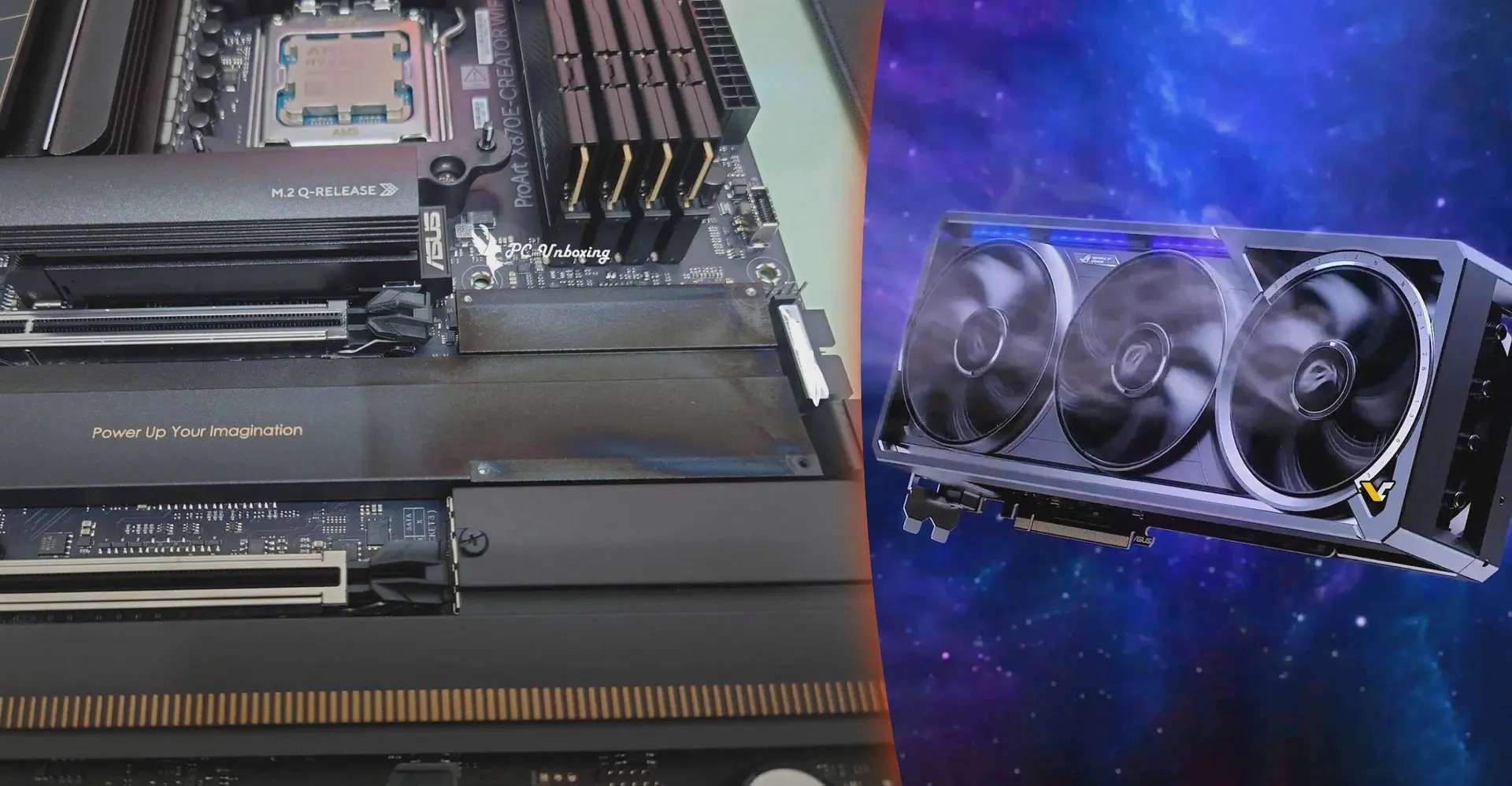
A story making the rounds on Taiwanese hardware forums raises an uncomfortable question about just how much thermal punishment the hardware around an RTX 5090 quietly absorbs over time. A user reported visible discoloration on the PCH heatsink of an ASUS ProArt X870E-Creator WiFi motherboard after running it alongside an ASUS ROG Astral GeForce RTX 5090 for roughly six months. The entire setup was ASUS hardware — GPU, motherboard, and a ProArt PA602 case — which makes the incident particularly awkward for the company. And the mark? Partially removed with a damp cloth. Permanently present otherwise.

Summary
- A user on a Taiwanese forum found discoloration on their ASUS ProArt X870E motherboard's PCH heatsink after six months with an RTX 5090 Astral — the mark couldn't be fully removed.
- The RTX 5090 typically draws around 700W under load, with peaks reportedly approaching 1,000W in certain scenarios — far above its 575W rated TDP.
- The GPU itself showed no visible damage and continued functioning normally; only the motherboard heatsink was affected.
- An important alternative explanation exists: RGB lighting from nearby memory modules has previously caused similar discoloration on hardware surfaces — heat may not be the only cause.
- The ROG Astral RTX 5090 has accumulated a notable issue history since launch, including melting 16-pin connectors, missing ROPs in early batches, black screen problems, and at least one confirmed capacitor fire.
One Card, Multiple Problems
The ROG Astral RTX 5090 has been generating headlines for the wrong reasons since it launched. Melted 16-pin power connectors, black screen crashes, missing raster operations units (ROPs) in early production batches, and at least one confirmed fire with burn marks on both the GPU and motherboard. Now you can add potential thermal stress to adjacent components to that list. A separate incident this week saw a user attempt to install a second 12V-2x6 connector to reduce melting risk — a modification that ended with a hole punched through the PCB and an emergency trip to a repair shop.

The power draw is the root of almost all of these issues. The RTX 5090 is rated at 575W TDP, but typical real-world loads run closer to 700W, and in certain peak scenarios — heavy AI workloads, sustained gaming, transient spikes — figures reportedly approaching 1,000W have been documented. That is not a GPU load. That is a small electric heater sharing a PCIe slot with your motherboard.
"The RTX 5090's quad-fan cooler pushes heat downward by design. If the case airflow isn't optimized, that heat has nowhere to go except into the components directly beneath the card — including the PCH and its heatsink."
But Wait — It Might Not Be Heat
Here's the part that deserves more attention than the source article gave it: the discoloration may not be thermal damage at all. TweakTown flagged a precedent worth noting — there are prior reports of RGB lighting from memory modules causing similar discoloration on GPU backplates. Concentrated light at close range, over months, can affect painted and coated surfaces in ways that look like heat damage but aren't. The PCH heatsink sits right below the GPU in a typical ATX build, in close proximity to DRAM modules with RGB lighting running continuously.

This doesn't mean the RTX 5090's heat output isn't genuinely extreme — it absolutely is. But the specific cause of this particular discoloration remains unconfirmed. ASUS has not publicly commented on the incident.
What to Actually Do If You're Running a 5090
If your build includes an RTX 5090 and you're running AI workloads, content creation, or long gaming sessions, the practical checklist hasn't changed: verify cable seating on the 16-pin connector before every use, check that zero-RPM fan mode is disabled under load, monitor PCH and VRM temperatures via HWInfo64, and ensure your case has adequate positive pressure airflow so hot air doesn't stagnate around the GPU slot. Check the PCH heatsink area periodically if you have RGB-lit RAM — and if you see discoloration, note whether it started at the memory side or the GPU side before drawing conclusions.
One isolated forum post doesn't constitute a widespread defect. But the RTX 5090's track record so far suggests treating it as routine maintenance rather than overkill.
Popular News
Latest News
Loading