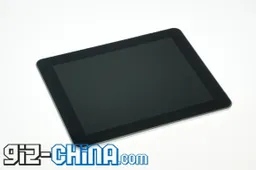
Although your new Android Tablet (or phone/media player) comes with the rather lovely open source Android operating system from Google it may not have come with the rather convenient Android Application store, and even if it did some of the applications on the market may be blocked from use by your mobile carrier (only applicable to those devices using SIM cards and data connection).
So what do you do if you want to fill your memory card full of the latest and greatest Android apps, but don’t have access (or limited access) to the official Android Market?
So what do you do if you want to fill your memory card full of the latest and greatest Android apps, but don’t have access (or limited access) to the official Android Market?
Keep reading after the jump to see the 5 best ways to install Android Applications to your Android Tablet (device) with or without the Android Market!
1) Let’s get the easy one out of the way first. Let’s say you have a 3G enabled Android Tablet with Android market access, but no matter how hard you try you can’t download Google Earth or some other carrier blocked apps such as a tethering application. What do you do? Easy!
1) Let’s get the easy one out of the way first. Let’s say you have a 3G enabled Android Tablet with Android market access, but no matter how hard you try you can’t download Google Earth or some other carrier blocked apps such as a tethering application. What do you do? Easy!
- Turn off your phone.
- Pop out the SIM card.
- Turn your phone back on and connect to a Wi-Fi network.
- Open the Android Market, search for, and install the previously carrier-blocked app.
- Turn off your phone.
- Pop the SIM card back in.
Turn your phone back on.
Enjoy!
Enjoy!
Ok now on to the more trickier problem of adding apps to an Android device with no Android Market. Luckily it’s still pretty darn easy.
2) Go to Google!
That’s right head to Google.com and type in the name of the application you want for your Android Tablet followed by the extension .apk (.apk is the file name for Android applications). So for example you could search; Angrybirds.apk and with a little bit of luck you should find it somewhere available for download.
That’s right head to Google.com and type in the name of the application you want for your Android Tablet followed by the extension .apk (.apk is the file name for Android applications). So for example you could search; Angrybirds.apk and with a little bit of luck you should find it somewhere available for download.
3) Install an alternate application market
That’s correct! There’s more than one Android app market out there, and thankfully they will install on your Android device through your tablet’s/phone’s web browser. You can have a hunt around yourself, but our personal faves are Slidme and Applanet.
That’s correct! There’s more than one Android app market out there, and thankfully they will install on your Android device through your tablet’s/phone’s web browser. You can have a hunt around yourself, but our personal faves are Slidme and Applanet.
4) Pandaapp.com
Panda app is a website written by Chinese mobile phone and tablet fans in English. As well as great information about the latest gadget and handy hacks they also have a great library of Android applications which can be downloaded (again through your devices browser) very quickly.
You can visit the application listings here.
Panda app is a website written by Chinese mobile phone and tablet fans in English. As well as great information about the latest gadget and handy hacks they also have a great library of Android applications which can be downloaded (again through your devices browser) very quickly.
You can visit the application listings here.
5) Come to us!
Don’t forget about us! AndroidOSTablets.com has a growing list of Android download links right here.
Don’t forget about us! AndroidOSTablets.com has a growing list of Android download links right here.
If you have any other suggestions on how to get Android Applications on to your Android based Tablet or Phone feel free to leave a comment.
Follow us on Twitter for more Android Tablet and application hints, tips and downloads.
loading
Popular News


Latest News
Loading