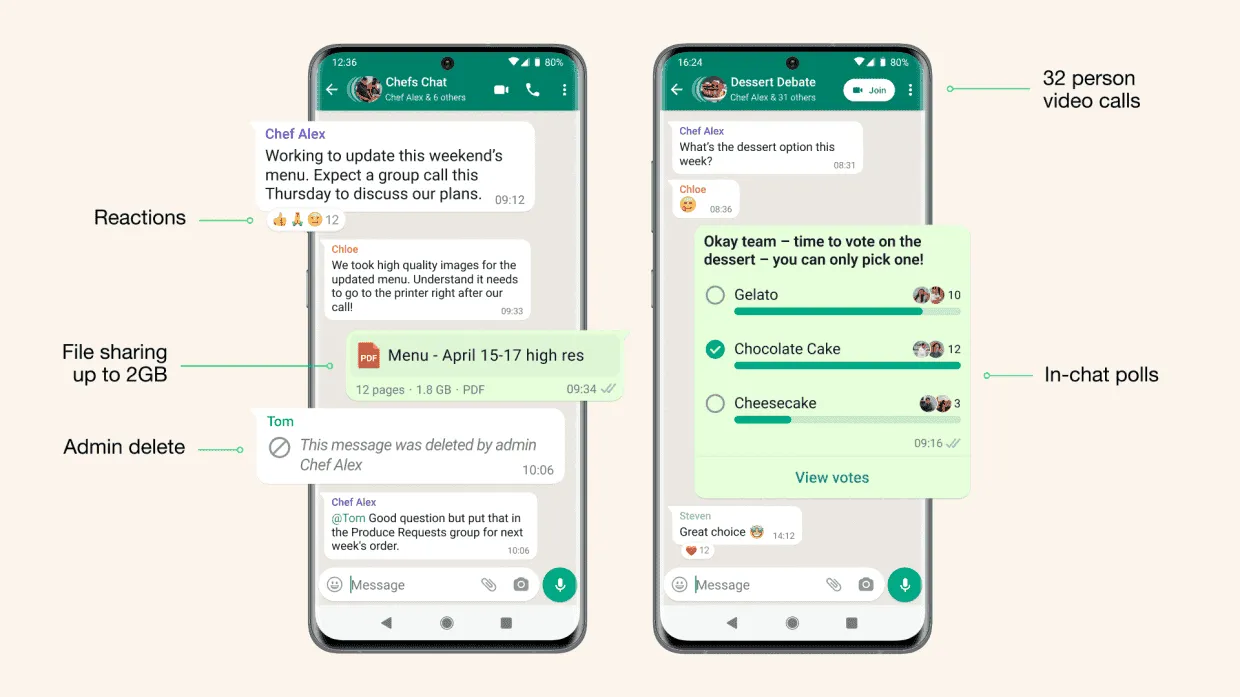
Creating polls on WhatsApp is one very important feature that WhatsApp engineers unnecessarily delayed in rolling out. It is a very useful yet common feature on other platforms such as Telegram and Twitter.
You Can Now Create WhatsApp Poll
WhatsApp has finally added the ability to create WhatsApp polls in chats, it does not matter if it is private chat or or group chats, you can still create polls. Before this, creating a poll for a group of users on WhatsApp was just impossible.
So most user took advantage of third-party platforms whenever they wanted to create polls or they just throw the question in the group and count each answer one after the other which was quite hectic to do but there was no other choice.
The wait is finally over as this feature is now available for all to use on WhatsApp. Also note that, this feature came as an update so if you have not updated your WhatsApp to the very latest version, please do that before you can be able to create polls.
Creating a poll on WhatsApp is very easy, I have tried it myself so I will make the steps very simple for everyone to follow. Like I said earlier on, the first thing you have to do is to update your WhatsApp to the latest version.
Steps To Create A WhatsApp Poll
If you already have the latest update of WhatsApp, just open the app and open the chat that you would like to create the poll in. For iPhone user, tap on the plus sign on the left side of the textbox. For Android users, tap on the icon on the right side of the textbox.

You should see the new poll icon amongst the icons on Android and on an iPhone, you should see just the text in the list.

Type in your poll questions in the textbook below the text.

After the question, next is the answer options, type in your response options in the text boxes below.

After listing all your response options, just tap on the send button to share your poll in the WhatsApp chat. You can also rearrange the response option if you don't like the arrangement and to do this, just tap and hold on the 4 horizontal lines on the right side of the response options and drag either up or down to rearrange.

That's it! It is very simple to do and the voting can begin now. You can tap on View Votes to see the number of votes so far, you can also be able to see each member's selections. Another thing is that, each person can vote for more than one option, something that I am not a big fan of and I hope WhatsApp will fix that soon.
Source / Via: Tom's Guide
Popular News
Latest News
Loading