Many iPhone users deal with short battery life each day. You may charge your
phone in the morning and still end up low by noon. You can fix this iPhone battery drain with a few steps that guide your phone to use less power. These steps cost you nothing.
They take only a few taps. Here are the top 13 actions that can make your iPhone last
much longer.
Update your iPhone
Make sure your phone runs the most recent iOS system.
Each new iOS update may fix bugs that drain your power fast. It may also tune the way
your chip runs.

This can help your phone stay cool and use less power. Open the
Settings app. Go to General, then tap Software Update. Tap to load the update.
Turn on auto updates if you want your phone to do this on its own.
Turn down the screen light
Your screen is the top battery drainer on your phone.
When you set the screen light too high, your phone burns more power. Drag down
the shade from the top right. Move the bar for the screen light down. Use auto
light so your phone can tweak the light based on your room. This saves power
and still keeps the screen easy to view.
Turn off the always-on screen
This is for users with newer Pro iPhone units.
The always-on screen shows dim info even when the phone is at rest. It may use
one percent of your charge each hour. Turn it off to gain more hours each day.
This move does not affect your apps or data. You only lose the dim clock on
your lock screen.
Use Wi-Fi when you can
Cell data uses more power than Wi-Fi. Your
phone must talk to a far cell mast. That takes more power. Wi-Fi links need
less. If you are home or at work, stay on Wi-Fi. Turn off cell data when you do
not need it. This is key if you live in a spot with poor cell bars.
Switch off 5G
5G can use more power than LTE. When your
phone has weak 5G bars, it tries hard to keep the link. That burns power fast.
Tap Settings, then Cell, then set LTE as your mode. Your phone will use less
power and still run at a good speed for almost all tasks.

Use Low Power Mode
Low Power Mode trims many parts of your phone.
It stops some app tasks. It cuts the screen light. It slows some parts of the chip.
You may lose some things, like auto mail or some visual cues, but you gain
more hours. Use it when your phone drops near the red zone. Use it when you
need your phone to last long on a trip.
Try Adaptive Power Mode
This is for iPhone 15 Pro and newer units. It
uses on-device AI to find the best way to save power. It may dim the screen a
bit. It may slow some tasks that run in the background. It is less harsh than Low
Power Mode. It works in a smart way that may feel smoother for daily use.
Turn off key clicks and haptics
Each time you type, your phone gives a soft
buzz or click. This uses the small motor in your phone. When you type a lot,
this adds up. Turn off key haptic and key sounds. You can still type fast and
clearly. You just lose the vibe when you tap each key.
Turn off the “Hey Siri” hot word
Your phone must keep its mic on all the time
to hear the words “Hey Siri.” That takes power. If you do not use it much, turn
it off. You can still call Siri by pressing the side key.

Cut down your alerts
Your phone wakes up each time you get a ping
or pop-up. The screen lights up. The phone may buzz. Each of these eats power.
Go to the alerts for each app and turn off what you do not need. This also cuts
stress. You will not deal with so much on-screen buzz.
Limit AirDrop scans
AirDrop lets you share files fast. But the
scan mode for “bring devices close” runs in the back. This uses Wi-Fi and
low-power Bluetooth. Turn off this scan if you use AirDrop only now and then.
It will still work when you set AirDrop to “off” or “contacts only.”
Turn off Live Info cards
Some apps show live info on your lock screen.
You may see food orders, ride times, or game scores. These cards pull data a
lot. That takes power. Turn them off in the app list in Settings. You can also
block them from the lock screen with one switch. This frees up more power for
your phone.
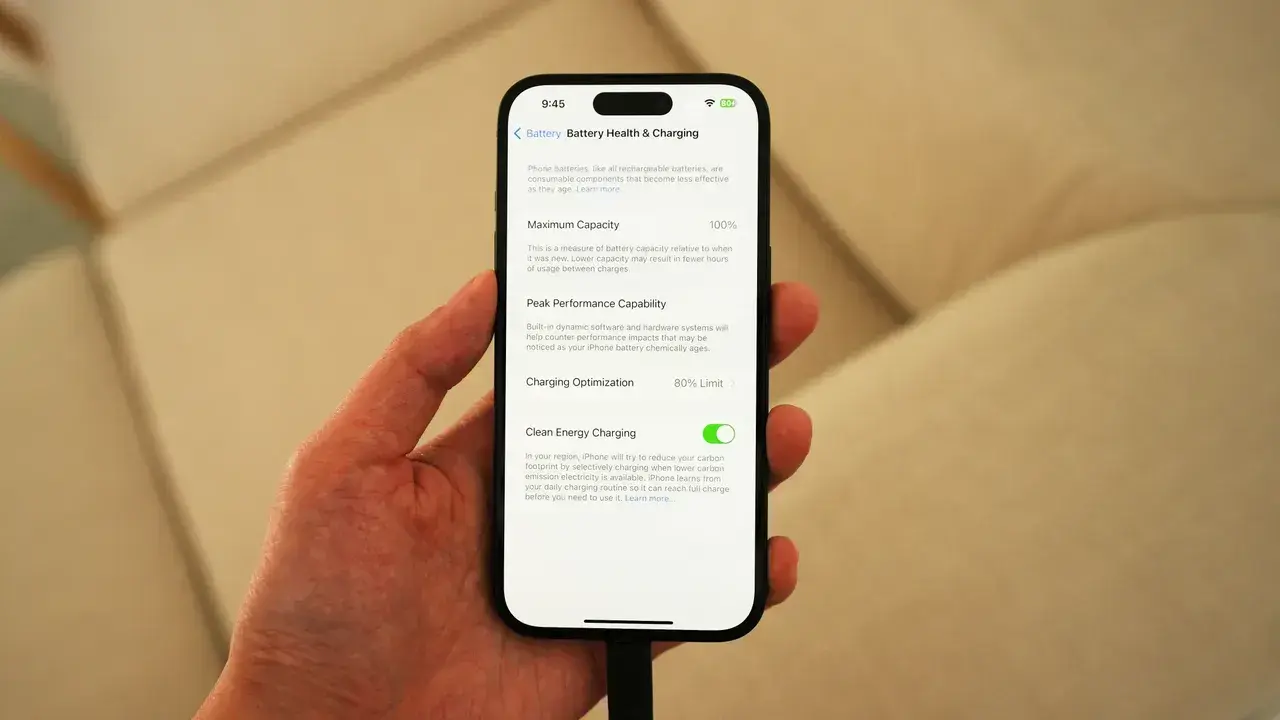
Take off lock screen widgets
Widgets may look neat, but they pull small bits
of data all day. Some check maps. Some check their mail. Some check the news or time
zones. These small pulls add up and use power. Take off the ones you do not
need. Your lock screen will load fast and use less battery charge.
Conclusion
Your
iPhone can last much longer with these small steps. They do not change how you
use your phone. They only stop waste in the back. Try the steps that fit your
day. Turn off things you do not need. Tune your phone so it works smart, not
hard. With these moves, you gain more hours of use and cut the stress of a low
charge. Let these tips help your phone stay up and ready when you need it most.
Popular News

Latest News
Loading