How to: Easily ROOT your Android phone with Framaroot
How to's | GuidesThursday, 26 September 2013 at 05:58
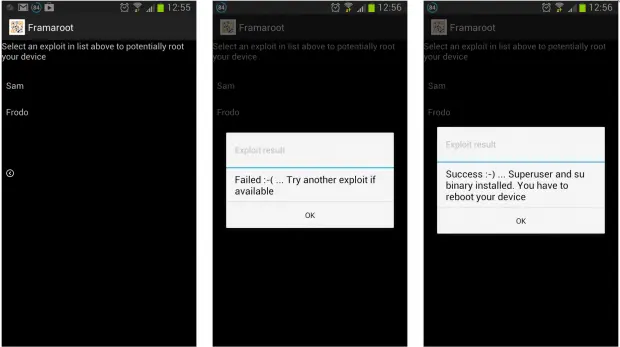
There are plenty of guides and how to articles on the web describing how you can ROOT your Android phone, but not many are as easy and straight forward as Framaroot.
Not everyone is confident enough to ROOT their device, even if the chance of bricking your phone is quite small there is the possibility and it would be an expensive learning experience. Thankfully 3rd party developers have come to the aid of would be hackers with easy to use software such as Shuame and Framaroot.
Framaroot was put together by senior XDA forum member, Alephzian. The small application (installed on your phone like any app) can give you ROOt access to your phone with a quickly and simply.
How to Root your Android phone with Framaroot
The first step you need to take before downloading and installing Framaroot on your Android phone is to head in to the Settings on your Android device and do the following:
Settings > Security > Check "Unknown Sources"
This will allow you to install applications from 3rd party sources. You will want to be wary of doing so though as some Android apps have been know to include spyware or viruses, so installing any apps from a 3rd party must be done at your own risk.
Once you have down this you can download Framaroot and install it on your phone. Then all you need to do is follow the onscreen instructions.

Once you have finished you will get a success message and you are done!
Framaroot currently supports OMAP 3, Exynos 4, Qualcomm and Mediatek chips, a full list of supported phones and processors can be found here.
NB: The operations described in this page are to be performed with extreme caution. Therefore, the author does not assume any responsibility for damage to your device.
[ GizChina.it ]
Popular News


Latest News
Loading