We’ll I have just updated my faithful Meizu M9 to the latest Beta version firmware; 2.0.0-17831 which finally brings the latest version Android, Gingerbread 2.3 to the, Chinese smart phone as well as some nice tweaks and updates such as:
 Google Sync
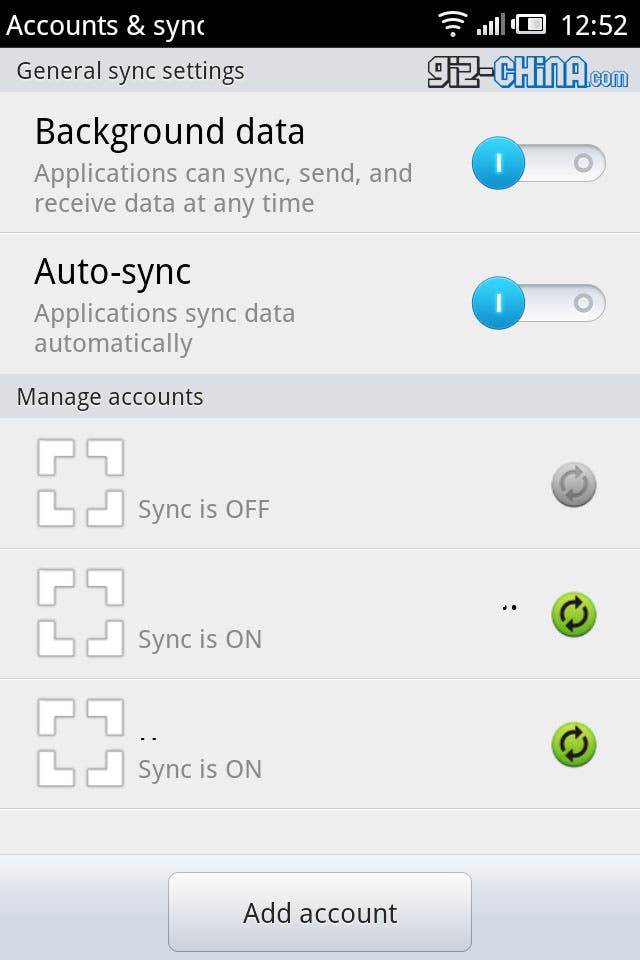
Google SyncCalendar Sync is now finally built in! And contact sync with your Google account is much better than before!
Now in Settings > Accounts & Sync we get more than just the option to join Meizu’s servers and sync, but options to set sync with all of our Google accounts.
 Performance
Now in Settings > Accounts & Sync we get more than just the option to join Meizu’s servers and sync, but options to set sync with all of our Google accounts.
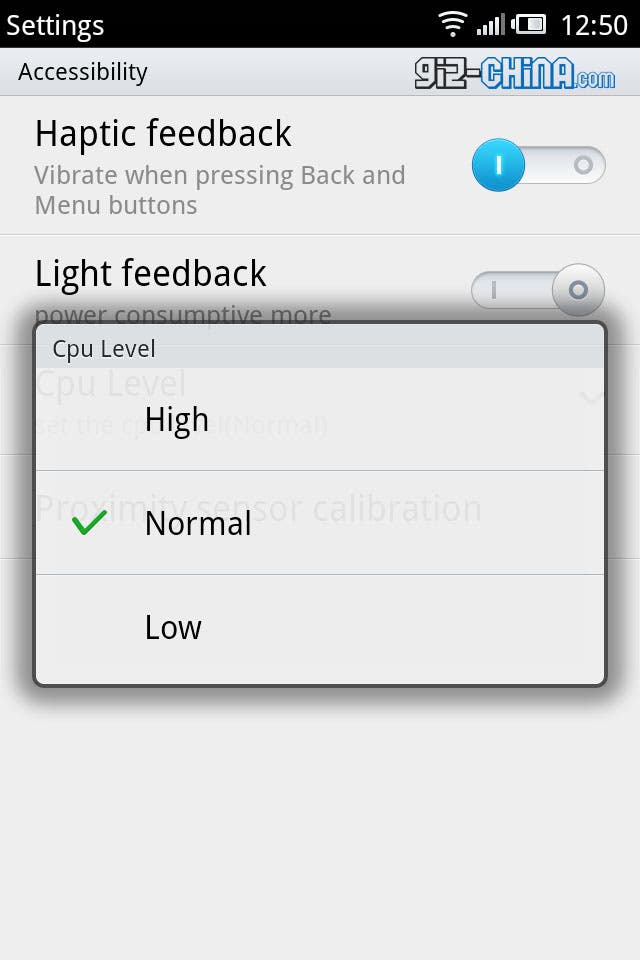
PerformanceMeizu have added a control to set how fast you want the M9 to run. Head in to Settings > Accessibility and you can see a new control called CPU level. This new setting allows you to choose from either High, Normal (default) or Low.
I’ve only played about with the M9 in the default Normal setting, but have been impressed by how much snapper and responsive it is when compared to the older Android 2.2 firmware.
I’ve only played about with the M9 in the default Normal setting, but have been impressed by how much snapper and responsive it is when compared to the older Android 2.2 firmware.
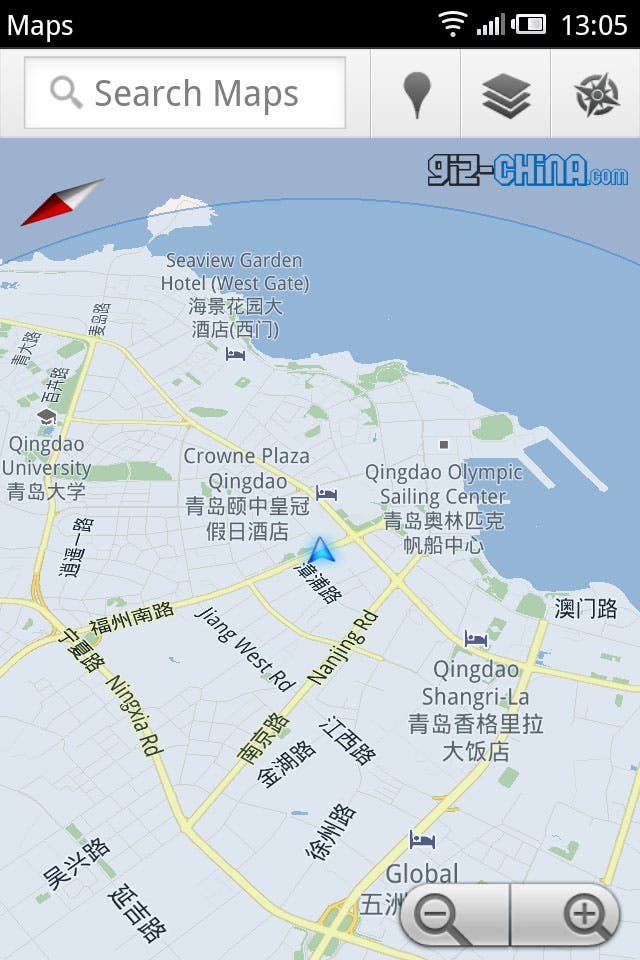
Maps now have a new ‘Compass’ view which lets the map rotate with your movement allowing you to get your bearings much easier. To use the ‘compass’ view first tap ‘my location’ then once the M9 knows where you are tap the ‘my location’ button (which has now changed to the ‘compass’ icon) to access compass view.
Also maps now supports auto rotate.
Also maps now supports auto rotate.
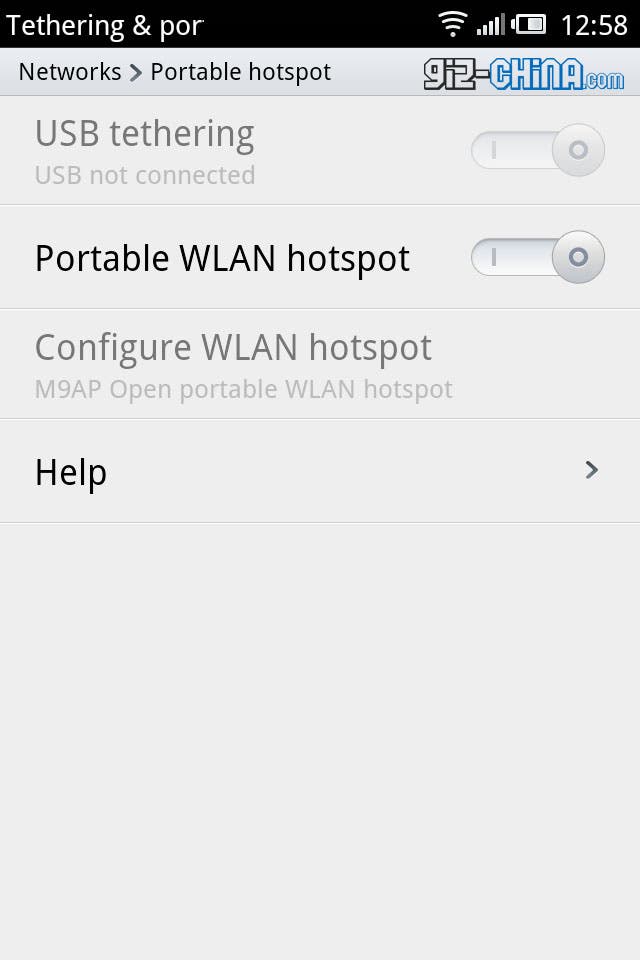 USB Tethering
Before the M9 only had Wi-fi tethering as default, but now the added option to tether via USB has been added, which may improve file transfer speeds.
Updated Gallery
The updated gallery sorts your photos just as before but includes your home made videos as a stack located in the main gallery window rather than in a separate tab. Pressing on the video stack opens a new window containing only your video recordings.
Navigating the gallery is a lot faster and smoother than in the previous firmware and also seems more stable!
Screen Capture
Navigating the gallery is a lot faster and smoother than in the previous firmware and also seems more stable!
Screen Capture
The M9 has always had the ability to screen shots by pressing the home button and power button together, but now we know we’ve made a successful screen shot thanks to the screen flashing white and the M9 making a snapping sound!
Camera App
The camera app has received a new animation much like the ‘genie’ effect on OSX which shrinks freshly taken photos down to the preview window.
 Button Brightness
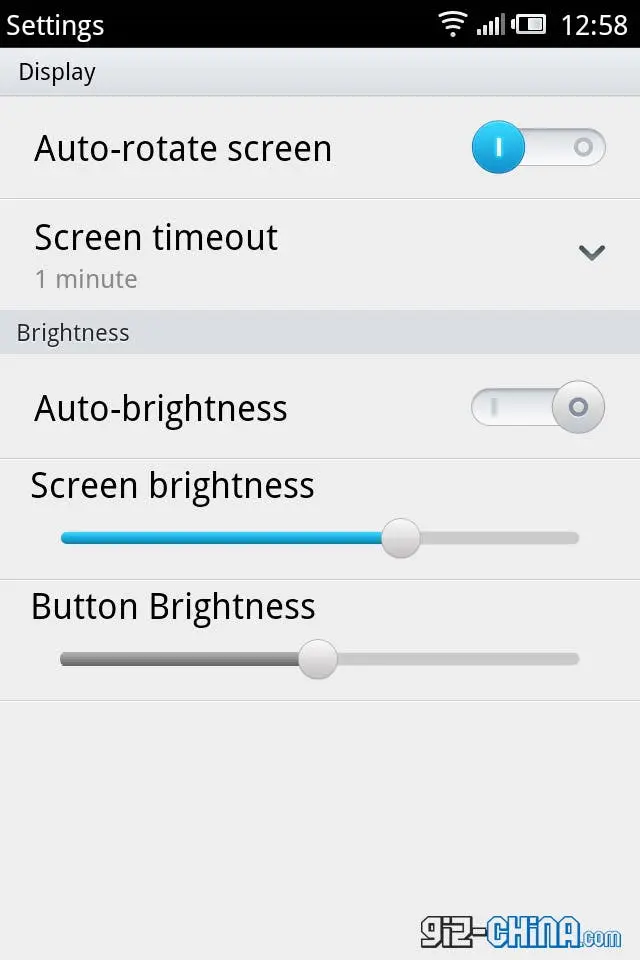
Under settings > Display > there is now the option to adjust the brightness of the back and options buttons as well as the usual display options.
I’m sure there are other areas where Meizu have improved the M9, battery life possibly?, so after a few days playing about with the new update I will post any new details I come across.
Follow us on Twitter for more M9 Gingerbread news.
Popular News
Latest News
Loading