After oodles of tests, and beta releases, have finally released the official Gingerbread (Android 2.3.1) for the M9 smartphone!After a good few months of testing and 'leaked' s, have finally released the for the
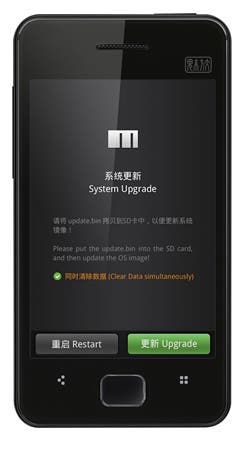
The ROM was actually launched as a BETA last week but as no bugs were found (really Meizu?) it has been officially released for everyone to enjoy.
Download links for both the Firmware and Baseband can be found at the end of the post.
Once downloaded follow these instructions we posted on 'How to update your Meizu M9".
Firmware Changelog (based on v1.0.3-18182):
- Added STK function
- Press and hold Back button to turn off screen (when on home screen)
- Rotate animation added
- Added support for ALAC audio files (Apple Lossless Audio Codec)
- Added support to load subtitles to videos
- ZIP and RAR files can now be unpacked without 3rd party apps
- Added zoom function to Emails (html)
- Word, Excel, Powerpoint and PDF files can now be opened without 3rd party apps (read only)
- Added Flyme cloud-sync service (contacts only)
- USB tethering
- Added CPU performance options (Settings > Accessibility > CPU Level)
- Redesigned Power widget (3G button no more available)
- Camera: Volume up button not takes the picture, Volume down can be used to switch between Picture and Video mode / Added Auto White Balance feature
- Modified incoming call screen, now more convenient to use
- GSM mode is set to 2G only by default (Go to Settings > Networks > Network mode to enable 3G)
- UI changes throughout the whole system
- Other numerous fixes
- Press and hold Back button to turn off screen (when on home screen)
- Rotate animation added
- Added support for ALAC audio files (Apple Lossless Audio Codec)
- Added support to load subtitles to videos
- ZIP and RAR files can now be unpacked without 3rd party apps
- Added zoom function to Emails (html)
- Word, Excel, Powerpoint and PDF files can now be opened without 3rd party apps (read only)
- Added Flyme cloud-sync service (contacts only)
- USB tethering
- Added CPU performance options (Settings > Accessibility > CPU Level)
- Redesigned Power widget (3G button no more available)
- Camera: Volume up button not takes the picture, Volume down can be used to switch between Picture and Video mode / Added Auto White Balance feature
- Modified incoming call screen, now more convenient to use
- GSM mode is set to 2G only by default (Go to Settings > Networks > Network mode to enable 3G)
- UI changes throughout the whole system
- Other numerous fixes
Baseband Changelog (based on v02.1041.00-119):
- Fixed 3G call drop issues in Hong Kong and Europe
- Fixed a signal drop bug
- Fixed a call conferencing issue
- Fixed an issue with video calling
- Fixed a signal drop bug
- Fixed a call conferencing issue
- Fixed an issue with video calling
Download official Meizu M9 Gingerbread firmware here.
Download latest Meizu M9 baseband here.
Click to Make Big
Popular News

Latest News
Loading