OxygenOS 16.1 Starts Rolling Out — Live Space, Better AI, and Smoother Animations
OnePlusTuesday, 12 May 2026 at 09:53
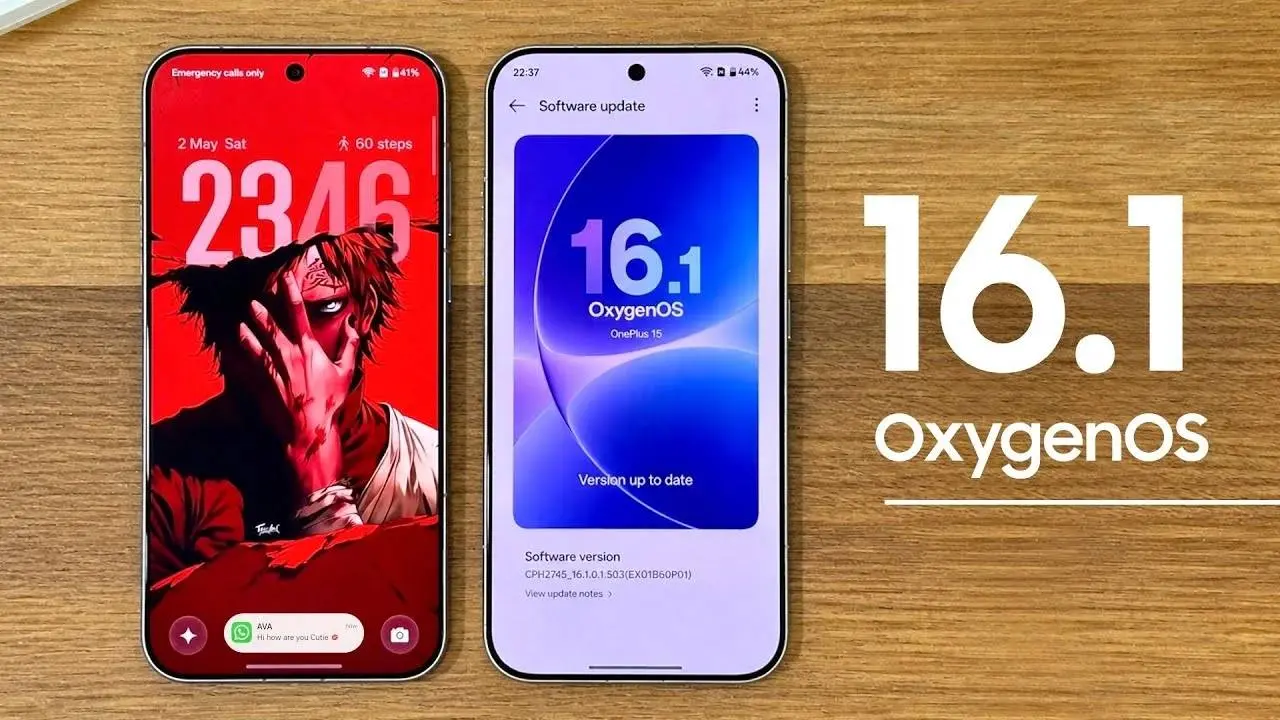
OnePlus has started the OxygenOS 16.1 stable rollout for the OnePlus 15 in India. The build carries firmware version CPH2745_16.0.7.201(EX01) and weighs in at 2.1GB. Other regions and devices follow soon.
The headline feature is Live Space — and if it sounds familiar, it should.
Key Points
- OxygenOS 16.1 stable rollout underway for OnePlus 15 in India — firmware CPH2745_16.0.7.201(EX01), 2.1GB download, wider regional rollout expected shortly
- Live Space is the signature new feature — a capsule-style UI element at the bottom of the lock screen showing live updates for timers, music playback, and match scores
- Live Activities expanded to cover ongoing calls, screen recorder, timer, flashlight status, and maps navigation — all surfaced without unlocking the phone
- Redesigned Control Center and improved system animations make the OS feel noticeably more responsive throughout
- AI processing upgrades across photos, documents, and translation — no new models named, but enhanced on-device pipeline confirmed

Live Space — OnePlus's Take on the Now Bar
Samsung introduced a similar lock screen capsule with the Now Bar in One UI. OnePlus is arriving at the same concept with Live Space — a persistent live activity zone at the bottom of the lock screen that surfaces what's actually happening on your phone without requiring you to unlock it.
Timers, music controls, and live sports scores are the highlighted use cases. The design philosophy is identical to Apple's Live Activities and Samsung's Now Bar — keep context visible, reduce unnecessary unlock-check-lock cycles, and make the lock screen genuinely informative rather than just decorative.
Whether OnePlus's implementation is as polished as Samsung's will depend on third-party app support, which typically takes months to catch up with new lock screen APIs.
The Animations Are the Underrated Part
Changelog entries about "smoother animations" often mask real work underneath. OxygenOS has historically had strong animation quality but occasional inconsistency between system apps and third-party interactions. The 16.1 update specifically targets responsiveness — how quickly the UI reacts to touch input before the animation even completes. That pre-animation responsiveness is what separates phones that feel fast from phones that only look fast in speed tests.

AI Processing Gets Quieter and Better
The AI improvements in 16.1 are backend rather than feature additions. Photo processing pipeline improvements, smarter document analysis, and better translation accuracy all run without visible UI changes — the results show up in output quality rather than a new button to press. OnePlus hasn't detailed which models power these improvements, but the framing suggests on-device processing gains rather than expanded cloud dependency.
To check for the update: Settings, then About Device, then tap the OxygenOS card at the top. Rollout is batched — not everyone sees it on day one.
Popular News


Latest News
Loading