It is genuinely hard to get excited about tablets these days. Usually, you’re either looking at a predictable iPad refresh or a Samsung slate that feels like it was designed in a boardroom to meet a specific price point. However, the Honor MagicPad 4 actually made me stop and pay attention, which is no small feat given how crowded the "premium-but-not-quite-pro" market has become. After spending a solid amount of time with this device as my primary driver, I’ve found that it isn't just another Android tablet; it’s a remarkably thin piece of glass and metal that punches way above its weight class.

Summary
- Ultra-Thin Profile: At just 4.8mm, it’s one of the sleekest tablets on the market, period.
- Stunning OLED Return: The 12.3-inch OLED panel with a 165Hz refresh rate is a massive upgrade over its predecessor.
- Serious Horsepower: The Snapdragon 8 Gen 5 handles intensive multitasking and gaming without breaking a sweat.
- Immersive Eight-Speaker Array: For a device this thin, the spatial audio is surprisingly wide and clear.
- Fast 66W Charging: Even with a 10,100mAh battery, you can get a 50% charge in about half an hour.

Design And Build Quality
The first thing you notice—and honestly, the thing everyone I showed it to noticed—is how absurdly thin this thing is. At 4.8mm, it makes my old laptop look like a heavy brick. It weighs about 450g, which sounds light on paper, but in the hand, it feels dense and premium. I’ve been carrying it around in a tote bag, and half the time I have to double-check that it’s actually in there. I think we’ve reached a point where making things thinner doesn't actually add much utility, but I can't deny that it feels expensive.

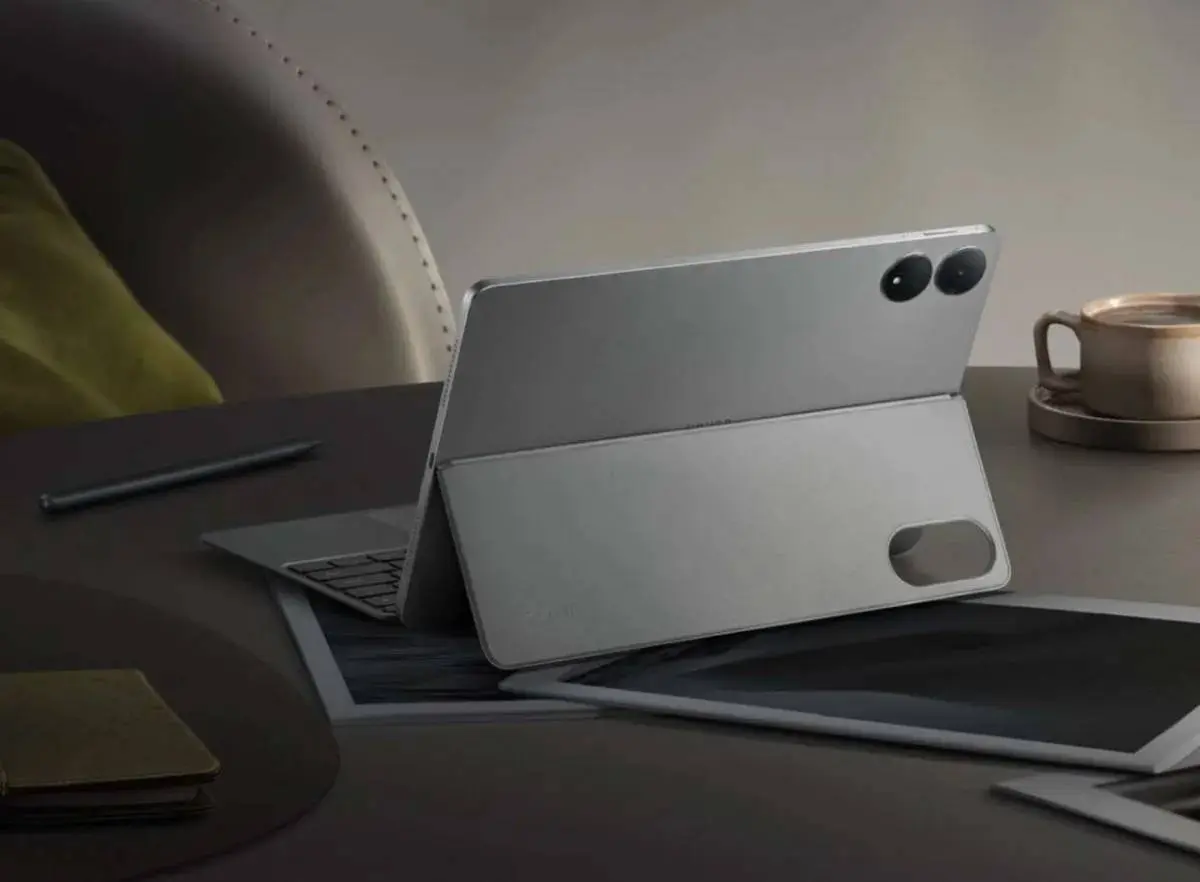
Honor opted for a flat metal frame that feels sturdy, though I’ll be honest, the lack of an IP rating makes me a bit nervous. I’m not someone who reads in the tub, but I’d definitely think twice before leaving this on a messy kitchen counter near a spill. The camera module on the back has that rounded-square look we’ve seen before, which is fine, I guess. It doesn't scream "innovation," but it looks professional enough for a coffee shop or a high-stakes office meeting.

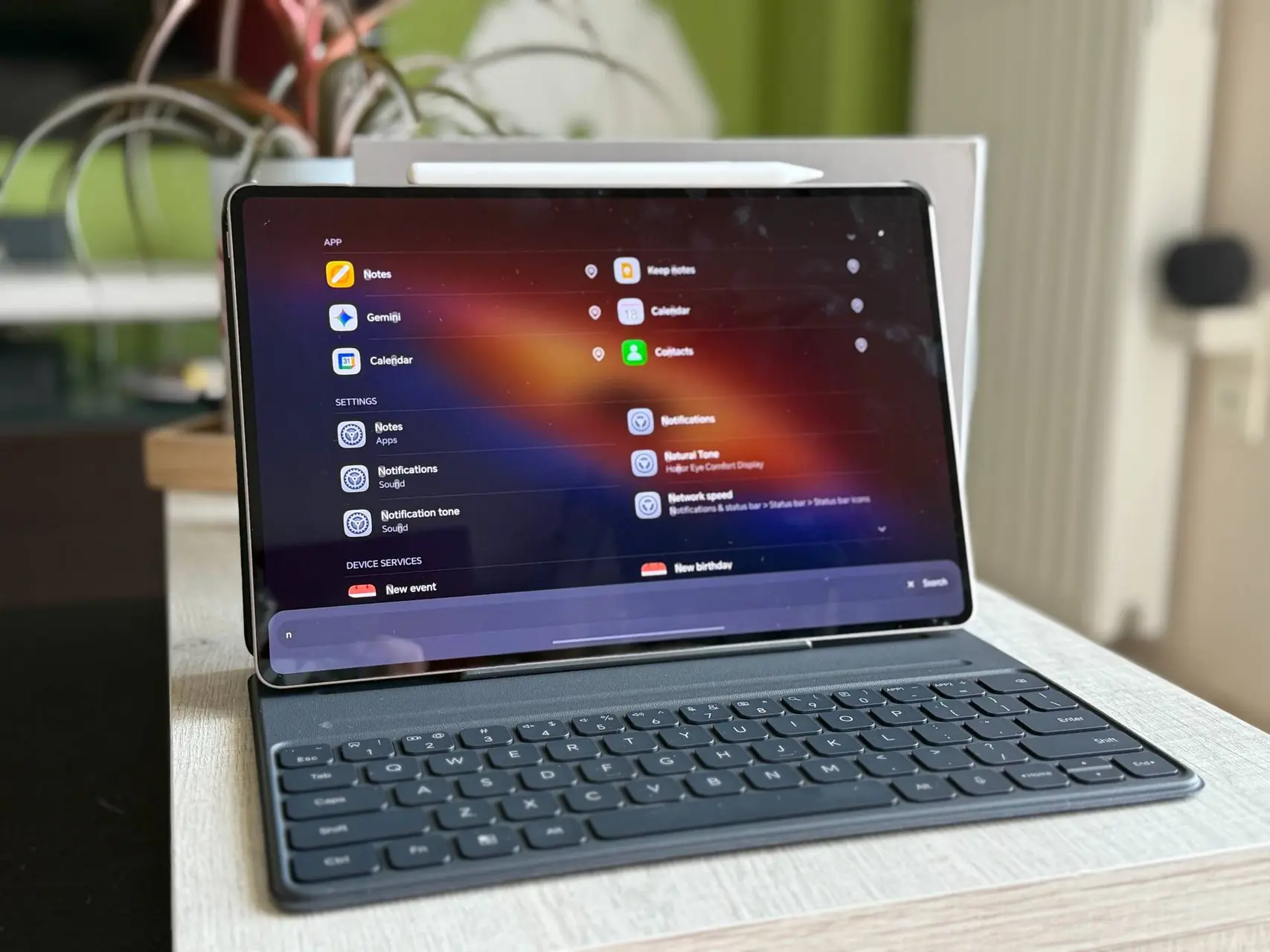
One minor gripe I had was with the accessories. I used the Smart Keyboard case for a few days, and while the keys themselves have a decent click to them, the folding stand mechanism is... well, it’s fiddly. It uses this weird system where the back cover folds away, and I never quite felt like it was "locked" in place. If you’re typing on a flat desk, it’s fine. If you’re trying to balance it on your lap during a train ride, good luck. It might just be me, but I found myself constantly readjusting it.

The Display That Steals The Show
If you’re buying this tablet, you’re buying it for the screen. Honor moved back to an OLED panel here, and thank goodness for that. The previous model’s move to LCD felt like a step backward, so this feels like a homecoming. It’s a 12.3-inch beauty with a 3:2 aspect ratio, which I personally prefer for reading and writing over the more narrow 16:10 screens you see on some competitors. The colors are vibrant without being neon-bright, and the 3000 x 1920 resolution means everything looks incredibly sharp.

Then there is the 165Hz refresh rate. Now, do you need 165Hz on a tablet? Probably not. Most movies are 24fps and most apps cap out at 60 or 120. But man, when you’re scrolling through a long PDF or playing a high-frame-rate game like Destiny: Rising, it is buttery smooth. It’s one of those things you don't think you need until you use it, and then going back to a 60Hz screen feels like looking at a slideshow. I did notice that the peak brightness hits 2400 nits in HDR, which is helpful if you’re trying to work near a window, though it still struggles a bit under direct, harsh afternoon sunlight.

I should mention the eye-care features, too. Honor is obsessed with PWM dimming—5280Hz in this case. I’m not particularly sensitive to screen flicker, but I did notice that my eyes felt a bit less "strained" after a three-hour binge of The Fantastic Four on Disney+. Whether that’s the technology or just a placebo, I’ll take it.

Performance And Real-World Use
Under the hood, we’ve got the Snapdragon 8 Gen 5. It isn't the "Elite" version, but in my day-to-day use, I couldn't tell the difference. I’m not much of a hardcore mobile gamer, but I did fire up some more demanding titles just to see what happened, and it handled them without any noticeable stutter. Where it really shines, though, is in "PC Mode."
When you toggle this on, the UI shifts to a windowed environment. I was able to have Chrome, Slack, and a Word doc open simultaneously without any lag. It’s not quite a MacBook replacement—Android still has its quirks when it comes to desktop-style file management—but for a mobile workstation? It’s pretty close. The 12GB of RAM in the base model seems more than enough for most people, though if you're a "50-tabs-open" kind of person, the 16GB version exists for a reason.

The audio experience is another high point. There are eight speakers tucked into this chassis. Honor uses some AI spatial audio tricks, and while I usually roll my eyes at "AI" being slapped on everything, the soundstage here is genuinely wide. It lacks the deep bass you’d get from a dedicated Bluetooth speaker or maybe a high-end iPad Pro, but for watching movies in bed, it’s fantastic. It’s loud, clear, and doesn't distort even when you crank it up.
Battery Life And Charging Realities
The battery life has been surprisingly solid. Despite Honor shrinking the battery to 10,100mAh to keep the device thin—down from over 12,000mAh on the previous version—the efficiency of the Snapdragon 8 Gen 5 seems to balance things out. I managed to get through most of a work week with sporadic use—emails, some YouTube, plenty of web browsing—before I had to reach for the charger.

I did a little informal test: an hour of 4K HDR streaming on YouTube drained about 8% of the battery. That’s roughly 12 to 13 hours of continuous playback, which is respectable for a screen this bright and fast. When I did need to top up, the 66W charging was a lifesaver. It got me from zero to 55% in about 30 minutes. Just keep in mind there’s no charger in the box. I used a compatible fast charger I had lying around, but if you don't own one, that’s an extra expense you’ll need to factor in.
Software Quirks And Camera Expectations
Let’s talk about the software, because this is usually where Honor (and most Android tablets) hit a snag. It’s running MagicOS 10 on top of Android 16. It’s smooth, sure, but it comes with a fair amount of "bloatware." I don't really need TikTok, Booking.com, and three random mobile games pre-installed on my productivity device. You can delete them, but it’s an annoying first step when setting up a new device.
The cameras are... well, they are tablet cameras. The 13Mp rear camera is fine for scanning a receipt or a document in a pinch, but the photos lack detail and tend to overexpose in bright light. The 9Mp front camera is perfectly adequate for a Zoom call or a quick video chat, but the colors are a bit washed out and skin tones look a little "flat." It’s a tablet; I don't expect it to be a professional camera, and it isn't. It does 4K video at 30fps, which is a nice-to-have, but I can't imagine many scenarios where you'd choose this over your phone for recording video.

I also tried the Magic Pencil 3. It’s magnetic and sticks to the top, but the connection feels a bit precarious. The latency is low, and for jotting down notes in the Honor Notes app, it works well. However, it doesn't quite have the "paper-like" friction that some other styluses offer. It’s a bit slippery on the glass, which takes some getting used to.
Final Verdict: Is It Worth It?
At the end of the day, the Honor MagicPad 4 is a very focused device. It aims for a specific sweet spot: people who want the build quality and screen of a Pro-level tablet but don't want to pay the four-figure "Pro" tax. It’s thinner than an iPad Pro and has a screen that rivals almost anything on the market.
Yes, the software support could be longer—three years is okay, but Samsung’s seven-year promise makes it look a bit stingy. And yes, the keyboard case is a bit clunky. But for around £600, you’re getting a piece of hardware that feels like it should cost significantly more. If you can live with the MagicOS quirks and the occasional fiddly accessory, this is easily one of the best Android tablets of the year. It’s a powerhouse for media, a decent tool for work, and arguably the best-looking slab of tech in its price bracket.
Popular News

Latest News
Loading