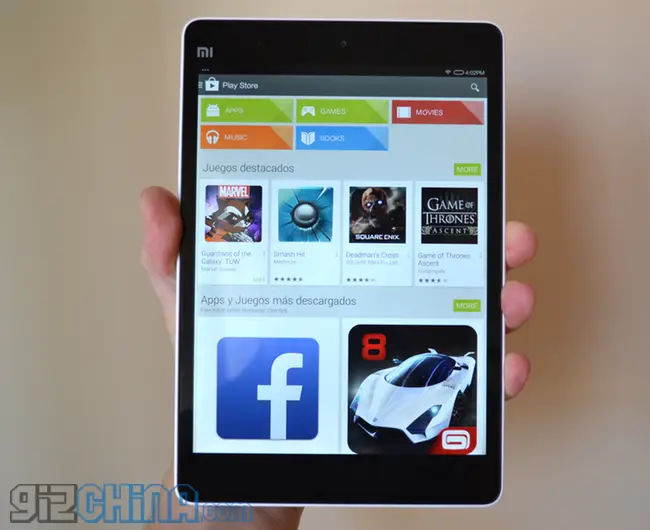
If you have a Xiaomi Mi Pad and need to install the Google Play store, or you are having a few force closes and bugs here is how to solve them.
Last week we received a couple of Xiaomi Mi Pad tablets. One came to us from reseller iBougou.com while the other came from Xiaomishop.com. Upon turning each tablet on for the first time we found that they had both had the Google Play store installed, however the installation meant that the OS had a few bugs.
For example heading in to settings > buttons would crash the system on both and each device felt a big buggy and not as smooth as they should. If you are having the same issues you can use this fix.
If you are having issues with buggy OS follow these first steps. If you just need to install Google Play on the Mi Pad scroll down:
Install a fresh version of MIUI
First up we are going to update the Mi Pad to a fresh install of MIUI. This should wipe anything the resellers have done to the Mi Pad and give us a factory fresh tablet to start with.
Xiaomi offer two MIUI versions for the Mi Pad (as they do with all devices). A ‘Stable’ release and a ‘Developer’ release. Usually the ‘Developer’ release gets weekly updates and the newest features first and this is what I usually run.
To reinstall MIUI on the Mi Pad follow these steps:
- Visit Miui.com/getrom.php > Mi Pad or simply hit this link to go straight to the download page.
- The first option is the stable, the one below is the developer version. Choose the one you want and hit the green download button.
- Once downloaded rename the ROM update.zip and move it to the ROOT of you Xiaomi Mi Pad.
- Now with the .zip in the ROOT we need to get the tablet in to recovery.
- The best way to do this is to press the power button > reboot > hold volume + while the Mi Pad reboots.
- You will now be in the MIUI recovery system. Use the volume button navigate up and down and power button to select.
- English > install update.zip to System One. To ensure a clean install I suggest you wipe the cache and user data also.
- Once complete Reboot > Reboot in to System One
- You should now have a clean install. Test the system and it should be factory fresh and bug free. Now to install Google Play.
Watch fresh install and recovery on Mi Pad
How to install Google Play on the Xiaomi Mi Pad
By default the Xiaomi Mi Pad does not have the Google Play store, instead it has its own Xiaomi Market. This is where we will begin.
 Open the Xiaomi Market and search “Google”
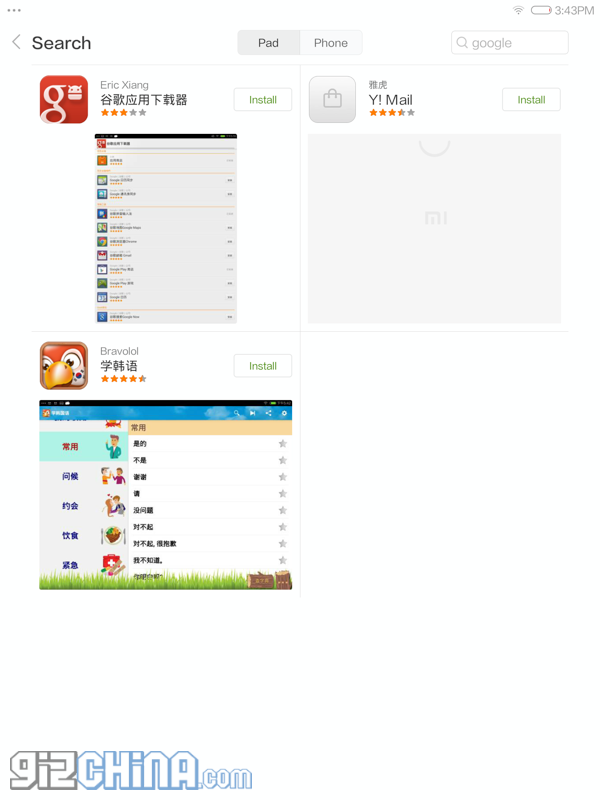 Install the Google installer by Eric Xiang
 Once installed open the installer and choose Google Play
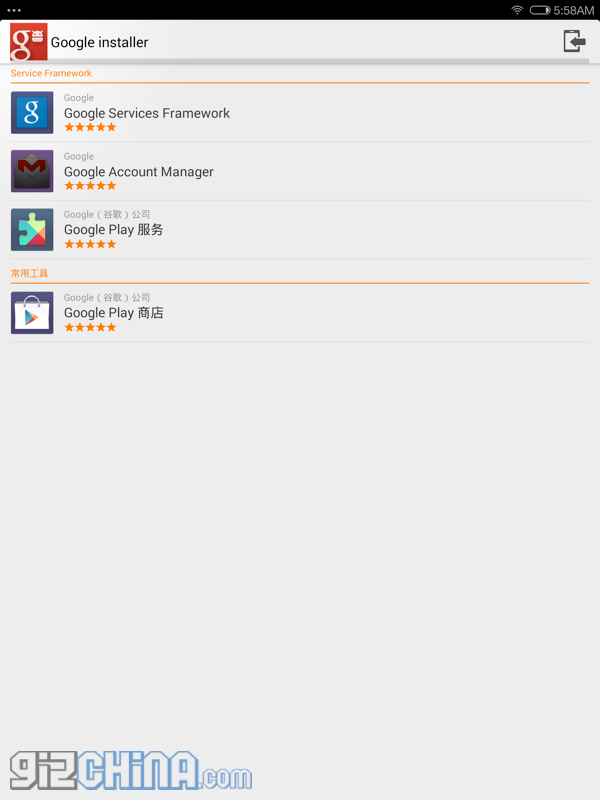 The app will also tell you to install other components and frameworks do this too.
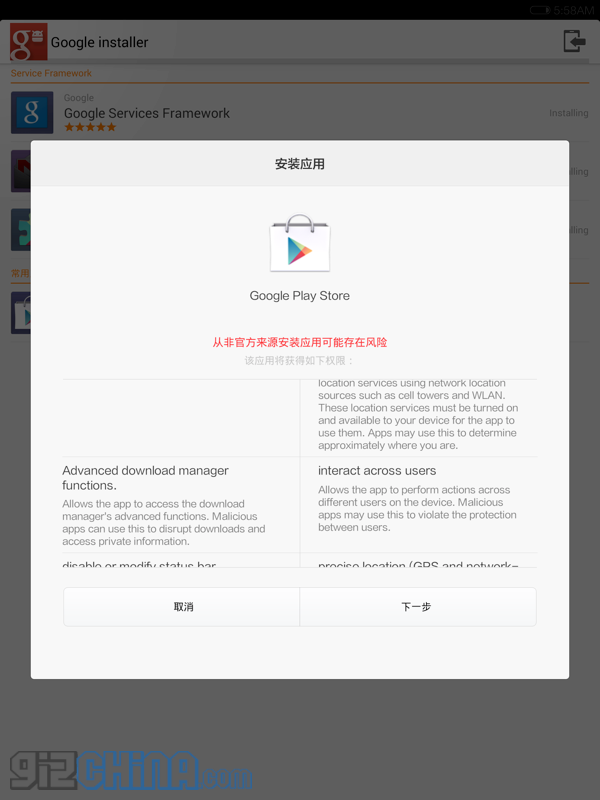 And that’s it! Just log in to Google Play and away you go! NOTE: If you find the Play Store opens and instantly closes uninstall Google Play (not the frameworks) and download the Vending.apk from another source and it should be fine.
Watch: How to install Google Play Store on the Xiaomi Mi Pad tablet
With the steps above completed you should now have a bug free Xiaomi Mi Pad tablet with Google Play Store installed. If you have any other Xiaomi Mi Pad or MIUI tips and tricks please feel free to share them with us.
Popular News
Latest News
Loading