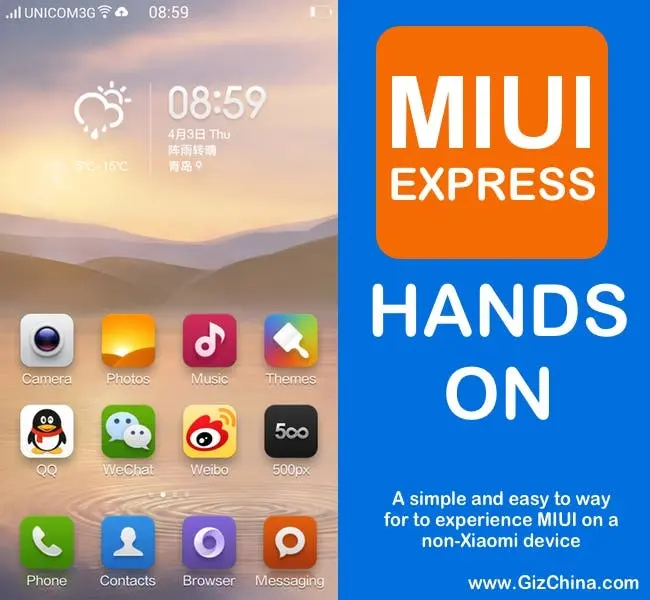
We try out Xiaomi’s MIUI Express, a lightweight app that brings MIUI UI and cloud features to non- Xiaomi Android devices.
Yesterday we reported on the all new MIUI Express application which brings the look, feel and certain features and services of the MIUI ROM to non Xiaomi phones without having to install a custom ROM. Think of this as MIUI Lite for non Xiaomi phones. Xiaomi Express brings non Xiaomi devices the same MIUI UI, icons and even certain settings menus, much like the MIUI launcher does, but MIUI Express is much more than a regular launcher.
MIUI Express Features
MIUI Express is currently in Beta and according to Xiaomi’s forums will only work on select device, however we easily installed and ran the system on the Oppo Find 7a with no issue and believe you will have the same experience.

Once you have installed the MIUI Express application your phone will launch the MIUI launcher and change most of your icons. You will also get access to MIUI Cloud services including Cloud SMS, Cloud blacklisting, Contact back up and access to a MIUI Cloud account where you can back-up photos, share galleries and access data on your phone via a PC. Installing the app will also add the Xiaomi market to your phone too.

You can also choose to use the MIUI lock screen which gives shortcuts to the camera, phone, SMS, and also have built-in MIUI weather services, animated wallpapers and a nice shortcut to toggle your most used settings.

The best feature of all though is that MIUI Express doesn’t override your current ROM. In the case of the Oppo Find 7 and Color OS this means I still have access to black screen gesture controls, the swipe up gesture panel and also the ColorOS notification bar. It also does not replace system apps so I still have the excellent Color OS camera app and more.
Video - Hands on with MIUI Express on the Oppo Find 7a
MIUI Express - First Impressions
Although MIUI Express’s features are currently limited, I am really excited to see what additional features Xiaomi will bring to non Xiaomi phones. What is great is that people who are not confident, or just don’t want to install a custom ROM can try out some of the more popular MIUI features by simply installing an app.
I hope Meizu are taking notice of MIUI Express as I would love to see a version of Flyme Express offered soon too.
If you try out Xiaomi Express on your phone let us know how it works, the device you tried it on and what you think of it.
Popular News


Latest News
Loading