Ever switched phones and noticed that your apps suddenly behave differently? That difference can also extend to privacy. The iOS vs. Android debate has been around for years, but there is no simple winner. Both platforms collect data and give users some control over what they share. The bigger difference is how that data is handled and how much control you actually get.
Instead of picking a side, let's look at how iOS and Android handle your information. Privacy policies and settings can change over time, so think of this as a practical checklist rather than a final verdict.
Android vs iOS security: what actually sets them apart
Apple's ecosystem is more closed. Apps must pass the App Store review process before reaching your iPhone, which can help catch malicious behavior early. Google also reviews Play Store apps, but Android allows users to install software from outside the store. That flexibility can introduce extra risks, especially when downloading from unknown sources.
However, a closed ecosystem does not automatically mean better privacy. Studies have found that free iOS apps can request as much personal data as their Android counterparts, and sometimes more. Apple's review process focuses heavily on security and malware, but that doesn't mean it restricts every form of data collection.

Android also offers a more granular permission system in some areas. Users can control access to specific data types and device features, giving them more control over what an app can access.
App permissions: the iOS vs. Android privacy split
This is where the two platforms actually differ. Both let you set permissions in detail, including access to your camera, microphone, and precise location.
- Android classifies permissions and keeps a record of recent access, so you can spot a program quietly checking your location in the background.
- The first time software wants to access something sensitive, iOS asks for permission, and if that program keeps doing it frequently, it reminds you.

People still often agree to requests without reading them carefully. A fresh report from GoodFirms reveals that 86% of people will promptly delete an app that demands too many data permissions. To sum up, people do care, but how much they act on it differs. Whenever someone makes an honest comparison between iOS vs. Android privacy, it must acknowledge that permissions only offer protection if you actually check them.
iPhone vs Android privacy: tracking, ads, and what companies do with your information
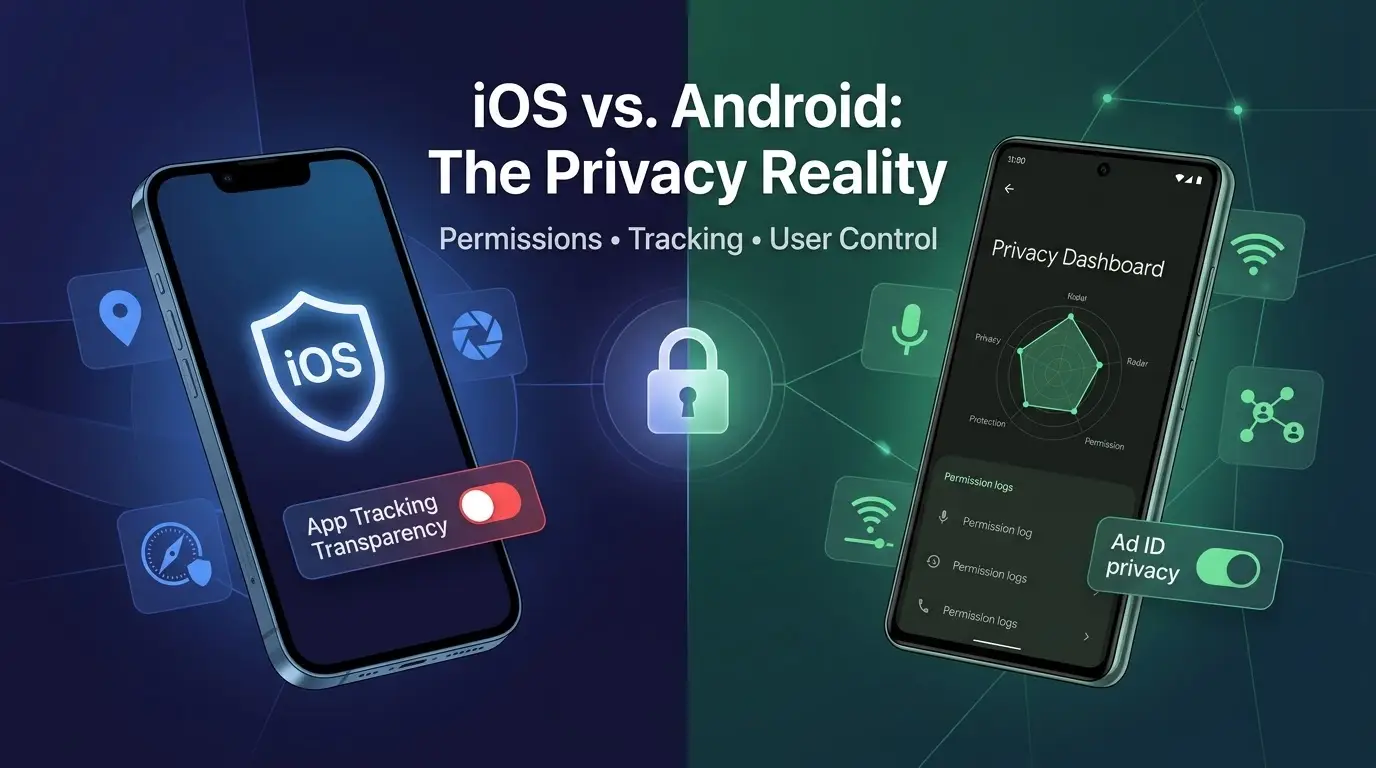
The bigger privacy concern is often what happens after you hand over your data. Apple's App Tracking Transparency (ATT) requires apps to ask before tracking users across other apps and websites. Android has taken a similar direction with Privacy Sandbox and tighter controls around advertising IDs.
Background activity is another part of the picture. Apps and games on both platforms can still sync data or send analytics while the phone is idle. Both systems also provide tools to see this activity. Android has a Privacy Dashboard, while iOS offers an App Privacy Report.
It is worth checking these reports once in a while. You may find that an app you barely use has been accessing location, photos, or other device features more often than expected.
If your iPhone feels like it is watching everything you do, you're not imagining it, and there are concrete settings that cut down on that.
Protecting your connection from network manipulation
What happens inside applications is one thing. What happens on the network is a different story, and this piece of the iOS vs. Android privacy picture gets skipped surprisingly often.
The vulnerabilities associated with public Wi-Fi are more significant than most people think. Wi-Fi networks in coffee shops, airport lounges, and hotels are seldom guaranteed to be safe. And attackers sometimes deliberately set up rogue access points with familiar names to intercept the data that passes through them.
A few habits help on top of that:
- Avoid banking or email logins on open networks.
- Turn off auto-connect to known Wi-Fi names, since that is exactly what rogue hotspots exploit.
- Use a VPN whenever you're on a network you don't control.
Your IP address is part of the picture, too. Even after you block tracking with App Tracking Transparency or reset your advertising ID, your IP can still reveal your approximate location and link sessions together. Here, the platforms differ: iPhone users with iCloud+ get Private Relay, which hides their IP in Safari, while most Android phones have no built-in equivalent.

Want to see how much an app leans on your IP? Change it and watch. A VPN will do in a pinch, but plenty of apps spot VPN addresses and act differently, which skews the result. Residential proxies are cleaner: they use real household IPs, so the app just sees someone at home in another city.
Start by checking your public IP with a site such as BrowserLeaks to make sure the proxy is working. If it still shows your usual location, some traffic may be bypassing the proxy.
Next, test an app that uses location-based content, such as weather, delivery, or shopping apps. Deny its location permission, then compare the location it shows with and without the proxy.
If the app switches from your real city to the proxy's city, it may be using your IP address to estimate your location. If it still identifies your real city, it could be relying on other signals, such as your SIM card, nearby Wi-Fi networks, or account information.
The test shows why turning off location access does not necessarily hide your whereabouts.
Biometric locks and secure messaging: the last line of defense
Both platforms lean heavily on biometric authentication security, whether that is Face ID, Touch ID, or Android's fingerprint and face unlock. These systems store your biometric data locally in a secure chip rather than sending it anywhere, so they remain one of the sturdier privacy features on either OS.
Secure messaging also merits a second thought because not all apps that are labeled "secure" actually provide end-to-end message encryption. Standard SMS is completely unencrypted. Some popular secure messaging apps even encrypt only certain kinds of conversations by default. With WhatsApp, a few setting changes can significantly affect who can see your activity and reach you.
iOS vs Android privacy: a quick side-by-side
| Category | iOS | Android |
| App review | Strict, but not privacy-focused | Play Protect scanning, plus sideloading |
| Permission control | Ask-first, periodic reminders | Granular, with an access log |
| Tracking limits | App Tracking Transparency | Privacy Sandbox, ad ID limits |
| Biometrics | Face ID, Touch ID | Fingerprint, face unlock (varies) |
| Background activity | App Privacy Report | Privacy Dashboard |
| IP address | Private Relay (iCloud+, Safari only) | No built-in option on most devices |
It's also worth noting that background processes tied to preinstalled programs can quietly affect both battery life and data use. So it's worth checking what is running in the background from time to time.
Where this leaves you
Neither iOS nor Android offers you privacy ready-made. Instead, they fall short in different ways. While Apple makes security more tightly enforced by default, it still collects a lot of data for its own use. Android gives you more visibility, but only if you bother to dig through the settings.

So instead of making a one-off choice, treat the discussion about iOS vs. Android privacy as a habit that you carry on.
- check your permissions every so often,
- take a quick look at your privacy dashboard,
- remain careful when using public networks,
- verify that your messenger actually uses encryption rather than just assuming it does.
Small, frequent checks are better than a single perfectly configured setup, and both platforms reward people who keep checking.
Popular News

Latest News
Loading