Navigate Like a Pro: Unleashing the Power of Mobile Navigation Apps
Guide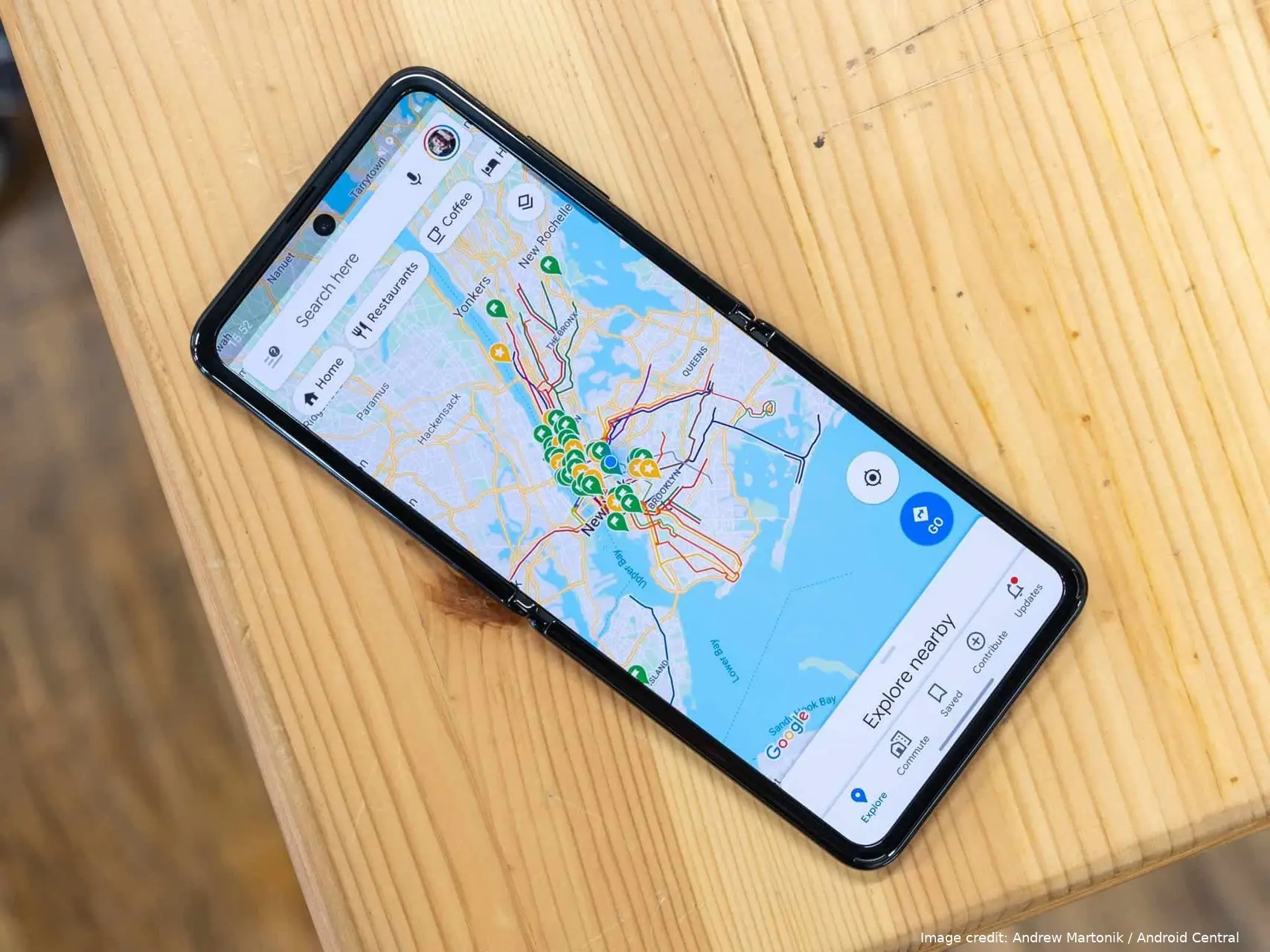
Conquering the Road: Mastering Mobile Navigation Apps with Tips and Tricks

Choosing Your Champion: Popular Navigation Apps
Google Maps: The ubiquitous king, Google Maps offers comprehensive features, real-time traffic updates, and seamless integration with other Google services.
Waze: The community-driven champion, Waze thrives on user-reported traffic jams, accidents, and police sightings, providing a hyper-local and dynamic navigation experience.
Apple Maps: Pre-installed on iPhones, Apple Maps offers a sleek interface, robust privacy features, and tight integration with Apple devices.
HERE WeGo: A global powerhouse, HERE WeGo excels in offline navigation, making it a reliable companion for international travel.
Citymapper: The urban warrior's choice, Citymapper specializes in public transportation navigation, offering real-time schedules and multi-modal route planning.
Mastering the Basics: Essential Navigation App Skills
Setting Your Destination: This seems like a no-brainer, but explore different options. Search by address, pinpoint a location on the map, or leverage voice commands for a hands-free experience.
Choosing Your Route: Most apps offer multiple route options, often categorized by speed, distance, or tolls. Explore these to find the one that best suits your needs.
Real-Time Navigation: Follow the turn-by-turn instructions, either visually or through voice guidance. Be aware of your surroundings and don't rely solely on the app.
Live Traffic Updates: Stay informed about traffic jams, accidents, and road closures. Use this information to adjust your route and avoid delays.
Beyond the Basics: Unleashing the Hidden Potential
Offline Maps: Downloading offline maps is a lifesaver in areas with spotty internet connectivity. Ensure you have enough storage space on your device.
Saved Locations: Star or bookmark frequently visited places for quick access. This is perfect for your home, office, or favorite restaurants.
Multi-Stop Routes: Plan routes with multiple stops, optimizing your journey and saving time. Ideal for errands, road trips, or deliveries.
Live Location Sharing: Share your real-time location with friends or family, keeping them updated on your arrival time, especially helpful when meeting up.
Voice Search: Keep your eyes on the road and utilize voice search to find destinations, change routes, or adjust music – a safety and convenience booster.
Advanced Techniques: Navigation Hacks for Power Users
Alternative Routes: Don't be afraid to explore alternative routes suggested by the app, especially during peak hours. You might discover hidden gems or quicker backroads.
Speed Limits and Cameras: Some apps display speed limits and warn you about upcoming speed cameras. Remember, these warnings are for informational purposes only, always obey traffic laws.
Parking Assistance: Find parking garages, street parking availability, and even pricing information within the app, eliminating the frustration of circling for a spot.
Public Transportation Navigation: Utilize apps like Citymapper to plan multi-modal trips that combine walking, cycling, and public transport for an eco-friendly and cost-effective journey.
Explore Features: Each app has unique features. In Google Maps, explore Street View to virtually preview your destination. With Waze, report accidents and hazards to contribute to the community.
Staying Safe on the Road: Navigation App Cautions
Don't Rely Solely on the App: Always be aware of your surroundings, road signs, and traffic conditions. The app is a guide, not a replacement for common sense.
Minimize Distractions: Mount your phone securely and avoid fiddling with it while driving. Utilize voice commands or ask your passenger to adjust settings.
Respect Traffic Laws: Navigation apps do not override traffic laws. Never speed or make dangerous maneuvers based on the app's instructions.
Foot Traffic Navigation: While navigation apps excel at car and bike routes, consider using them for walking directions, especially in unfamiliar areas. Explore pedestrian pathways, park shortcuts, and discover hidden gems along the way.
Time Travel Navigation: Use the timeline feature in Google Maps to revisit past journeys. This can be helpful for retracing your steps if you forget where you parked or left an item.
Offline Points of Interest: Download offline points of interest (POIs) like gas stations, restaurants, and ATMs. This is crucial for exploring remote areas with limited internet access.
Navigation Apps for Fitness: Gamify your walks or jogs by using a navigation app to track your distance and route. Explore new areas and challenge yourself with scenic hikes.
Emergency Assistance: In dire situations, some navigation apps offer features to locate nearby hospitals, police stations, or roadside assistance. Familiarize yourself with these options in case of emergencies.

Advanced Customization: Tailoring the App to Your Needs
Navigation Preferences: Set your preferred travel mode (car, bike, public transport) and route preferences (fastest, shortest, avoiding tolls).
Voice Guidance Settings: Choose a calming voice for turn-by-turn navigation or opt for visual cues only if you prefer a quieter ride.
Accessibility Features: Many apps offer accessibility features like larger text size or high-contrast color schemes for improved readability.
Sync Across Devices: Sign in to your account and sync your navigation data across different devices, ensuring your saved locations and preferences are readily available.
Third-Party Integrations: Explore integrations with other apps like music streaming services or food delivery platforms for a seamless travel experience.
Navigation Apps for the Future: Embracing Innovation
Augmented Reality Navigation: Imagine turn-by-turn instructions overlaid on your real-world view through your phone's camera. This futuristic concept is already being explored by some developers.
Connected Car Integration: Navigation apps seamlessly integrated into car dashboards, offering voice commands, real-time traffic updates, and even self-driving functionalities.
Hyper-Personalized Routes: Apps that learn your preferences and habits, suggesting personalized routes based on factors like traffic patterns, weather conditions, and even your preferred coffee shops along the way.
Mastering the Modes: Navigation Hacks for Different Travel Styles
-
Driving:
- Gas Station Savvy: Utilize gas station price comparisons within the app to find the most economical fuel stop along your route.
- Carpool Lane Assistant: Waze offers carpool lane guidance, indicating if the lane is open and if it will save you time compared to the regular traffic lanes.
- EV Charging Station Finder: For electric vehicle drivers, some apps like PlugShare help locate charging stations and check their availability.
-
Cycling:
- Bike Lane Navigation: Prioritize routes with dedicated bike lanes or bike-friendly roads for a safer and more enjoyable ride.
- Terrain Awareness: Explore apps like Strava that provide detailed elevation data, helping you plan cycling routes that match your fitness level.
- Parking Your Ride: Locate secure bike parking facilities near your destination using apps or community resources.
-
Walking:
- Pedestrian-Only Paths: Discover scenic walking paths, historical trails, or shortcuts hidden within the urban jungle using detailed walking maps.
- Step Counting Integration: Sync your navigation app with a fitness tracker to gamify your walks and keep yourself motivated.
- Safety in Numbers: Consider apps that allow you to share your live walking route with friends or family, especially when exploring unfamiliar areas at night.
-
Public Transportation:
- Real-Time Schedules and Delays: Stay updated on real-time bus, train, or subway schedules to avoid long waits at stops.
- Multi-Modal Planning: Combine walking, cycling, and public transport options within your navigation app to create the most efficient route for your specific journey.
- Offline Timetables: Download offline timetables for your frequently used routes in case you encounter internet connectivity issues.
Beyond the Destination: Expanding Your Navigation App Knowledge
-
Become a Local Explorer:
- Hidden Gem Finder: Utilize "Explore Nearby" features to discover interesting restaurants, cafes, or attractions around your current location or destination.
- Historical Walking Tours: Some apps offer self-guided walking tours with historical information and points of interest, transforming your navigation into an educational experience.
- Offline Saved Searches: Save interesting locations you discover online within the app, ensuring you can find them even without an internet connection.
-
Mastering the Sharing Economy:
- Ridesharing Integration: Seamlessly hail a rideshare service like Uber or Lyft directly within your navigation app, eliminating the need for separate apps.
- Scooter and Bike Rentals: Locate nearby dockless scooter or bike rentals directly through the app, perfect for first-mile or last-mile commutes or quick errands.
- Parking Reservations: Reserve parking spots at garages or lots near your destination, saving you the hassle of circling for a spot upon arrival.
-
Conquering the Unexpected:
- Emergency Contact Integration: Program emergency contacts like roadside assistance or local hospitals directly within the app for quick access in case of unforeseen situations.
- Offline Weather Updates: Download offline weather forecasts for your destination to plan your route and attire accordingly, especially for long journeys.
- Translation Tools: Utilize built-in translation features within the app to navigate unfamiliar cities or communicate with locals who speak a different language.
-
Turning Navigation into a Game:
- Points and Badges: Some apps reward frequent users with points and badges for completing challenges or using specific features. Gamifying navigation can make it more interactive and engaging.
- Challenge Yourself with Detours: Feeling adventurous? Use the app to explore alternative routes with scenic detours, adding a touch of spontaneity to your journey.
- Share Your Discoveries: Utilize social media features within the app to share your travel experiences and recommendations with friends and family.
Loading