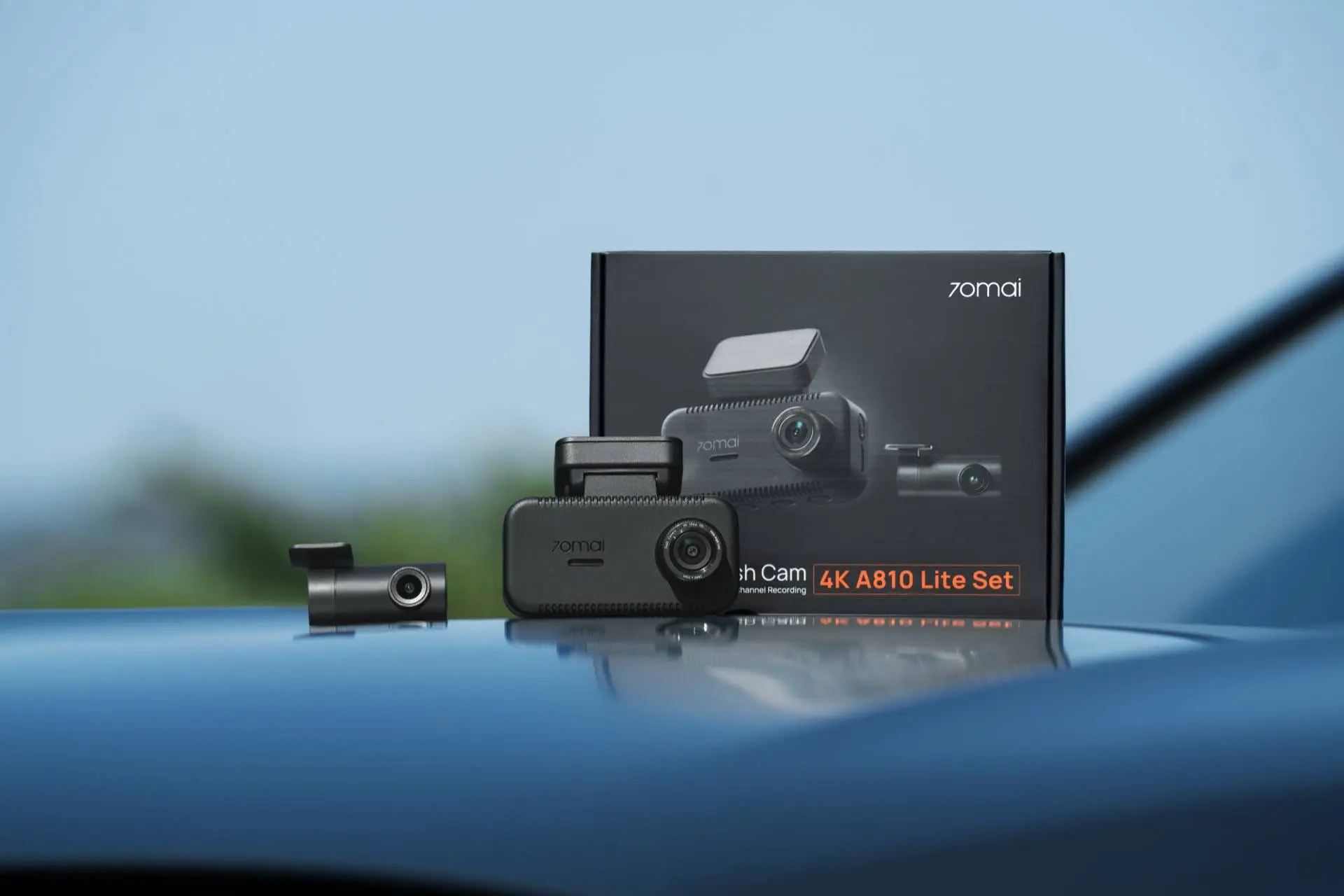
Dash cams are no longer just for tech enthusiasts. They have quickly become a must-have tool for anyone who drives on a regular basis. With erratic drivers, sudden insurance scams, and the simple need for peace of mind, having an extra eye on your windshield just makes sense. The market is full of options right now. You can buy cheap models that record blurry shapes, or you can spend a fortune on systems that cost as much as a new phone. The 70mai Dash Cam 4K A810 Lite sits right in the middle of this crowded space. It offers a front 4K camera, a rear lens, and a 64GB microSD card for around 150 euros. On paper, it sounds like an incredible deal. But living with it every day reveals a few quirks and design choices that show exactly where the brand chose to save money.

Summary
- The kit offers great value by including a 4K front camera, a rear camera, and a 64GB card for a reasonable price.
- A built-in supercapacitor replaces standard lithium batteries, which prevents overheating in hot cars.
- Fast 5GHz Wi-Fi makes it easy to download large video files directly to your phone.
- An optional 4G hardwire kit adds smart features like live remote alerts and 24/7 parking monitoring.
- The plastic body feels a bit cheap and light, but this actually keeps the camera from falling off the glass.

Design and build quality
When you first take the camera out of the box, you will notice how light it feels. The plastics feel thin and a bit basic. If you are expecting the smooth, premium feel of a top-tier smartphone, you might be disappointed. I think this is a smart choice though. Heavy cameras tend to fall off hot windshields during summer heatwaves. A light body puts less stress on the tape, so the hollow feel is easy to forgive.

The shape is small enough to hide behind your rearview mirror. It does not block your view of the road, which is great for safety. The camera lens sits on a small side hinge. You can easily turn it up or down to match the angle of your windshield glass. It is a simple design that works without any fuss.
The screen and buttons
Instead of using a touchscreen, this camera has a 3.28-inch display with four physical buttons underneath. At first, it feels a bit old-fashioned. We are so used to tapping screens today that pressing buttons feels like a step backward. But when you are driving, this setup is much better. Trying to hit a tiny digital icon on a shaking screen is hard and dangerous. The physical buttons have a nice click. You can find them by touch alone without taking your eyes off the road.

The screen itself is bright and easy to read. You can set it to turn off after a few seconds, or you can use the screensaver mode. This mode shows your current speed and direction on a black background. If you place the camera high up by your mirror, it acts like a handy head-up display. You can check your speed with a quick glance.

Setting up the system
Installing the camera can be simple or complex depending on what you want. The easiest way is to plug the power cord into the cigarette lighter socket. The kit includes two clear electrostatic films. You stick one to your glass first, then glue the camera mount to the film. This is a neat trick because you do not have to scrape sticky glue off your windshield later. It just peels off cleanly if you want to move it.

I also tried using some 3M Dual Lock tape. This is the heavy plastic tape people use for highway toll boxes. It lets you pop the camera off the windshield when you park in a bad neighborhood. This keeps it safe from thieves without ruining your alignment.

Running the rear wire
The kit includes a small rear camera, and hiding the long cable takes some work. The wire is long enough for a large car, but tucking it away requires patience. They include a small orange plastic tool to help you lift the rubber seals around your doors. You gently push the wire into these gaps to hide it.

It took me about forty minutes to run the wire from the front glass to the back window. You need to be careful where you stick the rear lens. If you place it too high, the black dots on your car glass might block the view. It is best to check the live view on your phone app before you stick it down permanently.

Video quality on the road
The biggest reason to buy this model is the 4K video resolution. The front sensor captures a very wide 140-degree view. This is wide enough to see multiple lanes of traffic and sidewalks without making the image look like a weird bubble. During the day, the footage is sharp. If you pause a video, you can read license plates on passing cars clearly.
Night driving and low light
Cheap cameras usually fail at night, but this one does a solid job. It uses high dynamic range technology to balance bright headlights against dark roads. In bright cities, the video looks very clean. On dark country roads, you will see some digital grain, but the camera still catches important details like street signs and clothes. It is not perfect, and fast cars can look blurry at night, but for this price, it is hard to complain.

The camera uses loop recording. It saves your trips in short clips. When the memory card fills up, it writes over the oldest files automatically. There is an acceleration sensor inside. If you brake hard or get into an accident, the camera locks that specific clip so it cannot be deleted by mistake.

The supercapacitor benefit
One important feature is hidden inside the camera. Instead of using a regular lithium battery, this unit uses a supercapacitor. Lithium batteries do not like high heat. If you leave a phone on a hot dashboard, the battery can swell or break.
Supercapacitors do not hold a charge for a long time like a phone battery, but they handle extreme temperatures very well. This camera can work safely in freezing cold or extreme cabin heat. The capacitor holds just enough power to save your last video file safely when you turn off the engine. This makes the camera much more reliable over time.
Smart alerts and the 4G module
The camera has a few driver assistant features, like lane departure warnings and crash alerts. To be honest, these alerts can be annoying. If your car already has these features, you will want to turn them off to stop the constant beeping. But if you drive an older car, the pedestrian alerts might be useful in busy cities.

The best features unlock if you buy the 50-euro 4G hardwire kit. This module connects straight to your car fuse box with three wires. If you do not know how to use a voltage tool, you should ask an expert to install it. Once wired up, it runs a 24/7 parking mode. If someone hits your parked car, the camera wakes up and records it. With a SIM card inside, it can even send an alert to your phone. For normal use, the built-in 5GHz Wi-Fi is very fast. You can view and download your videos to your phone in seconds without pulling out the memory card.

Final thoughts
The 70mai A810 Lite has a few minor flaws. The plastic body feels a bit cheap, and the safety beeps can be annoying. But when you look at the price, it is an excellent deal. You get sharp 4K video, a rear camera, a heat-safe design, and a great phone app. It does exactly what a good dash cam should do: it keeps a clear, reliable record of your time on the road.
Popular News

Latest News
Loading