Apple brings Pixelmator Pro to iPad with Apple Pencil support and a new warp feature for creators
Apple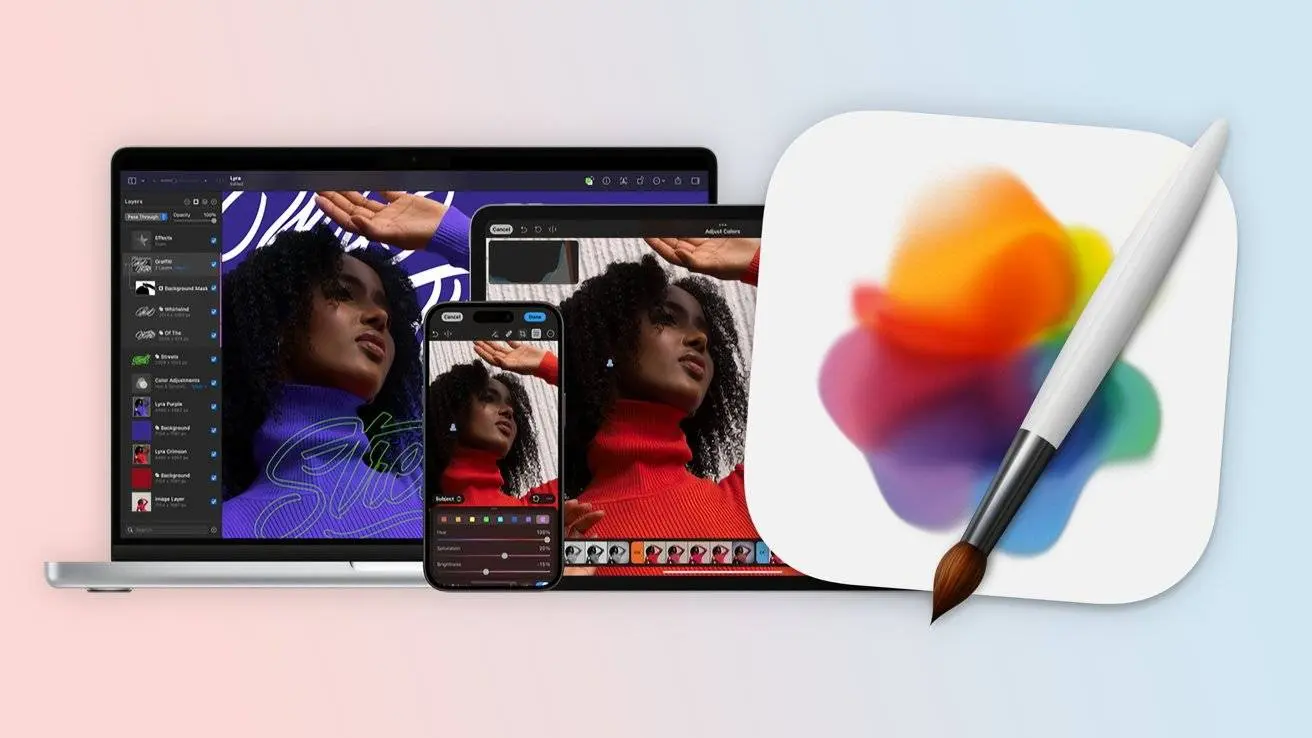
Apple has said that Pixelmator Pro, its pro image edit app, will now be on iPad. This is the first major step since Apple bought the Pixelmator team in late 2024. Until now, the pro version worked only on Mac, while the old Pixelmator app was on iPad and iPhone. The new iPad app keeps all main tools of the Mac version and adds a workspace tuned for touch screens.

The app works with Apple Pencil, so drawing and edits feel smooth. Users can switch between iPad and Mac without losing work. Pixelmator Pro uses Apple’s chips and the latest iPadOS to run fast. This lets users edit photos, create art, and design graphics anywhere, without losing power or detail.
Read also

Full tools for creators
Pixelmator Pro on iPad offers a full layer sidebar for images, text, graphics, and video. Smart select tools make it easy to pick parts of an image. Mask tools let users hide or show layers. Extra tools include super-res for clear photos, deband to fix flaws, and auto crop with suggested frames.
Apple Pencil adds pressure brushes for a natural draw feel. Gestures like hover, pinch, and double tap make control simple. Users can make pixel-perfect designs like they would on Mac. The iPad version keeps all core tools while giving touch-friendly controls.

Access and new warp tool
Pixelmator Pro for iPad will launch on January 28. Users can get it with Apple Creator Studio or by buying the Mac version for 328 yuan. Some advanced tools, like the new Warp tool, are only for Creator Studio subscribers. Warp lets users twist and shape layers freely and comes with mockup templates to speed up design work.
Before this launch, the iPad app update was slow, as the Pixelmator team focused on Mac. Now, iPad users can enjoy all key tools, plus Apple Pencil support, making the iPad a full pro edit device. This move shows Apple is serious about letting creators work anywhere with the same tools they would use on a Mac.
Popular News



Latest News
Loading