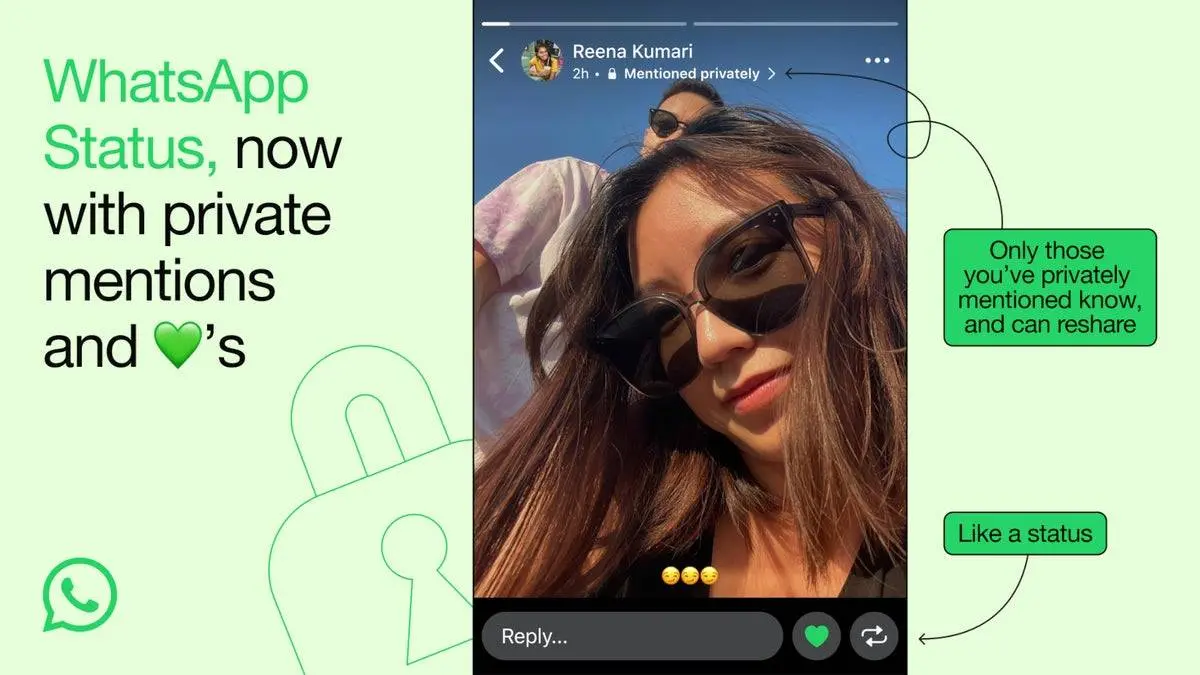
You’re scrolling through a quiet evening, when bam—WhatsApp pings: “You
were mentioned in a status.” That little hit of curiosity kicks in—maybe sis
dropped a hilarious meme, or your buddy shared a pic. You tap it. Total
head-scratcher. Unknown profile pic, unsaved number, some random street video
or quote in another language. And your name’s slapped right on it. Some
stranger yanked you into their digital bubble without asking. Creepy as hell,
invasive, straight-up irritating.
You’re not imagining it—this weird glitch in
the matrix happens way more than folks admit. Could be a typo in someone’s
contacts, off by one digit from their actual friend. Or an old coworker from
years back who never deleted you. Doesn’t matter how it happened. Point is,
your chill got wrecked, and now your name’s floating in a space you wanted no
part of.

Russia Cracks Down on WhatsApp, Blocking Millions from Private Chats
Here’s the kicker: WhatsApp has zero one-tap “no mentions
from randos” switch. Hang tight though—you’ve got moves. No perfect fix, but
blocking, hiding your profile pic/name, and muting works solid. Here’s the real
steps that actually do the job right now.
Why Can They Do This? The Simple, Flawed Rule
To
solve this, it helps to know the rule. On WhatsApp, the power to “mention”
someone works on a simple, one-way check: Do you have this person’s number?
That’s
it. If Person A has Person B’s number saved in their phone’s address book,
Person A can tag Person B in a status or a group chat. WhatsApp does not check
if Person B has Person A’s number. It doesn’t ask if you are friends. It
doesn’t care if you’ve ever met.
So,
when an unknown number tags you, it simply means your digit is sitting in their
contacts list. Your number is the key to your mention. This is the core of the
problem. Since we can’t control other people’s contact lists, we have to
control our own experience.
Your First Move: Remove Your Name Right Now
You
don’t have to wait 24 hours for their status to vanish. You can take your name
off it this second. This is your fastest, cleanest fix for the current problem.
Here
is what you do:
1.
Open WhatsApp and go to the Status tab.
2.
Find the status where your name is tagged. It will have a label
like “Mentioned you.”
3.
Tap on the status to view it.
4.
Look for your name or profile picture within the status bubble.
Tap on it.
5.
A small menu will appear. Tap the option that says “Remove Me From This Status.”
And
it’s done. Your name disappears from their update. The best part? The other person gets no
notification. They won’t see an alert that you removed the
tag. It’s a silent, powerful act of reclaiming your space. Use this step any
time you see an unwanted mention. It’s your instant cleanup tool.
Your Strongest Weapon: The Block Button
Removing
the tag cleans up the past. To protect your future, you need the block button.
This is the single most effective action you can take. Blocking someone cuts
every digital link between you on WhatsApp.
How
to block the unknown number:
1.
From the same status (or from your chat list if they’ve messaged
you), tap on the sender’s name/number at the top.
2.
This opens their profile info page. Scroll all the way to the
very bottom.
3.
You will see a red option that says “Block Contact.” Tap
it.
4.
Confirm your choice when asked.
What happens when you block them?
- They can never mention or tag you in a status or group again.
- They cannot send you messages or call you on WhatsApp.
- They can no longer see any updates to your profile picture, “last seen,” or “about” info.
Some
people feel that blocking is too harsh. But think of it this way: this is a
person whose number you did not save. You do not know them. They are, for all
purposes, a stranger creating noise in your private app. Blocking is not rude;
it’s a necessary filter for your digital well-being. It is your right to choose
who gets access to you.
Fortify Your Profile: Tighten All Privacy Settings
While
this won’t stop the initial tag, it severely limits what these strangers can
learn about you once they see your name. Make your profile invisible to anyone
not in your own contact list.
Go
to Settings >
Account > Privacy.
Here, you will see several important lines. For each one, tap and set the
option to “My
Contacts.”
- Last Seen
- Profile Photo
- About
- Status (This one is key—set your own status viewable only to “My Contacts” too.)
What
does this do? Now, when that unknown number looks at your profile, they see a
blank silhouette. They see no personal info. They don’t know when you were last
online. You become a ghost to them. It takes away their ability to see into
your life, which is a powerful form of protection.
Your action list is
clear:
1.
See a tag? Remove it. Use “Remove Me From This Status” for
instant cleanup.
2.
Stop it forever. Block. Use the block function without guilt
to prevent any future contact.
3.
Go invisible. Lock down your privacy settings to “My
Contacts” only.
4.
Check your digital footprint. See if your
number is publicly listed and remove it where you can.
Your
phone is your space. WhatsApp is a tool for connecting with people you choose.
When strangers barge in, you don’t have to just shrug and accept it. You have
the tools to show them the door. Take these steps today. Reclaim your
notifications, your peace, and your digital peace of mind. The next time that
buzz comes, you’ll know it’s someone you actually want to hear from.
Popular News




Latest News
Loading