Android Basics: How to uninstall and delete Android apps
How to's | GuidesTuesday, 10 January 2012 at 20:16
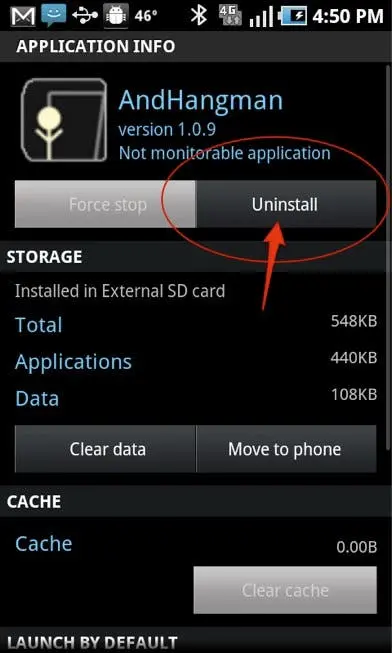
So you have found yourself with one of the many great Android tablets on the market, and have filled your card chock full of games, productivity and applications, however you now need to free up some space, 'How do I delete Android applications?' you may be asking, and we have the answer.As you would expect, Google have made deleting Android a breeze for Android phone and Android owners, and there are actually a couple of ways to can successfully uninstall Android apps:
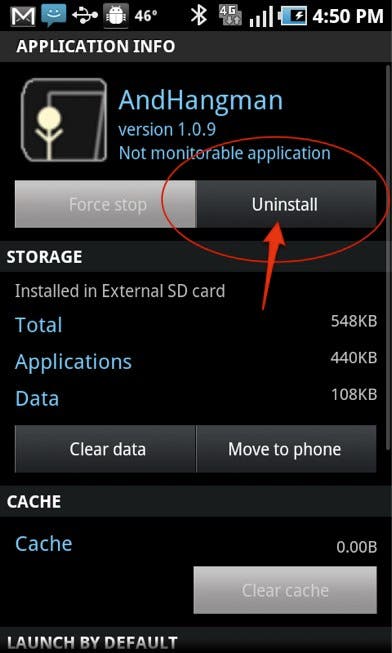
How to delete Android apps the settings menu
- From your home screen head in to settings. Depending on your device you may either need to open a settings application or press menu > settings.
- In the settings menu scroll down to ‘applications’ and choose it.
- Choose the ‘manage applications’ option.
- Now you can choose the applications you want to delete
- Choose uninstall.
How to delete downloaded applications from inside Android market
- Open the Android market.
- Head to the menu and choose ‘my apps’.
- Scroll to through your apps choosing the packages you want to remove.
- Hit uninstall.
You can find more great Android tablet tips, tricks and how to's over at Androidostablets.com.
loading
Popular News





Latest News
Loading