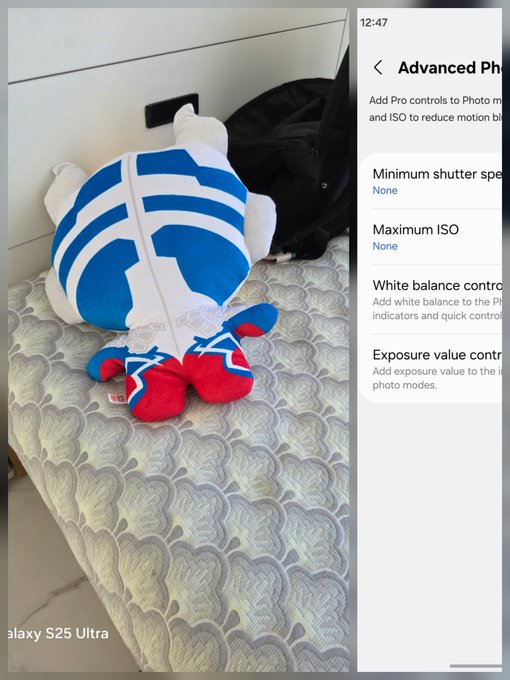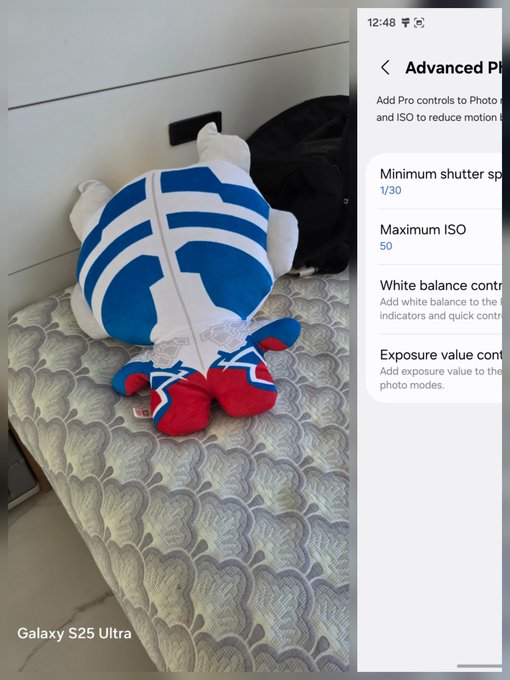
Samsung is pushing hard to fix one of the Galaxy camera’s oldest flaws: blurry photos of moving subjects. The second beta of One UI 8.5 (build ZYLH) just hit the Galaxy S25 series in six countries, and it’s leaning heavily into manual controls that actually make sense for everyday users.
Instead of just adding more AI filters, Samsung is giving the Camera Assistant app a major promotion. The new update allows you to set "safety boundaries" for your photos, so the phone doesn't make bad decisions in tricky lighting.

Key Points
- Motion Blur Solution: New "Minimum Shutter Speed" controls in Camera Assistant prevent blurry shots of pets and kids.
- Pro Presets: Users can now save, load, and share custom Pro mode settings using Quick Share.
- Feature Restoration: Single Take and Dual Recording return as optional toggles for a cleaner main camera UI.
- Advanced ISO Limits: A new "Maximum ISO" cap ensures photos don't get too grainy in auto mode.
- Wider Beta Access: The ZYLH build is now live for S25 users in India and Poland, joining the US and Europe.
Solving the "Pet Blur" Problem
The biggest addition is the Minimum Shutter Speed and Maximum ISO toggles within the Advanced Photo mode. Galaxy phones are notorious for using slow shutter speeds to keep noise low, which results in blurry photos if your subject (like a kid or a dog) moves even an inch.
With this update, you can tell the camera: "Don't ever drop below 1/125s shutter speed." The phone will then adjust the ISO to compensate, ensuring you get a sharp, frozen-in-time shot every time. It’s a game-changer for parent-tographers and pet owners who are tired of "ghost" photos.

The Return of Missing Favorites
If you updated to the first beta and panicked because Single Take and Dual Recording were gone, take a breath—they’re back. Samsung has moved them into the Camera Assistant as optional toggles.
This is part of a broader "Clean UI" strategy. By moving these specialized modes into the Assistant, Samsung keeps the main camera app from looking like a cluttered cockpit, but power users can still toggle them back into the "More" menu whenever they want.
Pro Mode Presets and Sharing
For the hardcore mobile photographers, One UI 8.5 is finally introducing Pro Mode Presets. You can now save your perfect setup for specific lighting—say, a "Neon Night" or "Macro Garden" preset—and even share those settings with other Galaxy users via Quick Share. It’s essentially a way to create and trade your own "film recipes" like Fujifilm users have done for years.
Availability and Rollout
The ZYLH beta is currently rolling out to Galaxy S25, S25+, and S25 Ultra users in:
- United States
- South Korea
- Germany
- United Kingdom
- India
- Poland
While the beta is moving fast, the stable public version is expected to debut alongside the Galaxy S26 series in early 2026.
Popular News





Latest News
Loading