Wear OS 7 Is Official — Features That Change What a Smartwatch Can Do
GoogleWednesday, 20 May 2026 at 08:45
Announced at Google I/O 2026. Available for developers right now. Coming to real watches later this year.
Summary
- Google officially announced Wear OS 7 at Google I/O 2026, building on Android 17 with a focus on battery efficiency, Gemini AI integration, and a completely redesigned approach to home screen information — the Wear OS 7 Canary Emulator is available for developers today.
- Watches upgrading from Wear OS 6 to Wear OS 7 can expect up to 10% better battery life through software-level optimization alone — before any chipset efficiency gains from newer hardware.
- Gemini Intelligence is coming to select smartwatches launching later in 2026, but requires Gemini Nano v3 support — the same strict hardware requirement that currently limits it to a handful of flagship Android phones, meaning only new 2026 watches will qualify.
- Tiles are being retired in favor of Wear Widgets with 2x1 and 2x2 layouts matching phone widget standards, and AI-generated widgets created through Android's Create My Widget tool can now sync directly to connected watches.
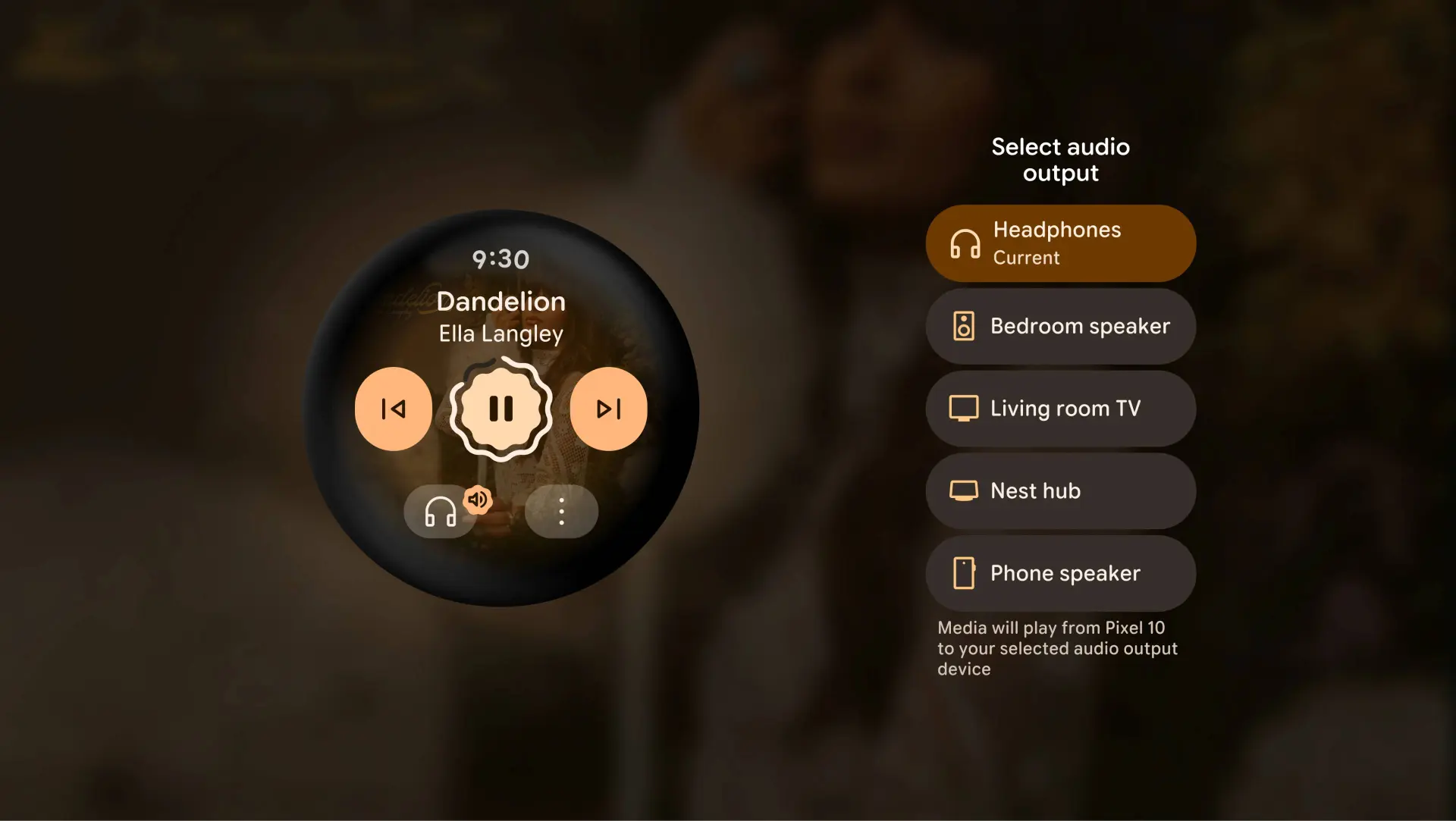
- AppFunctions gives Gemini direct control over third-party apps through voice — a user can say "start tracking my run" and Gemini interfaces with Samsung Health without opening the app, while Live Updates brings real-time delivery, rideshare, and sports data to the watch face.

"The AppFunctions API is the feature developers should pay most attention to. It gives Gemini direct control over third-party app functions through natural voice commands — without the user launching the app. That's not a UI feature. That's a fundamental change in how smartwatches interact with software."
Battery Life: The Unsexy Headline That Actually Matters Most
A 10% battery improvement sounds modest. On a smartwatch running all-day health tracking, continuous heart rate monitoring, and ambient display mode, 10% translates to meaningful real-world difference — potentially an extra 2 to 4 hours of use depending on the device. This comes from software optimization alone, not hardware changes. Watches already in users' hands that receive the Wear OS 7 update will benefit from this without any hardware upgrade.
The efficiency gains come from Wear OS 7's tighter integration with Android 17's power management architecture — the same platform improvements that reduce background process overhead on phones now apply to the constrained battery environment of smartwatches.

Tiles to Widgets: More Than a Rename
This is a bigger change than it sounds. Tiles in Wear OS were static cards in a swipeable deck — developer-built, limited in layout flexibility, and disconnected from the phone widget ecosystem. Wear Widgets match Android's standard widget framework, including the 2x1 and 2x2 layouts that phone users are familiar with. Developers who have already built phone widgets can adapt them to wrist displays without building a separate Wear-specific interface from scratch.
The Create My Widget AI feature adds another dimension: users who generate custom AI widgets on their phone — for personal routines, favorite sports teams, or home automation — can have those same widgets appear on their connected watch. The watch home screen becomes an extension of the phone's customized interface rather than a separate system requiring separate setup.
Gemini on the Wrist — With a Catch
Gemini Intelligence on Wear OS 7 requires Gemini Nano v3. That is the same hardware requirement that currently blocks the Pixel 9 series and Galaxy Z Fold 7 from Gemini Intelligence on Android phones. On smartwatches, this means only new 2026 flagship watches — likely the Pixel Watch 4 series and certain Galaxy Watch 8 models — will qualify at launch. Older watches running Wear OS 7 get all the other features but not Gemini Intelligence.
The AppFunctions capability that powers Gemini's app control is separately available to all Wear OS 7 developers — meaning the integration framework is open, even if Gemini itself requires the hardware floor.
Popular News

Latest News
Loading